







Question: Part 1: Text Editing in VIM - In PowerShell, SSH into the CSCl109 Part 2: Secure Copy - Create a folder called hw02p2 vim begin{tabular}{l|l}
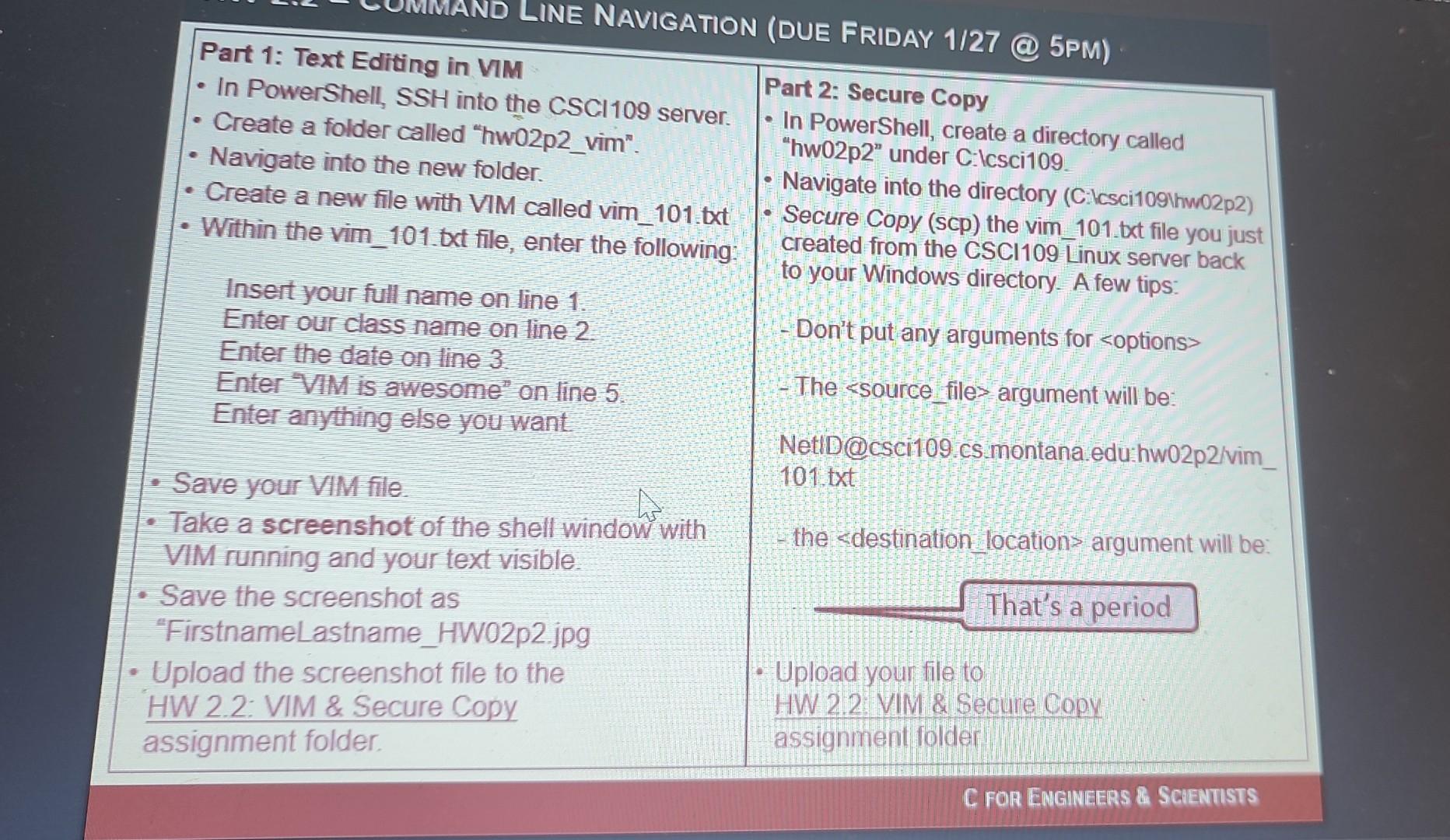
Part 1: Text Editing in VIM - In PowerShell, SSH into the CSCl109 Part 2: Secure Copy - Create a folder called "hw02p2 vim" \begin{tabular}{l|l} - Navigate into the new folder. & - Navigate into the directory (C.Icsci1091hw02p2) \\ - Create a new file with VIM called vim_101.txt Secure Copy (scp) the vim_101.txt file you just \end{tabular} "hw02p2" under C.Icsci109. - Within the vim_101.txt file, enter the following: - Secure Copy (scp) the vim_101.txt file you just to your Windows directory. A few tips: Insert your full name on line 1. Enter our class name on line 2 Enter the date on line 3. - Don't put any arguments for Enter VIM is awesome. on line 5 - The ssource files argument will be: Enter anything else you want NetID@csci109.cs.montana.edu:hw02p2/vim_ - Save your VIM file. 101.txt - Take a screenshot of the shell window with VIM running and your text visible. the
Step by Step Solution
There are 3 Steps involved in it

Get step-by-step solutions from verified subject matter experts
 Study Help