







Question: Part 1: Understand the algorithm Given a set of N values (x1 through xn) with mean x, the standard deviation o is: .. 0= 1)
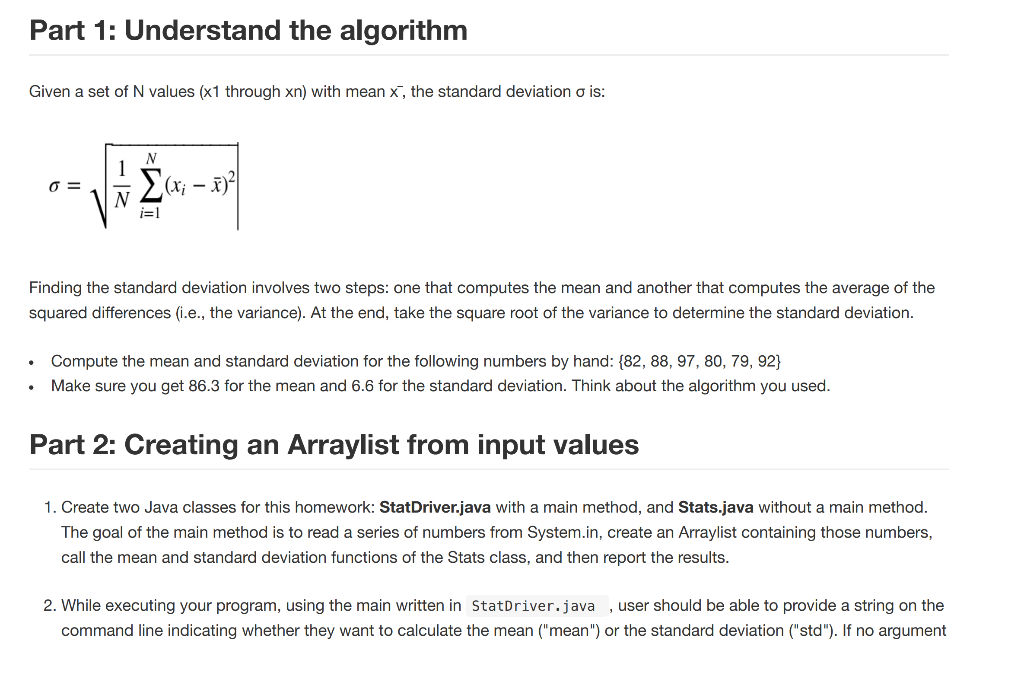
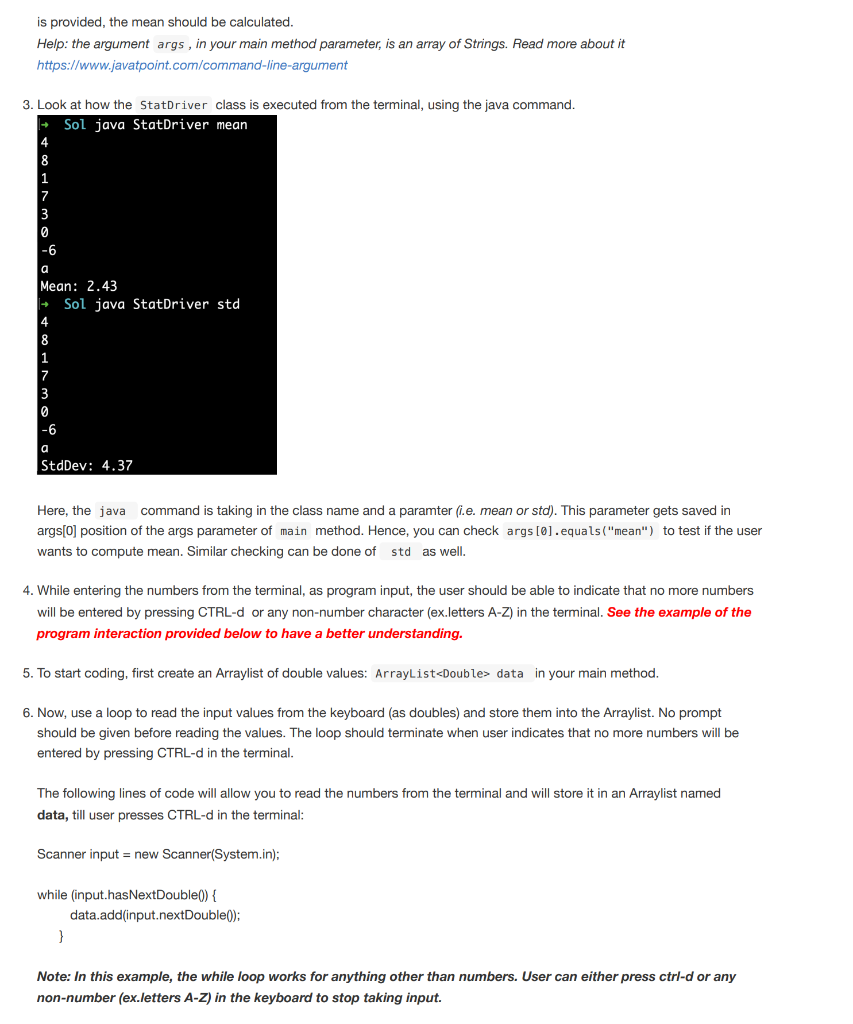
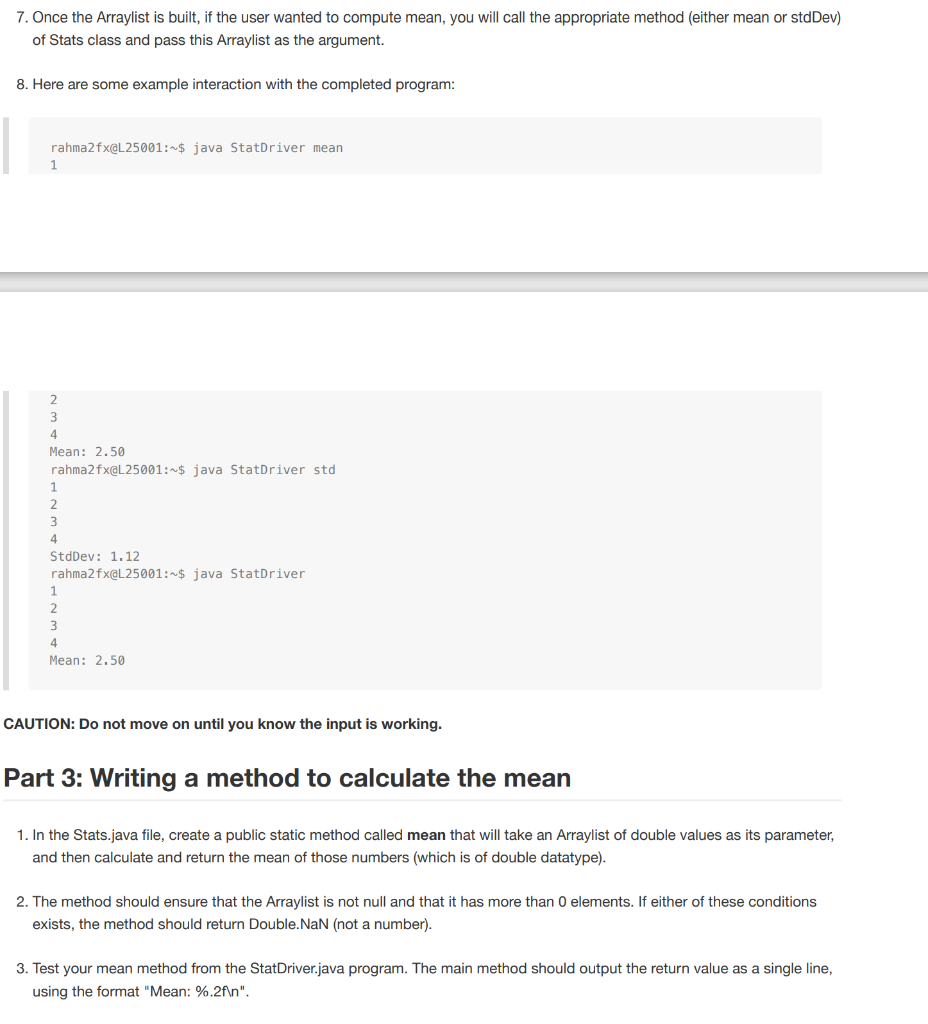
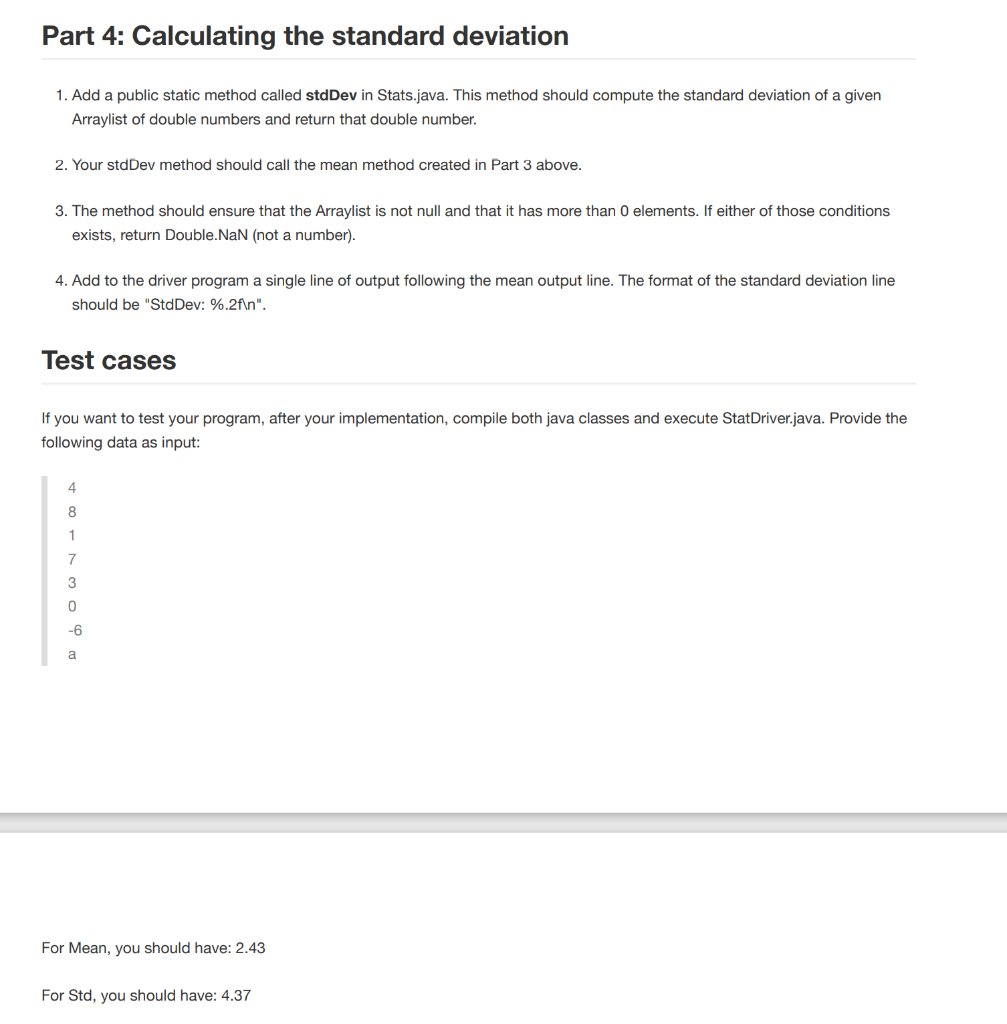
Part 1: Understand the algorithm Given a set of N values (x1 through xn) with mean x, the standard deviation o is: .. 0= 1) N Finding the standard deviation involves two steps: one that computes the mean and another that computes the average of the squared differences (.e., the variance). At the end, take the square root of the variance to determine the standard deviation. Compute the mean and standard deviation for the following numbers by hand: {82, 88, 97, 80, 79, 92} Make sure you get 86.3 for the mean and 6.6 for the standard deviation. Think about the algorithm you used. . Part 2: Creating an Arraylist from input values 1. Create two Java classes for this homework: StatDriver.java with a main method, and Stats.java without a main method. The goal of the main method is to read a series of numbers from System.in, create an Arraylist containing those numbers, call the mean and standard deviation functions of the Stats class, and then report the results. 2. While executing your program, using the main written in StatDriver.java , user should be able to provide a string on the command line indicating whether they want to calculate the mean ("mean") or the standard deviation ("std"). If no argument is provided, the mean should be calculated. Help: the argument args, in your main method parameter, is an array of Strings. Read more about it https://www.javatpoint.com/command-line-argument 3. Look at how the StatDriver class is executed from the terminal, using the java command. Sol java StatDriver mean 4 -6 a Mean: 2.43 Sol java StatDriver std 0 -6 a StdDev: 4.37 Here, the java command is taking in the class name and paramter (i.e. mean or std). This parameter gets saved in args[0] position of the args parameter of main method. Hence, you can check args[0].equals("mean") to test if the user wants to compute mean. Similar checking can be done of std as well. 4. While entering the numbers from the terminal, as program input, the user should be able to indicate that no more numbers will be entered by pressing CTRL-d or any non-number character (ex.letters A-Z) in the terminal. See the example of the program interaction provided below to have a better understanding. 5. To start coding, first create an Arraylist of double values: ArrayList
Step by Step Solution
There are 3 Steps involved in it

Get step-by-step solutions from verified subject matter experts
 Study Help