







Question: Part 2 : Decimal Degrees Cleaning up the Data The function will do these things: Make sure the degrees and minutes are integer, using (
Part : Decimal Degrees Cleaning up the Data
The function will do these things:
Make sure the degrees and minutes are integer, using Seconds can be floating point.
Make sure the minutes and seconds are positive numbers Degrees can be negative. Hint:
use
If the minutes and seconds are greater than process it as if the numbers had "rolled over"
correctly. Thus, if someone enters and that is the same as Hint:
you can do this without any if statements or any special code at all, if you set up the
conversion math correctly.
Note that degrees can be negative. Make sure you handle the calculation properly!
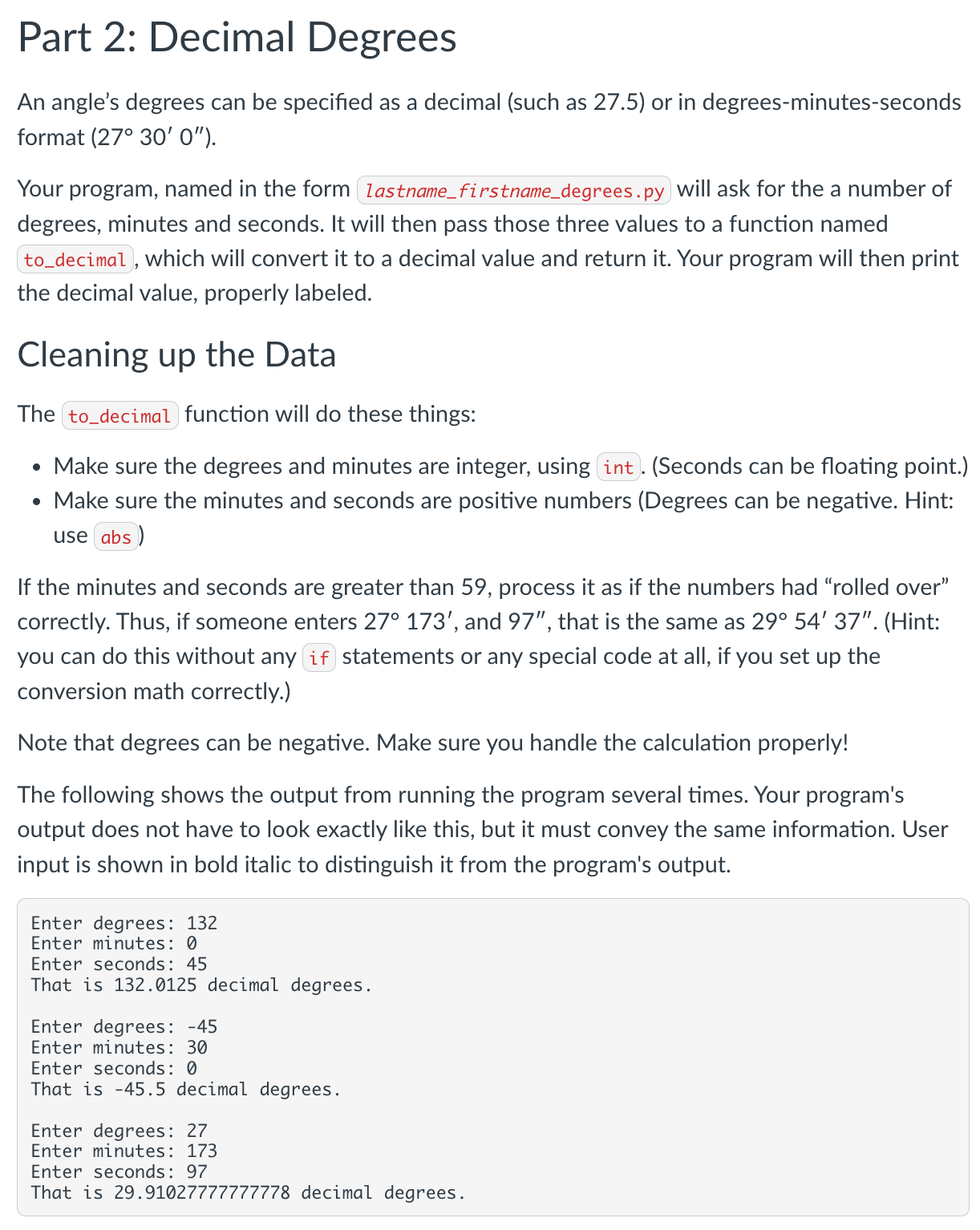
The following shows the output from running the program several times. Your program's
output does not have to look exactly like this, but it must convey the same information. User
input is shown in bold italic to distinguish it from the program's output.
Enter degrees:
Enter minutes:
Enter seconds:
That is decimal degrees.
Enter degrees:
Enter minutes:
Enter seconds:
That is decimal degrees.
Enter degrees:
Enter minutes:
Enter seconds:
That is decimal degrees.
An angles degrees can be specified as a decimal such as or in degreesminutesseconds format deg
Your program, named in the form lastnamefirstnamedegrees.py will ask for the a number of degrees, minutes and seconds. It will then pass those three values to a function named todecimal, which will convert it to a decimal value and return it Your program will then print the decimal value, properly labeled.
Cleaning up the Data
The todecimal function will do these things:
Make sure the degrees and minutes are integer, using int. Seconds can be floating point.
Make sure the minutes and seconds are positive numbers Degrees can be negative. Hint: use abs
If the minutes and seconds are greater than process it as if the numbers had rolled over correctly. Thus, if someone enters deg and that is the same as deg Hint: you can do this without any if statements or any special code at all, if you set up the conversion math correctly.
Note that degrees can be negative. Make sure you handle the calculation properly!
The following shows the output from running the program several times. Your program's output does not have to look exactly like this, but it must convey the same information. User input is shown in bold italic to distinguish it from the program's output.
Enter degrees:
Enter minutes:
Enter seconds:
That is decimal degrees.
Enter degrees:
Enter minutes:
Enter seconds:
That is decimal degrees.
Enter degrees:
Enter minutes:
Enter seconds:
That is decimal degrees.
Step by Step Solution
There are 3 Steps involved in it
1 Expert Approved Answer
Step: 1 Unlock

Question Has Been Solved by an Expert!
Get step-by-step solutions from verified subject matter experts
Step: 2 Unlock
Step: 3 Unlock
 Study Help