







Question: Part 2 : Non - blocking Delays using millis ( ) Setup: Same as Part 1 . Task: Modify the sketch to use the millis
Part : Nonblocking Delays using millis
Setup:
Same as Part
Task: Modify the sketch to use the millis function to toggle the LED every second without blocking the main loop, allowing the pushbutton to be checked during the time intervals.
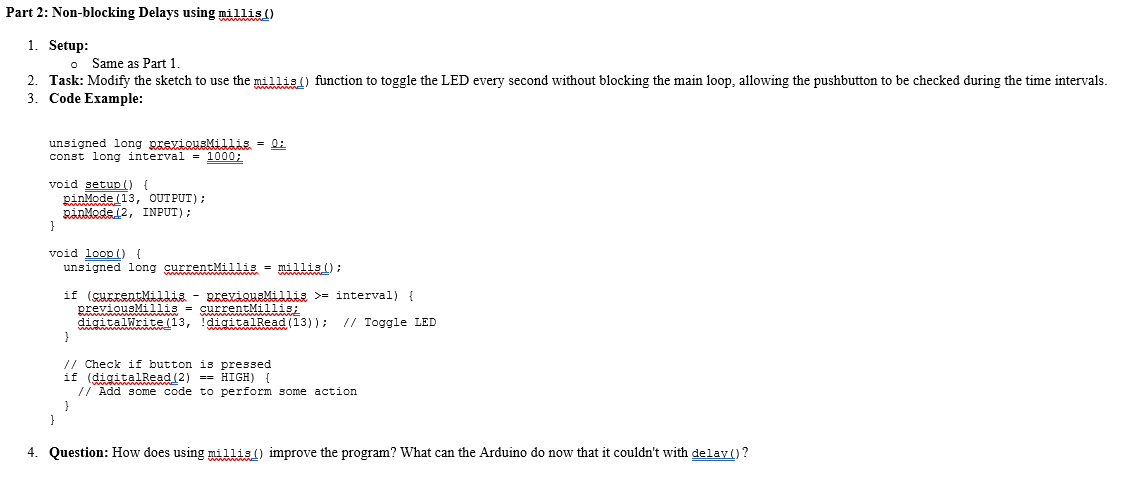
Code Example:
unsigned long prexiqusMidliss :
const long interval ;
void setup
pinMOde OUTPUT;
pinMMedes INPUT;
void
unsigned long currentMillis millis;
if currentMidlis paexigusMidlis interval
previousMillis currentMillis;
digitalWritedigitalRead; Toggle LED
Check if button is pressed
if digitalRead HIGH
Add some code to perform some action
Question: How does using millis improve the program? What can the Arduino do now that it couldn't with delav
Step by Step Solution
There are 3 Steps involved in it
1 Expert Approved Answer
Step: 1 Unlock

Question Has Been Solved by an Expert!
Get step-by-step solutions from verified subject matter experts
Step: 2 Unlock
Step: 3 Unlock
 Study Help