







Question: Part 2.2 Initialize the NBOW classification model Since the NBOW model is rather basic, assuming you haven't added any additional layers, there's really only one
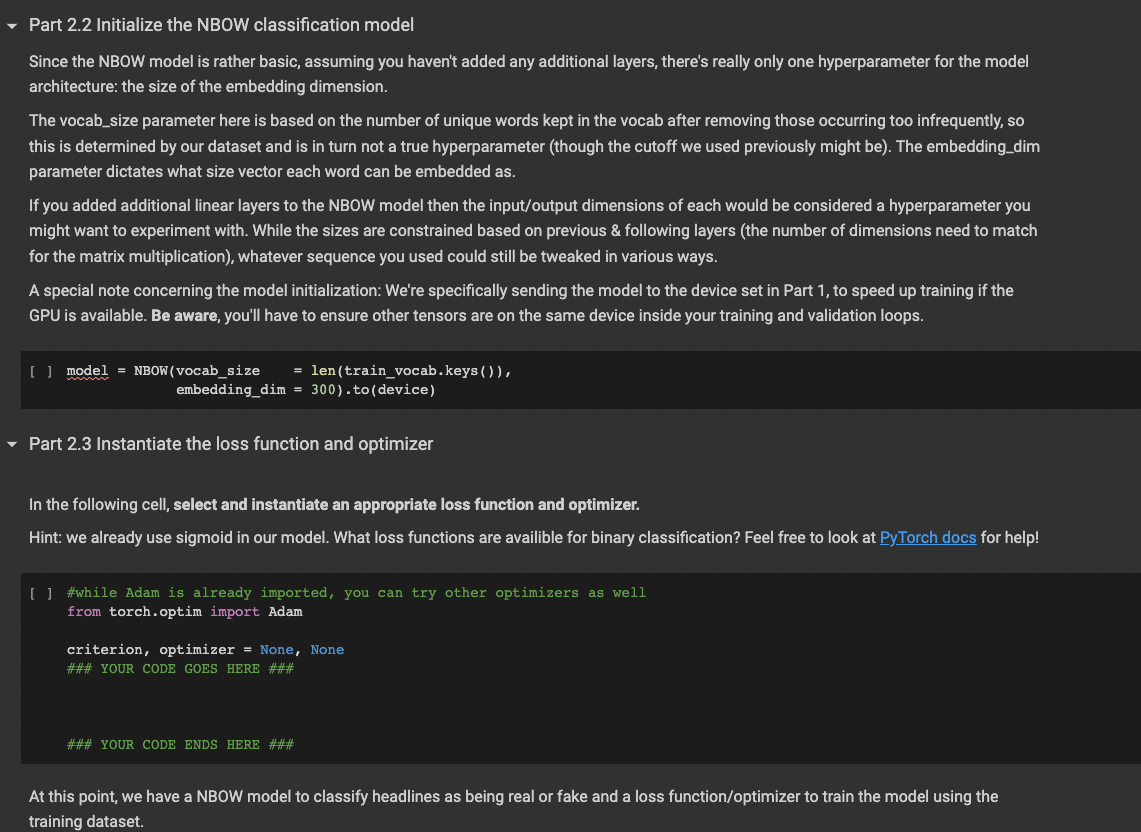
Part 2.2 Initialize the NBOW classification model Since the NBOW model is rather basic, assuming you haven't added any additional layers, there's really only one hyperparameter for the model architecture: the size of the embedding dimension. The vocab_size parameter here is based on the number of unique words kept in the vocab after removing those occurring too infrequently, so this is determined by our dataset and is in turn not a true hyperparameter (though the cutoff we used previously might be). The embedding_dim parameter dictates what size vector each word can be embedded as. If you added additional linear layers to the NBOW model then the input/output dimensions of each would be considered a hyperparameter you might want to experiment with. While the sizes are constrained based on previous \& following layers (the number of dimensions need to match for the matrix multiplication), whatever sequence you used could still be tweaked in various ways. A special note concerning the model initialization: We're specifically sending the model to the device set in Part 1, to speed up training if the GPU is available. Be aware, you'll have to ensure other tensors are on the same device inside your training and validation loops. \[ \text { [ ] model } \begin{aligned} \text { mBOW }(\text { vocab_size } & =\text { len(train_vocab.keys }()), \\ \text { embedding_dim } & =300) \text {.to(device }) \end{aligned} \] Part 2.3 Instantiate the loss function and optimizer In the following cell, select and instantiate an appropriate loss function and optimizer. Hint: we already use sigmoid in our model. What loss functions are availible for binary classification? Feel free to look at PyTorch docs for help! [ ] \#while Adam is already imported, you can try other optimizers as well from torch.optim import Adam criterion, optimizer = None, None \#\#\# YOUR CODE GOES HERE \#\#\#
Step by Step Solution
There are 3 Steps involved in it

Get step-by-step solutions from verified subject matter experts
 Study Help