







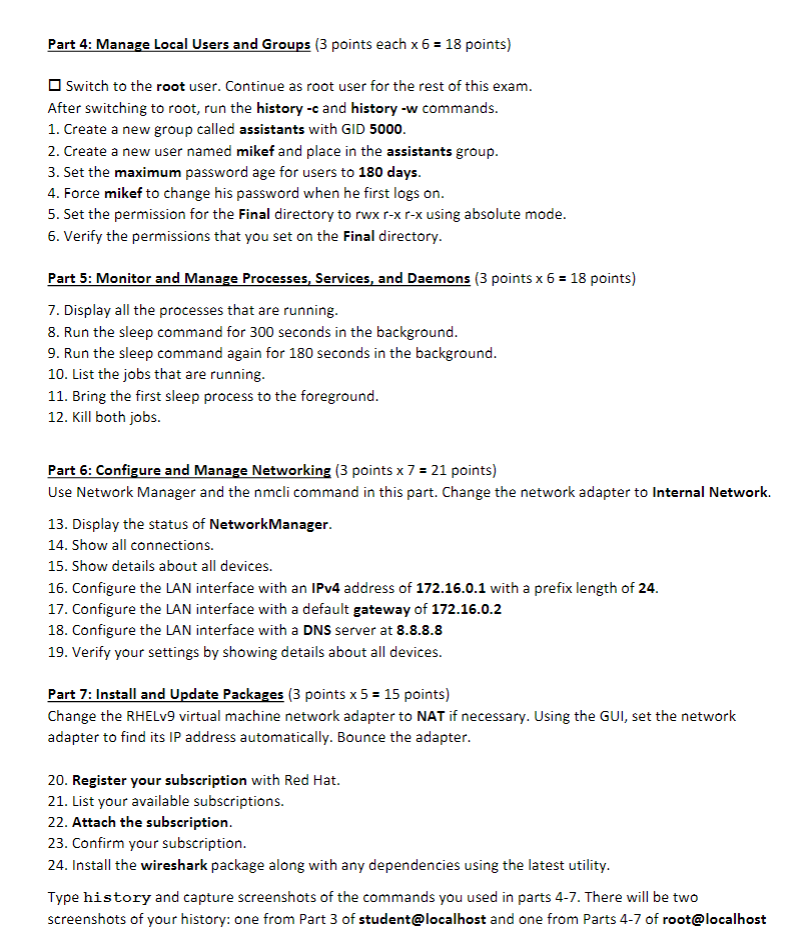
Question: Part 4 : Manage Local Users and Groups ( 3 points each x 6 = 1 8 points ) Switch to the root user. Continue
Part : Manage Local Users and Groups points each points
Switch to the root user. Continue as root user for the rest of this exam.
After switching to root, run the history c and history w commands.
Create a new group called assistants with GID
Create a new user named mikef and place in the assistants group.
Set the maximum password age for users to days.
Force mikef to change his password when he first logs on
Set the permission for the Final directory to rwx rx rx using absolute mode.
Verify the permissions that you set on the Final directory.
Part : Monitor and Manage Processes, Services, and Daemons points points
Display all the processes that are running.
Run the sleep command for seconds in the background.
Run the sleep command again for seconds in the background.
List the jobs that are running.
Bring the first sleep process to the foreground.
Kill both jobs.
Part : Configure and Manage Networking points points
Use Network Manager and the nmcli command in this part. Change the network adapter to Internal Network.
Display the status of NetworkManager.
Show all connections.
Show details about all devices.
Configure the LAN interface with an IPv address of with a prefix length of
Configure the LAN interface with a default gateway of
Configure the LAN interface with a DNS server at
Verify your settings by showing details about all devices.
Part : Install and Update Packages points points
Change the RHELv virtual machine network adapter to NAT if necessary. Using the GUI, set the network
adapter to find its IP address automatically. Bounce the adapter.
Register your subscription with Red Hat.
List your available subscriptions.
Attach the subscription.
Confirm your subscription.
Install the wireshark package along with any dependencies using the latest utility.
Type history and capture screenshots of the commands you used in parts There will be two
screenshots of your history: one from Part of student@localhost and one from Parts of root@localhost
Step by Step Solution
There are 3 Steps involved in it
1 Expert Approved Answer
Step: 1 Unlock

Question Has Been Solved by an Expert!
Get step-by-step solutions from verified subject matter experts
Step: 2 Unlock
Step: 3 Unlock
 Study Help