







Question: Part 6: Use the IOS CLI to Gather Device Information Step 1: Issue the appropriate command to discover the following information: Description Student Input Router
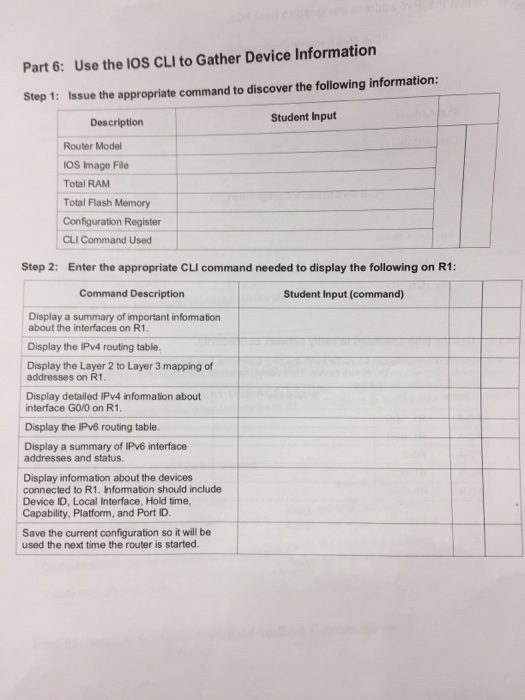
Part 6: Use the IOS CLI to Gather Device Information Step 1: Issue the appropriate command to discover the following information: Description Student Input Router Model OS Image File Total RAM Total Flash Memory Configuration Register CLI Command Used Step 2: Enter the appropriate CLI command needed to display the following on R1: Command Description Student Input (command) Display a summary of important infomation about the interfaces on R1 Display the IPv4 routing table. Display the Layer 2 to Layer 3 mapping of addresses on R1 Display detailed IPv4 infomation about interface GO/0 on R1 Display the IPv6 routing table. Display a summary of IPv6 interface addresses and status. Display information about the devices connected to R1. Infomation should include Device ID, Local Interface, Hold time, Capability, Platform, and Port ID Save the current configuration so it will be used the next time the router is started
Step by Step Solution
There are 3 Steps involved in it

Get step-by-step solutions from verified subject matter experts
 Study Help