







Question: Part A: Binary Sum and java.util In this lab, you will be using various java. util classes in addition to basic Java constructs such as
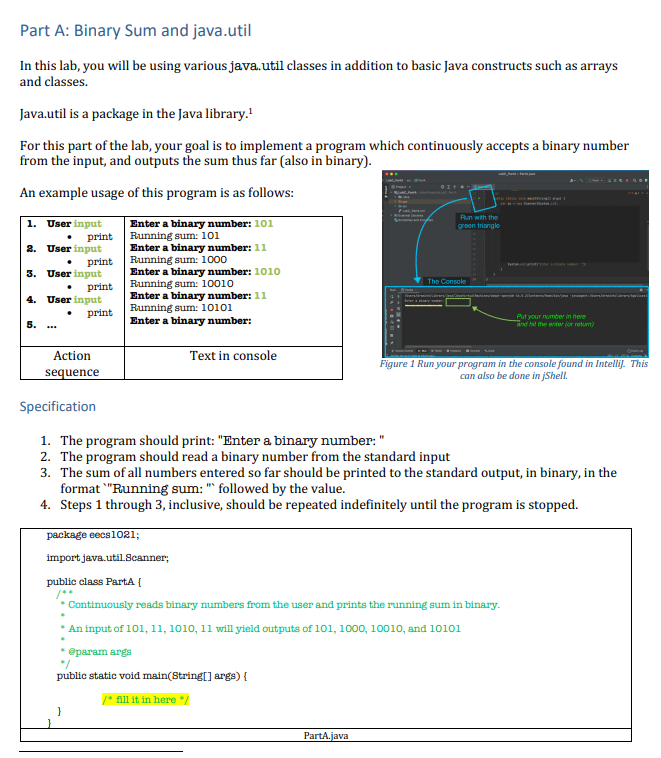
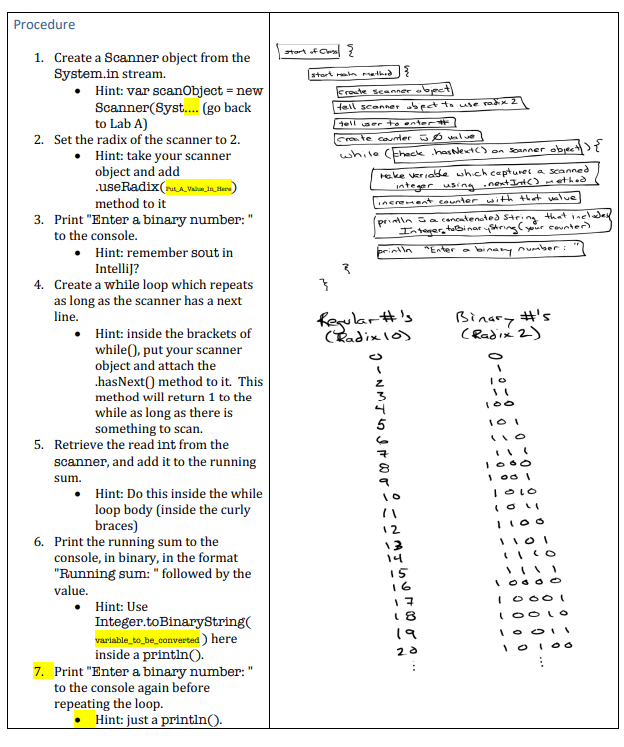
Part A: Binary Sum and java.util In this lab, you will be using various java. util classes in addition to basic Java constructs such as arrays and classes. Java.util is a package in the Java library. 1 For this part of the lab, your goal is to implement a program which continuously accepts a binary number from the input, and outputs the sum thus far (also in binary). An example usage of this program is as follows: Specification 1. The program should print: "Enter a binary number: " 2. The program should read a binary number from the standard input 3. The sum of all numbers entered so far should be printed to the standard output, in binary, in the format "Running sum: "' followed by the value. 4. Steps 1 through 3 , inclusive, should be repeated indefinitely until the program is stopped. package eecs 1021 import java.util Bcanner, public class Parta f f+ * Continuously reads binary numbers from the user and prints the running sum in binary. * An input of 101,11,1010,11 will yield outputs of 101,1000,10010, and 10101 - Sparam args * / public static void main(String [ args) \{ \} 1. Create a Scanner object from the System.in stream. - Hint: var scanObject = new Scanner(Syst.... (go back to Lab A) 2. Set the radix of the scanner to 2 . - Hint: take your scanner object and add .useRadix(ruta_vavein_mene) method to it 3. Print "Enter a binary number: " to the console. - Hint: remember sout in Intellij? 4. Create a while loop which repeats as long as the scanner has a next line. - Hint: inside the brackets of while 0 , put your scanner object and attach the hasNext@ method to it. This method will return 1 to the while as long as there is something to scan. 5. Retrieve the read int from the scanner, and add it to the running sum. - Hint: Do this inside the while loop body (inside the curly braces) 6. Print the running sum to the console, in binary, in the format "Running sum: " followed by the value. - Hint: Use Integer.toBinaryString( variable_to_be_converted) here inside a println ). 7. Print "Enter a binary number: " to the console again before repeating the loop. - Hint: just a println()
Step by Step Solution
There are 3 Steps involved in it

Get step-by-step solutions from verified subject matter experts
 Study Help