







Question: Part A: Create a Student class and add instance variables (0 point) 1) Each instance variable is defined by its datatype and a unique name.
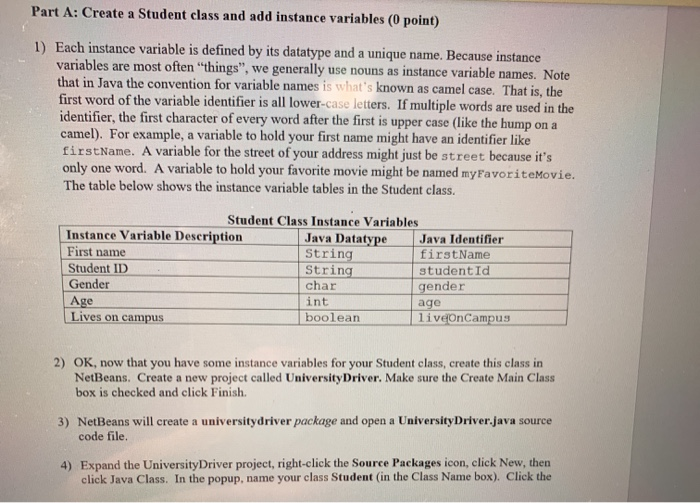
Part A: Create a Student class and add instance variables (0 point) 1) Each instance variable is defined by its datatype and a unique name. Because instance variables are most often "things", we generally use nouns as instance variable names. Note that in Java the convention for variable names is what's known as camel case. That is, the first word of the variable identifier is all lower-case letters. If multiple words are used in the identifier, the first character of every word after the first is upper case (like the hump on a camel). For example, a variable to hold your first name might have an identifier like firstName. A variable for the street of your address might just be street because it's only one word. A variable to hold your favorite movie might be named myFavoriteMovie. The table below shows the instance variable tables in the Student class. Student Class Instance Variables Instance Variable Description Java Datatype Java Identifier First name String first Name Student ID String studentId Gender char gender Age int age Lives on campus boolean liveOnCampus 2) OK, now that you have some instance variables for your Student class, create this class in NetBeans Create a new project called University Driver. Make sure the Create Main Class box is checked and click Finish. 3) NetBeans will create a university driver package and open a University Driver.java source code file. 4) Expand the University Driver project, right-click the Source Packages icon, click Now, then click Java Class. In the popup, name your class Student in the Class Name box). Click the
Step by Step Solution
There are 3 Steps involved in it

Get step-by-step solutions from verified subject matter experts
 Study Help