







Question: PART A) Excel Question (Save your work frequently) A certain quantity y = f(x) is given as y = V2e-*cos(x) where V=85.1 m/s (or 85,1
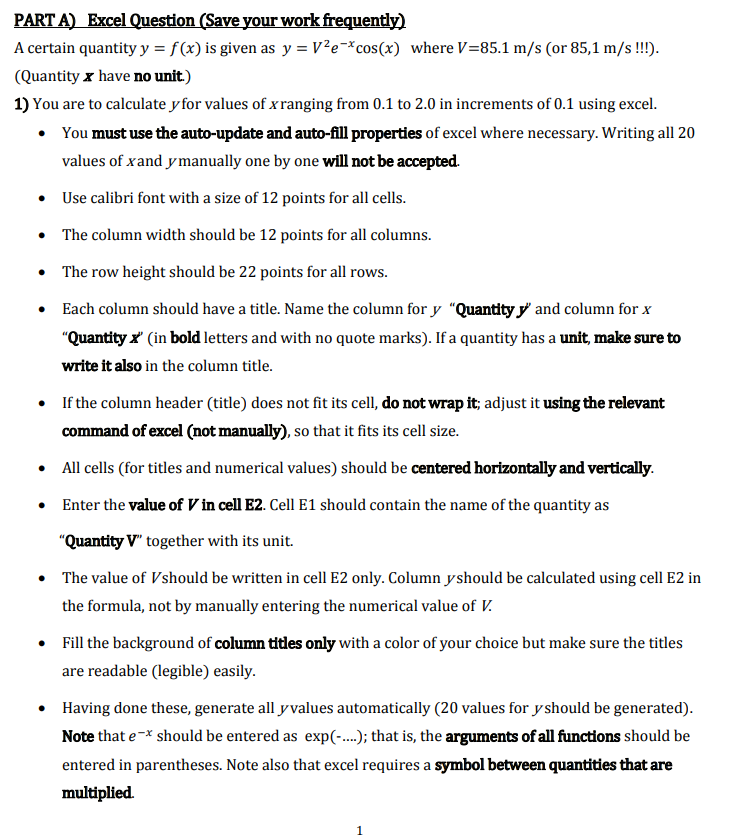
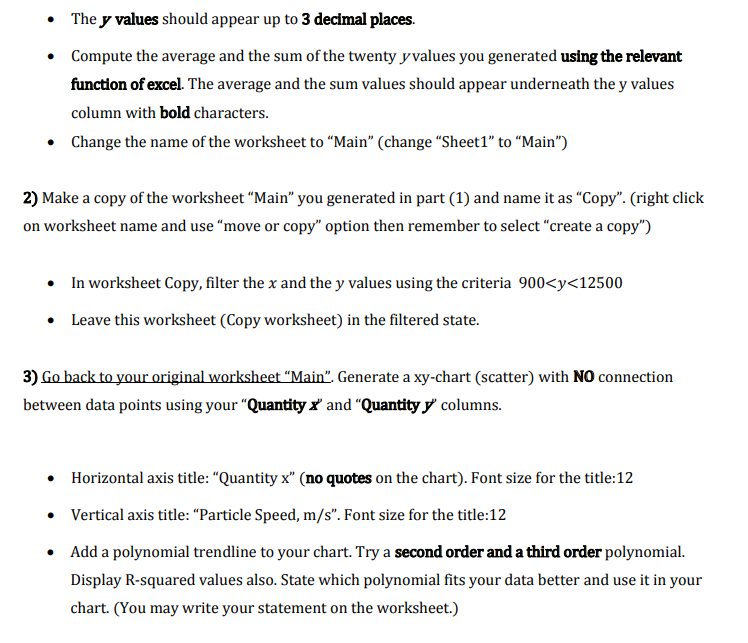
PART A) Excel Question (Save your work frequently) A certain quantity y = f(x) is given as y = V2e-*cos(x) where V=85.1 m/s (or 85,1 m/s !!!). (Quantity x have no unit.) 1) You are to calculate y for values of x ranging from 0.1 to 2.0 in increments of 0.1 using excel. You must use the auto-update and auto-fill properties of excel where necessary. Writing all 20 values of xand y manually one by one will not be accepted. Use calibri font with a size of 12 points for all cells. The column width should be 12 points for all columns. The row height should be 22 points for all rows. Each column should have a title. Name the column for y Quantity y' and column for x "Quantity x' in bold letters and with no quote marks). If a quantity has a unit, make sure to write it also in the column title. If the column header (title) does not fit its cell, do not wrap it; adjust it using the relevant command of excel (not manually), so that it fits its cell size. All cells (for titles and numerical values) should be centered horizontally and vertically. Enter the value of V in cell E2. Cell E1 should contain the name of the quantity as "Quantity V together with its unit. The value of Vshould be written in cell E2 only. Column yshould be calculated using cell E2 in the formula, not by manually entering the numerical value of V. Fill the background of column titles only with a color of your choice but make sure the titles are readable (legible) easily. Having done these, generate all y values automatically (20 values for y should be generated). Note that e-* should be entered as exp(-..); that is, the arguments of all functions should be entered in parentheses. Note also that excel requires a symbol between quantities that are multiplied. 1 The y values should appear up to 3 decimal places. Compute the average and the sum of the twenty y values you generated using the relevant function of excel. The average and the sum values should appear underneath the y values column with bold characters. Change the name of the worksheet to "Main" (change "Sheet1" to "Main") 2) Make a copy of the worksheet Main" you generated in part (1) and name it as "Copy". (right click on worksheet name and use move or copy" option then remember to select create a copy") In worksheet Copy, filter the x and the y values using the criteria 900
Step by Step Solution
There are 3 Steps involved in it

Get step-by-step solutions from verified subject matter experts
 Study Help