







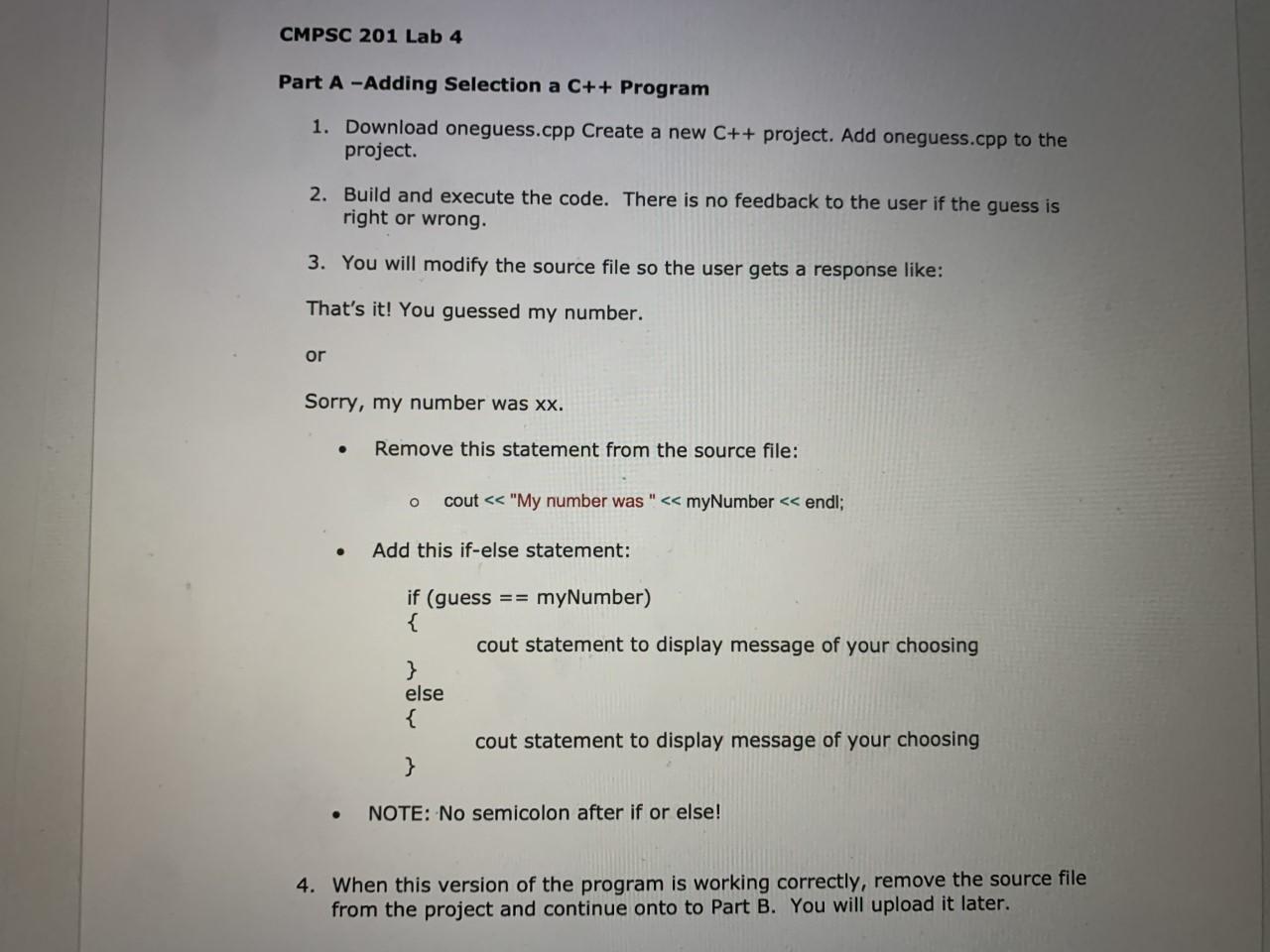
Question: Part A: #include #include #include using namespace std; int main () { const int MAX = 20; // high end of number range int myNumber,
 Part A:
#include
#include
#include
using namespace std;
int main ()
{
const int MAX = 20; // high end of number range
int myNumber, // number the computer "picks"
guess; // player's guess
// Computer picks a number between 1 and MAX
srand(time (0)); // seeds the random number generator
myNumber = 1 + rand() % MAX; // assigns a random number between 1 and MAX
// Get player's first guess
cout
cout
cin >> guess;
// Computer reveals its number
cout
// Game over
cout
system("pause");
return 0;
}
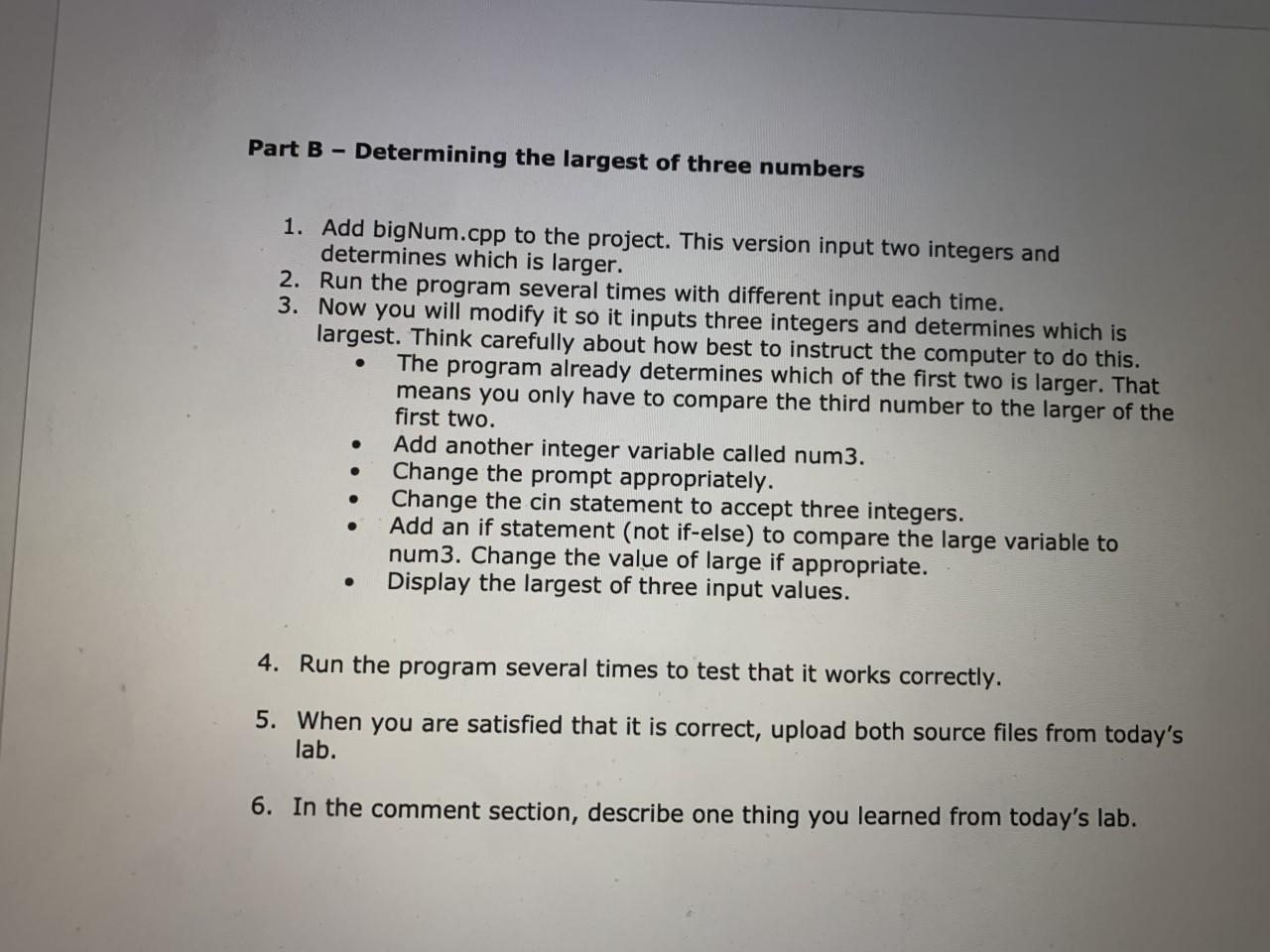
Part B:
#include
using namespace std;
int main() {
int num1, num2, // input values
large; // larger of two input values
// Instruct the user and get input
cout
cout
cin >> num1 >> num2;
// Compare and assign large correctly
if (num1 > num2) {
large = num1;
}
else {
large = num2;
}
// Display the right value
cout
system("pause");
return 0;
}
CMPSC 201 Lab 4 Part A -Adding Selection a C++ Program 1. Download oneguess.cpp Create a new C++ project. Add oneguess.cpp to the project. 2. Build and execute the code. There is no feedback to the user if the guess is right or wrong. 3. You will modify the source file so the user gets a response like: That's it! You guessed my number. or Sorry, my number was xx. Remove this statement from the source file: o cout
Step by Step Solution
There are 3 Steps involved in it

Get step-by-step solutions from verified subject matter experts
 Study Help