







Question: Part A: Loan Function For Part A, you are to complete Worksheet A, which will calculate how much total interest you are to pay for
Part A: Loan Function For Part A, you are to complete Worksheet A, which will calculate how much total interest you are to pay for certain interest rates and certain term periods. You will use the PMT function in Excel (use help to learn about this function). Here are some hints for the parameters: Rate this is the monthly rate (need to divide the annual rate by 12) Nper number of total payments made over lifetime of loan Pv the amount of money borrowed Fv , Type these are optional please omit these The loan amount will be in one of the cells (use that cell within your formulas). Assume that the cash value at the end of the payback period is zero and the payment is due at the end of each month (hence not needing to have Fv and Type values as parameters).
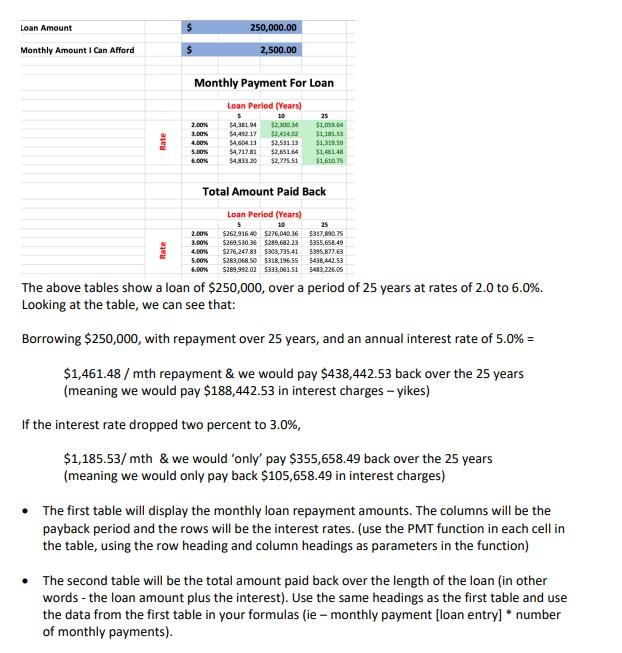
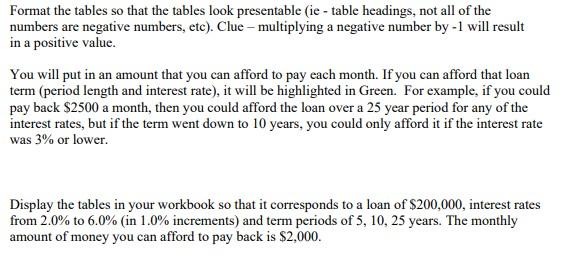
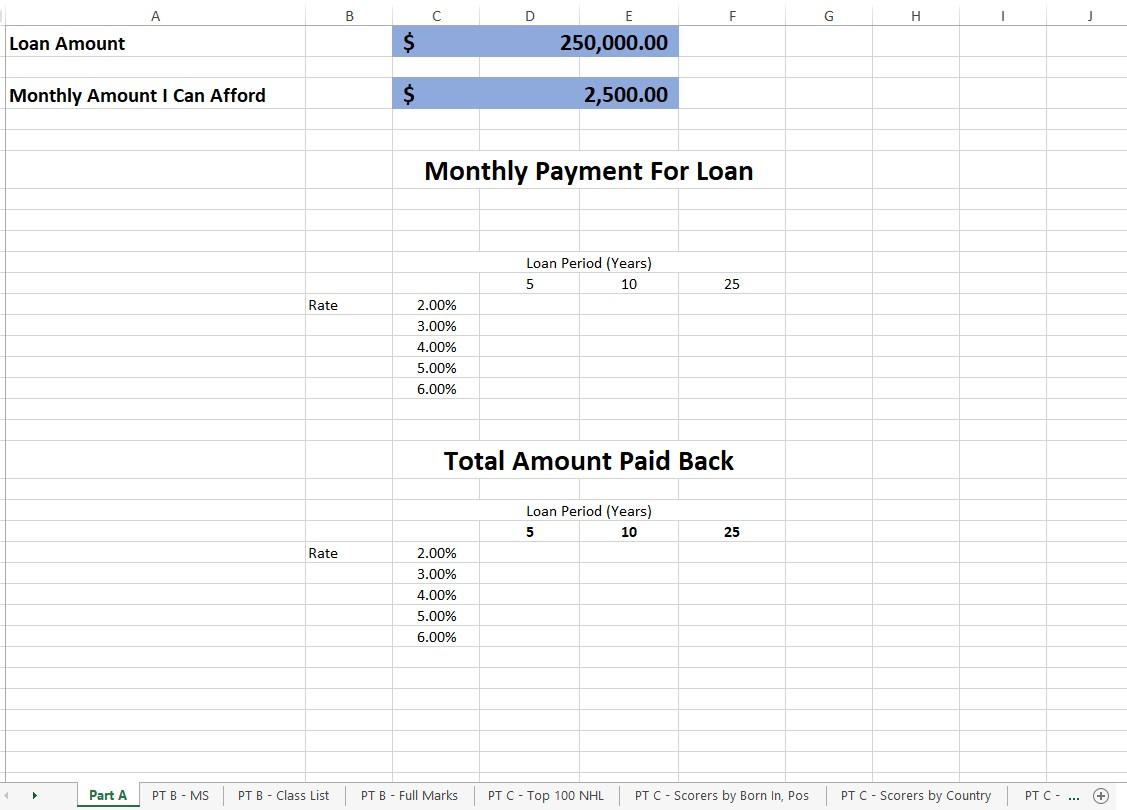
Looking at the table, we can see that: Borrowing $250,000, with repayment over 25 years, and an annual interest rate of 5.0%= $1,461.48 / mth repayment \& we would pay $438,442.53 back over the 25 years (meaning we would pay $188,442.53 in interest charges - yikes) If the interest rate dropped two percent to 3.0%, $1,185.53/ mth \& we would 'only' pay $355,658.49 back over the 25 years (meaning we would only pay back $105,658.49 in interest charges) - The first table will display the monthly loan repayment amounts. The columns will be the payback period and the rows will be the interest rates. (use the PMT function in each cell in the table, using the row heading and column headings as parameters in the function) - The second table will be the total amount paid back over the length of the loan (in other words - the loan amount plus the interest). Use the same headings as the first table and use the data from the first table in your formulas (ie - monthly payment [loan entry] * number of monthly payments). Format the tables so that the tables look presentable (ie - table headings, not all of the numbers are negative numbers, etc). Clue - multiplying a negative number by -1 will result in a positive value. You will put in an amount that you can afford to pay each month. If you can afford that loan term (period length and interest rate), it will be highlighted in Green. For example, if you could pay back $2500 a month, then you could afford the loan over a 25 year period for any of the interest rates, but if the term went down to 10 years, you could only afford it if the interest rate was 3% or lower. Display the tables in your workbook so that it corresponds to a loan of $200,000, interest rates from 2.0% to 6.0% (in 1.0% increments) and term periods of 5,10,25 years. The monthly amount of money you can afford to pay back is $2,000. Loan Amount A B Monthly Payment For Loan
Step by Step Solution
There are 3 Steps involved in it

Get step-by-step solutions from verified subject matter experts
 Study Help