







Question: Part II: Exploring the Memory Layout of a Struct (9 marks) In class we explored the example of struct FLIGHT using the sizeof and &
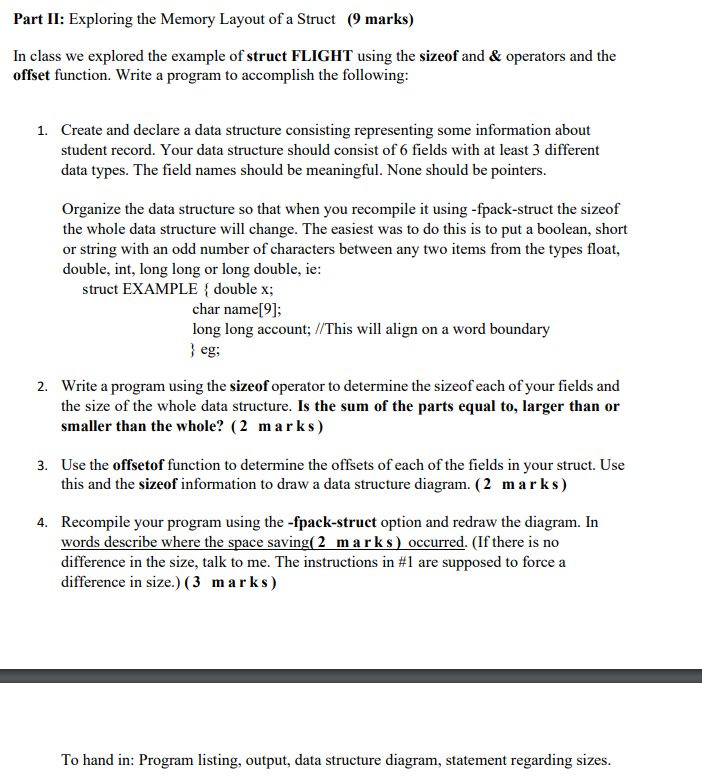
Part II: Exploring the Memory Layout of a Struct (9 marks) In class we explored the example of struct FLIGHT using the sizeof and & operators and the offset function. Write a program to accomplish the following: 1. Create and declare a data structure consisting representing some information about student record. Your data structure should consist of 6 fields with at least 3 different data types. The field names should be meaningful. None should be pointers. Organize the data structure so that when you recompile it using -fpack-struct the sizeof the whole data structure will change. The easiest was to do this is to put a boolean, short or string with an odd number of characters between any two items from the types float, double, int, long long or long double, ie: struct EXAMPLE { double x; char name[9]; long long account; //This will align on a word boundary } eg; 2. Write a program using the sizeof operator to determine the sizeof each of your fields and the size of the whole data structure. Is the sum of the parts equal to, larger than or smaller than the whole? (2 marks) 3. Use the offsetof function to determine the offsets of each of the fields in your struct. Use this and the sizeof information to draw a data structure diagram. (2 marks) 4. Recompile your program using the -fpack-struct option and redraw the diagram. In words describe where the space saving(2 marks) occurred. (If there is no difference in the size, talk to me. The instructions in #1 are supposed to force a difference in size.) (3 marks) To hand in: Program listing, output, data structure diagram, statement regarding sizes
Step by Step Solution
There are 3 Steps involved in it

Get step-by-step solutions from verified subject matter experts
 Study Help