







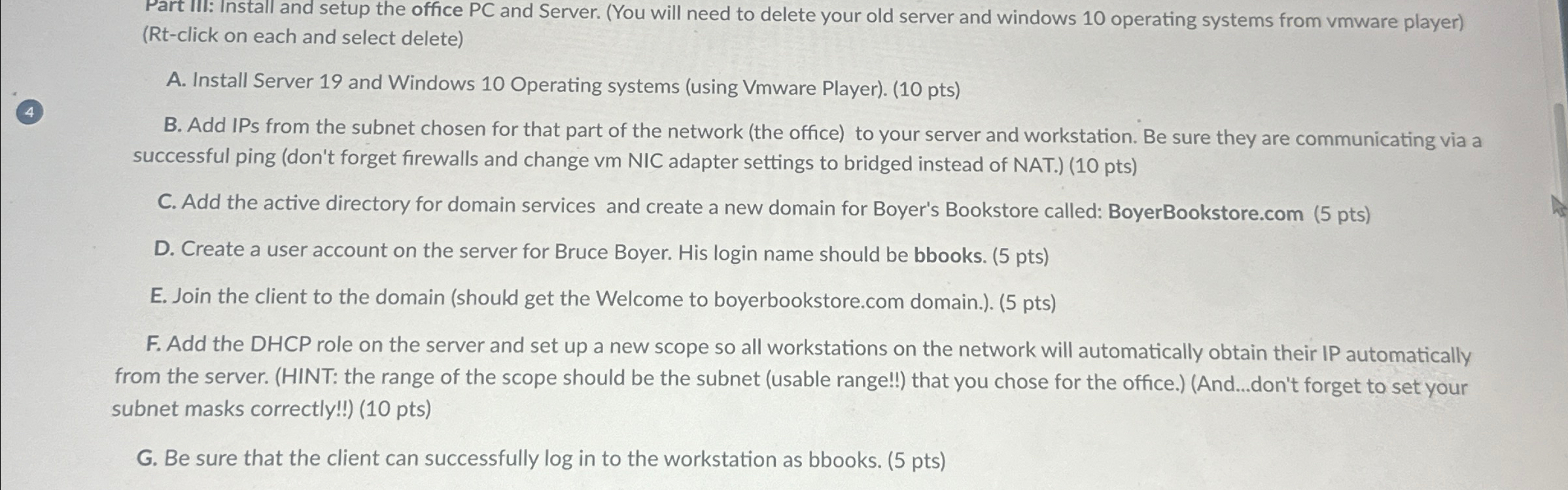
Question: Part III: Install and setup the office PC and Server. ( You will need to delete your old server and windows 1 0 operating systems
Part III: Install and setup the office PC and Server. You will need to delete your old server and windows operating systems from vmware playerRtclick on each and select delete
A Install Server and Windows Operating systems using Vmware Player pts
B Add IPs from the subnet chosen for that part of the network the office to your server and workstation. Be sure they are communicating via a successful ping dont forget firewalls and change vm NIC adapter settings to bridged instead of NAT. pts
C Add the active directory for domain services and create a new domain for Boyer's Bookstore called:
BoyerBookstore.com pts
D Create a user account on the server for Bruce Boyer. His login name should be bbooks. pts
E Join the client to the domain should get the Welcome to
boyerbookstore.com domain. pts
F Add the DHCP role on the server and set up a new scope so all workstations on the network will automatically obtain their IP automatically from the server. HINT: the range of the scope should be the subnet usable range!! that you chose for the office.Anddon't forget to set your subnet masks correctly!! pts
G Be sure that the client can successfully log in to the workstation as bbooks. pts
Step by Step Solution
There are 3 Steps involved in it
1 Expert Approved Answer
Step: 1 Unlock

Question Has Been Solved by an Expert!
Get step-by-step solutions from verified subject matter experts
Step: 2 Unlock
Step: 3 Unlock
 Study Help