







Question: Part One Make a new file database _ generator.py - inside this file you must include SQL query to create a database, create a table
Part One
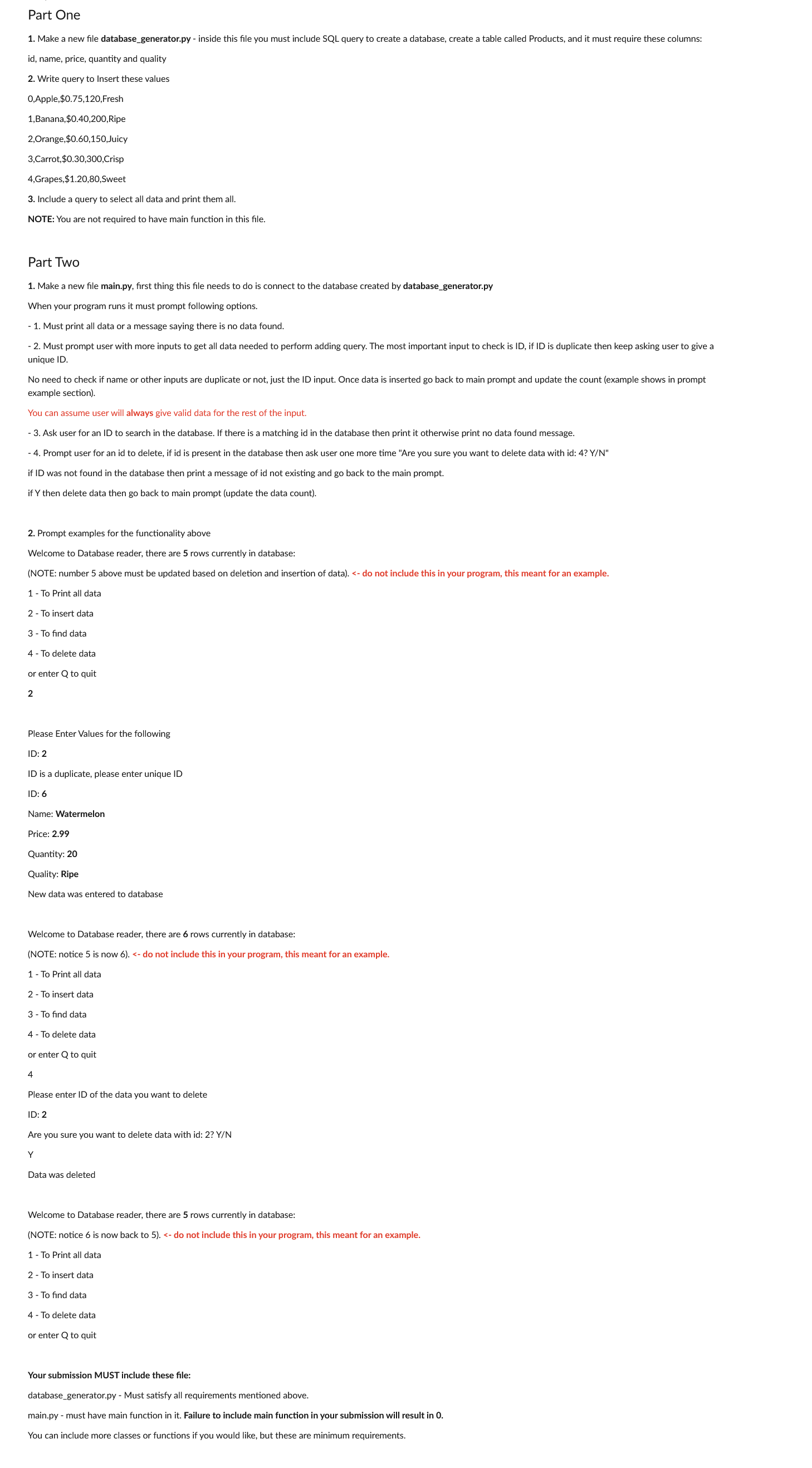
Make a new file databasegenerator.py inside this file you must include SQL query to create a database, create a table called Products, and it must require these columns:
id name, price, quantity and quality
Write query to Insert these values
Apple,$Fresh
Banana,$Ripe
Orange,$Juicy
Carrot,$Crisp
Grapes, $ Sweet
Include a query to select all data and print them all.
NOTE: You are not required to have main function in this file.
Part Two
Make a new file
main.py first thing this file needs to do is connect to the database created by databegenerator.py
When your program runs it must prompt following options.
Must print all data or a message saying there is no data found.
Must prompt user with more inputs to get all data needed to perform adding query. The most important input to check is ID if ID is duplicate then keep asking user to give a
unique ID
No need to check if name or other inputs are duplicate or not, just the ID input. Once data is inserted go back to main prompt and update the count example shows in prompt
example section
You can assume user will always give valid data for the rest of the input.
Ask user for an ID to search in the database. If there is a matching id in the database then print it otherwise print no data found message.
Prompt user for an id to delete, if id is present in the database then ask user one more time "Are you sure you want to delete data with id: YN
if ID was not found in the database then print a message of id not existing and go back to the main prompt.
if then delete data then go back to main prompt update the data count
Prompt examples for the functionality above
Welcome to Database reader, there are rows currently in database:
NOTE: number above must be updated based on deletion and insertion of data do not include this in your program, this meant for an example.
To Print all data
To insert data
To find data
To delete data
or enter to quit
Please Enter Values for the following
ID:
ID is a duplicate, please enter unique ID
ID:
Name: Watermelon
Price:
Quantity:
Quality: Ripe
New data was entered to database
Welcome to Database reader, there are rows currently in database:
NOTE: notice is now do not include this in your program, this meant for an example.
To Print all data
To insert data
To find data
To delete data
or enter to quit
Please enter ID of the data you want to delete
ID:
Are you sure you want to delete data with id: YN
Y
Data was deleted
Welcome to Database reader, there are rows currently in database:
NOTE: notice is now back to do not include this in your program, this meant for an example.
To Print all data
To insert data
To find data
To delete data
or enter to quit
Your submission MUST include these file:
databasegenerator.py Must satisfy all requirements mentioned above.
main.py must have main function in it Failure to include main function in your submission will result in
You can include more classes or functions if you would like, but these are minimum requirements.
Step by Step Solution
There are 3 Steps involved in it
1 Expert Approved Answer
Step: 1 Unlock

Question Has Been Solved by an Expert!
Get step-by-step solutions from verified subject matter experts
Step: 2 Unlock
Step: 3 Unlock
 Study Help