







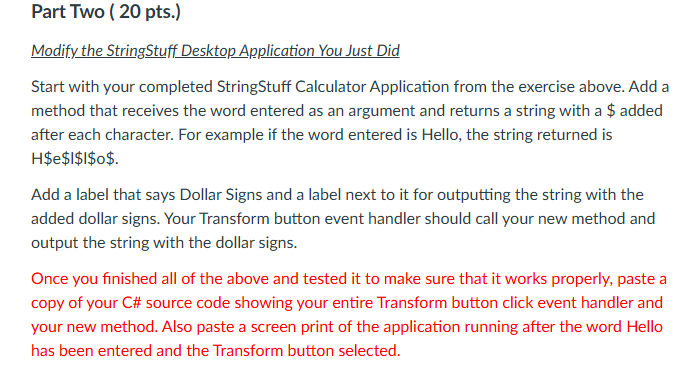
Question: Part Two ( 2 0 pts . ) Modify the StringStuff DesktopApplication You Just Did Start with your completed StringStuff Calculator Application from the exercise
Part Two pts
Modify the StringStuff DesktopApplication You Just Did
Start with your completed StringStuff Calculator Application from the exercise above. Add a
method that receives the word entered as an argument and returns a string with a $ added
after each character. For example if the word entered is Hello, the string returned is
H$e $$$$
Add a label that says Dollar Signs and a label next to it for outputting the string with the
added dollar signs. Your Transform button event handler should call your new method and
output the string with the dollar signs.
Once you finished all of the above and tested it to make sure that it works properly, paste a
copy of your C# source code showing your entire Transform button click event handler and
your new method. Also paste a screen print of the application running after the word Hello
has been entered and the Transform button selected. My code is : namespace StringStuffApp
public partial class Form : Form
public Form
InitializeComponent;
private void labelClickobject sender EventArgs e
private void btnTransformClickobject sender EventArgs e
string inputWord txtInput.Text;
lblSwitchCase.Text "Switch Case: SwitchCaseinputWord;
lblReverse.Text "Reverse: ReverseinputWord;
lblPigLatin.Text "Pig Latin: ToPigLatininputWord;
private string SwitchCasestring word
char buffer word.ToCharArray;
for int i ; i buffer.Length; i
char c bufferi;
if charIsUpperc
bufferi char.ToLowerc;
else if charIsLowerc
bufferi char.ToUpperc;
return new stringbuffer;
private string Reversestring word
char array word.ToCharArray;
Array.Reversearray;
return new stringarray;
private string ToPigLatinstring word
if stringIsNullOrEmptyword
return string.Empty;
string firstLetter word.SubstringToLower;
string restOfWord word.SubstringToLower;
return restOfWord firstLetter ay;
private void textBoxTextChangedobject sender EventArgs e
please use this to add on to
Step by Step Solution
There are 3 Steps involved in it
1 Expert Approved Answer
Step: 1 Unlock

Question Has Been Solved by an Expert!
Get step-by-step solutions from verified subject matter experts
Step: 2 Unlock
Step: 3 Unlock
 Study Help