



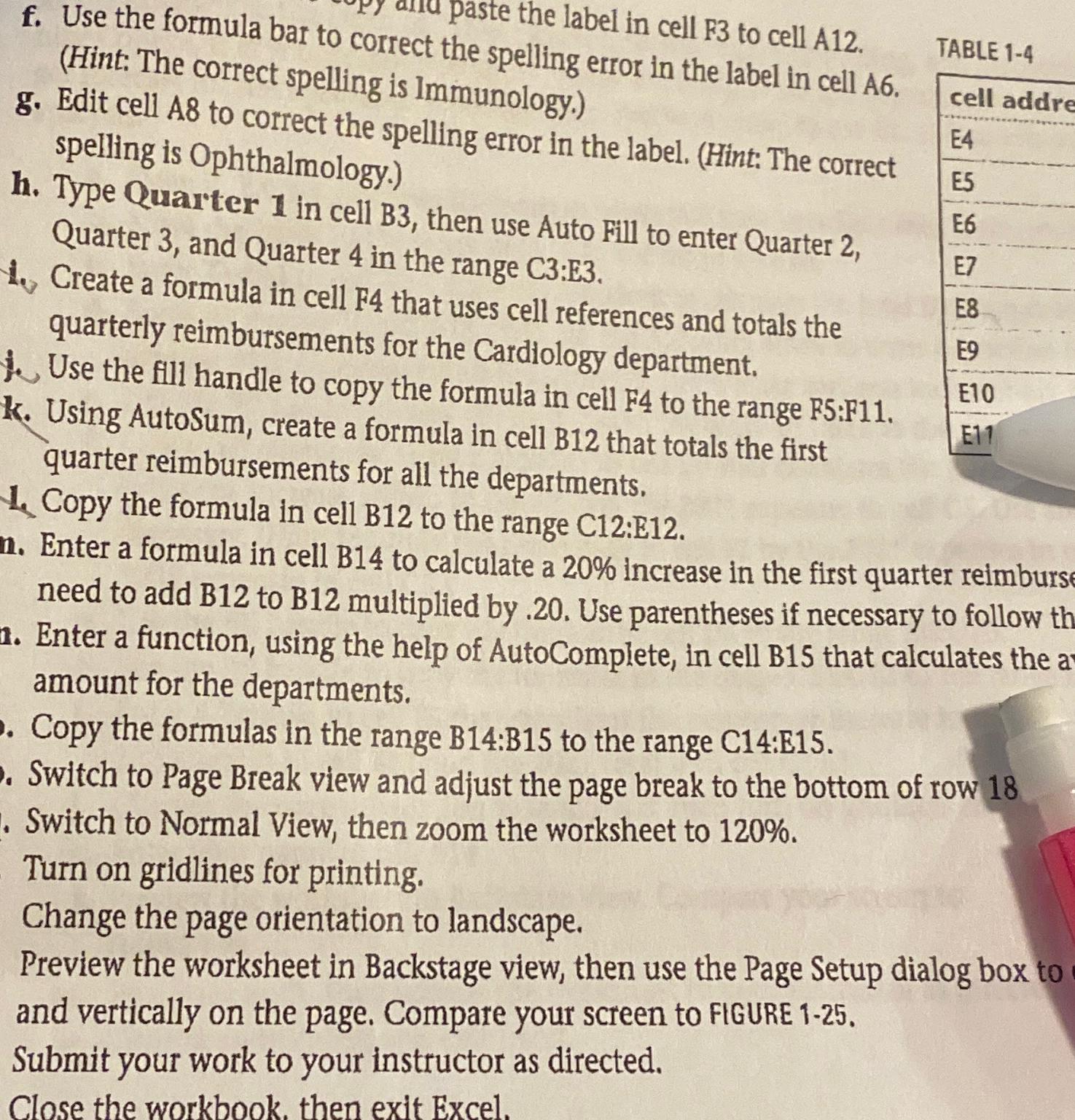
Question: paste the label in cell F 3 to cell A 1 2 . the spelling error in the label in cell A 6 . g
paste the label in cell F to cell A
the spelling error in the label in cell A
g Edit cell A to correct the is Immunology. spelling is Ophthalmology. Quarter in cell B then use Auto Fill to enter Quarter Quarter and Quarter in the range C:E
Create a formula in cell that uses cell references and totals the quarterly reimbursements for the Cardiology department.
Use the fill handle to copy the formula in cell F to the range F:F
k Using AutoSum, create a formula in cell B that totals the first
TABLE
quarter reimbursements for all the departments.
Copy the formula in cell B to the range C:E
n Enter a formula in cell B to calculate a increase in the first quarter reimburs need to add B to B multiplied by Use parentheses if necessary to follow th
a Enter a function, using the help of AutoComplete, in cell B that calculates the a amount for the departments.
Copy the formulas in the range : to the range :
Switch to Page Break view and adjust the page break to the bottom of row
Switch to Normal View, then zoom the worksheet to
Turn on gridlines for printing.
Change the page orientation to landscape.
Preview the worksheet in Backstage view, then use the Page Setup dialog box to and vertically on the page. Compare your screen to FIGURE
Submit your work to your instructor as directed.
Close the workbook, then exit Excel.
Step by Step Solution
There are 3 Steps involved in it
1 Expert Approved Answer
Step: 1 Unlock

Question Has Been Solved by an Expert!
Get step-by-step solutions from verified subject matter experts
Step: 2 Unlock
Step: 3 Unlock