







Question: Match the activities provided in the drop-down boxes below with the following framework for navigating QBO payroll. Selections be made in any order within
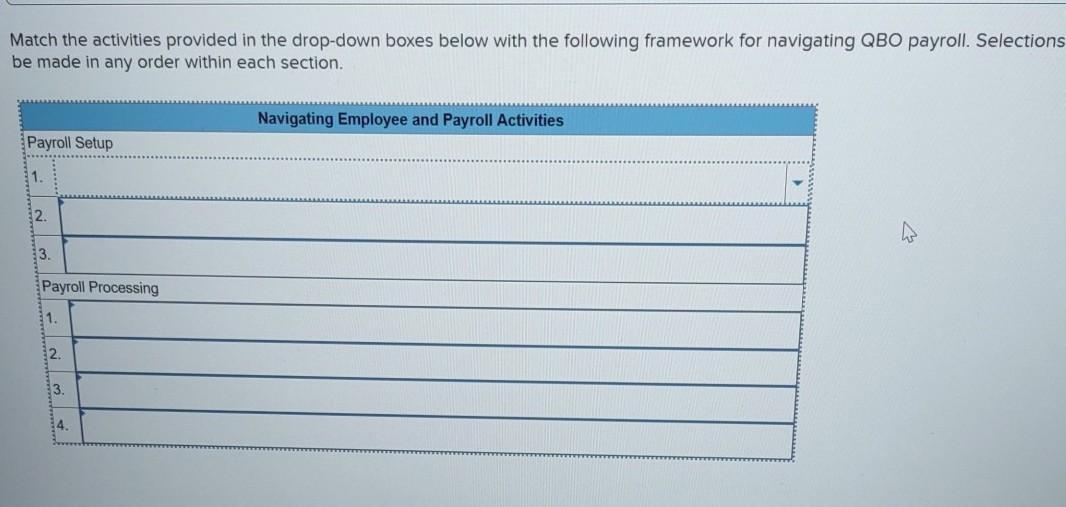
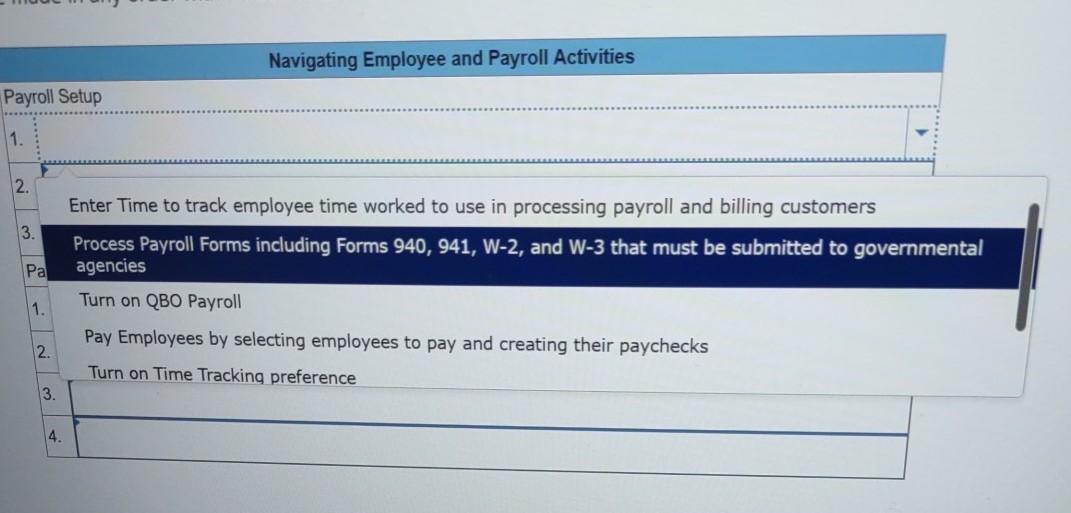
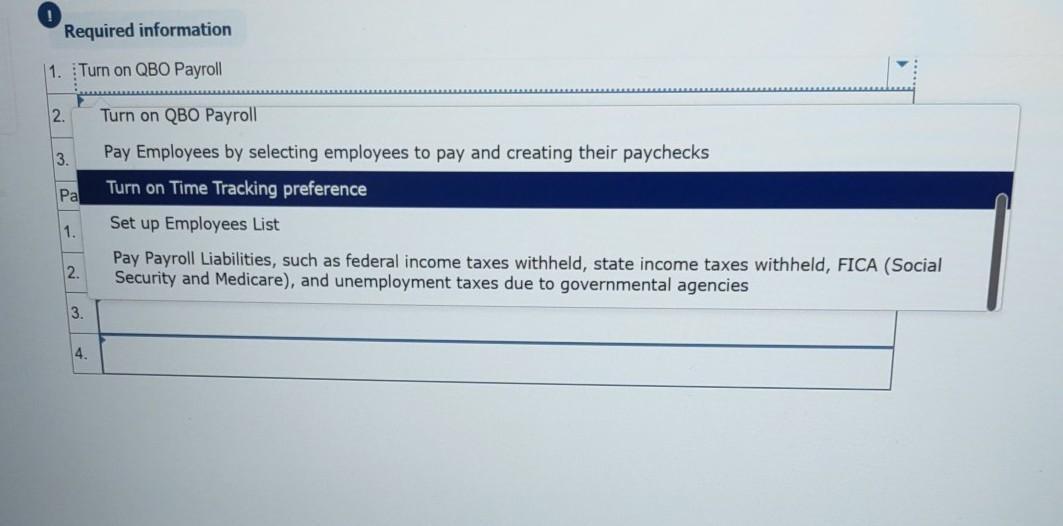
Match the activities provided in the drop-down boxes below with the following framework for navigating QBO payroll. Selections be made in any order within each section. Navigating Employee and Payroll Activities Payroll Setup 1. 2. 3. Payroll Processing 1. 2. 3. 14. Navigating Employee and Payroll Activities Payroll Setup 1. 2. Enter Time to track employee time worked to use in processing payroll and billing customers 3. Process Payroll Forms including Forms 940, 941, W-2, and W-3 that must be submitted to governmental agencies Pa Turn on QBO Payroll 1. Pay Employees by selecting employees to pay and creating their paychecks 2. Turn on Time Tracking preference 3. 4. Required information 1. Turn on QBO Payroll 2. Turn on QBO Payroll 3. Pay Employees by selecting employees to pay and creating their paychecks Pa Turn on Time Tracking preference Set up Employees List 1. Pay Payroll Liabilities, such as federal income taxes withheld, state income taxes withheld, FICA (Social 2. Security and Medicare), and unemployment taxes due to governmental agencies 3. 4.
Step by Step Solution
3.58 Rating (165 Votes )
There are 3 Steps involved in it
Payroll Setup e Turn on Time Tracking preference c Turn ... View full answer

Get step-by-step solutions from verified subject matter experts
Document Format (2 attachments)

6362a600e3e6b_229100.pdf
180 KBs PDF File

6362a600e3e6b_229100.docx
120 KBs Word File
 Study Help