







Question: PCode impType Save the above diagram (using a mnemonic name) onto your SQL Account. virtual table for LOANMANAGER: (Note: use the New Query feature in
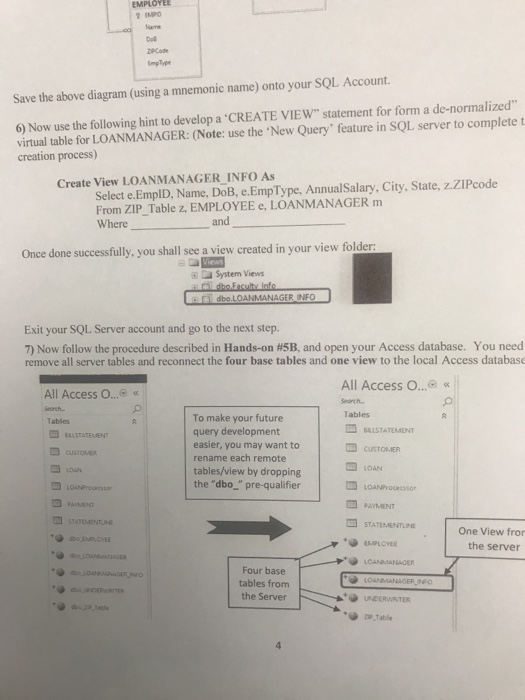
PCode impType Save the above diagram (using a mnemonic name) onto your SQL Account. virtual table for LOANMANAGER: (Note: use the New Query" feature in SQL server to complete t creation process) 6) Now use the following hint to develop a CREATE VIEW" statement for form a de-normalized" Select e.EmplD, Name, DoB, e.EmpType, Annual Salary, City, State, z.ZIPcode From ZIP_Table z, EMPLOYEE e, LOANMANAGER m Where Create View LOANMANAGER INFO As and Once done successfully, you shall see a view created in your view folder: System Views dbo LOANMANAGER INFO Exit your SQL Server account and go to the next step. 7) Now follow the procedure described in Hands-on #5B, and open your Access database. You need remove all server tables and reconnect the four base tables and one view to the local Access database All Access O... All Access O.... earch. Tables To make your future query development easier, you may want to rename each remote tables/view by dropping the "dbo_" pre-qualifier Tables BALSTATEMENT CUSTOLMIER LOAN ? PAYMENT STATEMENTLINE One View fror the server EMPLOYEE Four base tables from the Server + 2,Table
Step by Step Solution
There are 3 Steps involved in it

Get step-by-step solutions from verified subject matter experts
 Study Help