







Question: Performing sampling and resizing in Matlab: H1.2 Sampling and resizing: Capture two color images: (1) with sharp edges and frequencies (e.g., a fence or some
Performing sampling and resizing in Matlab:
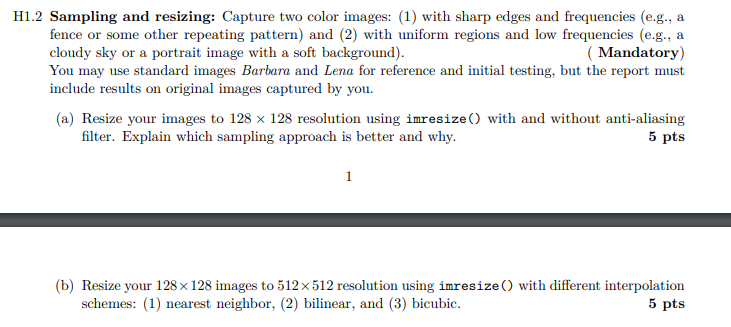
H1.2 Sampling and resizing: Capture two color images: (1) with sharp edges and frequencies (e.g., a fence or some other repeating pattern) and (2) with uniform regions and low frequencies (e.g., a cloudy sky or a portrait image with a soft background). (Mandatory) You may use standard images Barbara and Lena for reference and initial testing, but the report must include results on original images captured by you. (a) Resize your images to 128 x 128 resolution using imresize() with and without anti-aliasing filter. Explain which sampling approach is better and why. 5 pts 1 (b) Resize your 128 x 128 images to 512x512 resolution using imresize() with different interpolation schemes: (1) nearest neighbor, (2) bilinear, and (3) bicubic. 5 pts
Step by Step Solution
There are 3 Steps involved in it

Get step-by-step solutions from verified subject matter experts
 Study Help