







Question: Phill Steganography Project Attached Files: Image Steganography Setup.zip (342.015 KB) Since this is not really covered in TestOut, I have provided the above tutorial

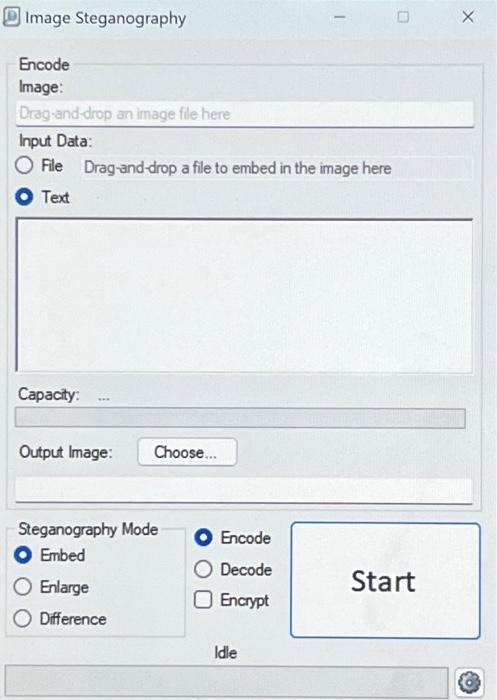

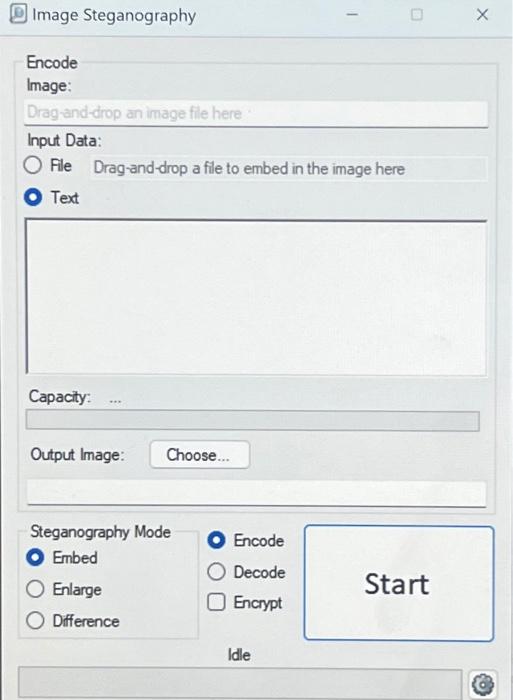
Phill Steganography Project Attached Files: Image Steganography Setup.zip (342.015 KB) Since this is not really covered in TestOut, I have provided the above tutorial on using Image Steganography. In addition, I have attached a zip file with the Image Steganography installation file so you can just download it from BlackBoard and will not need to maneuver websites to find it TestOut uses a tool called OpenStego If you prefer to use the project provided in the text, that's fine!! My preference is to use image Steganography as it's much simpler to use Perform some screen captures along the way and paste them into a Word document along with a description of what's happening at that given point. When finished, upload the document through this assignment link Image Steganography Encode Image: Drag-and-drop an image file here Input Data: O File Drag-and-drop a file to embed in the image here Text Capacity: Output Image: Choose... Steganography Mode Embed Enlarge Difference Encode Decode O Encrypt 1 Idle 0 Start X |||| Steganography Project Attached Files: Image Steganography Setup.oip (342.015 KB) Since this is not really covered in TestOut, I have provided the above tutorial on using Image Steganography. In addition, I have attached a zip file with the image Steganography installation file so you can just download it from BlackBoard and will not need to maneuver websites to find it. TestOut uses a tool called OpenStego. If you prefer to use the project provided in the text, that's fine!! My preference is to use Image Steganography as it's much simpler to use. Perform some screen captures along the way and paste them into a Word document along with a description of what's happening at that given point. When finished, upload the document through this assignment link. Image Steganography Encode Image: Drag-and-drop an image file here Input Data: O File Drag-and-drop a file to embed in the image here Text Capacity: Output Image: Choose... Steganography Mode Embed Enlarge Difference Encode Decode Encrypt 1 Idle 0 Start X
Step by Step Solution
3.38 Rating (167 Votes )
There are 3 Steps involved in it
Certainly Image steganography is a technique used to hide secret messages or data within an image fi... View full answer

Get step-by-step solutions from verified subject matter experts
 Study Help