







Question: php and javascript code Student Registration Form SId: Name: Level: To solve this task, you need to create three files: 1. Home.html 2. Students.js 3.
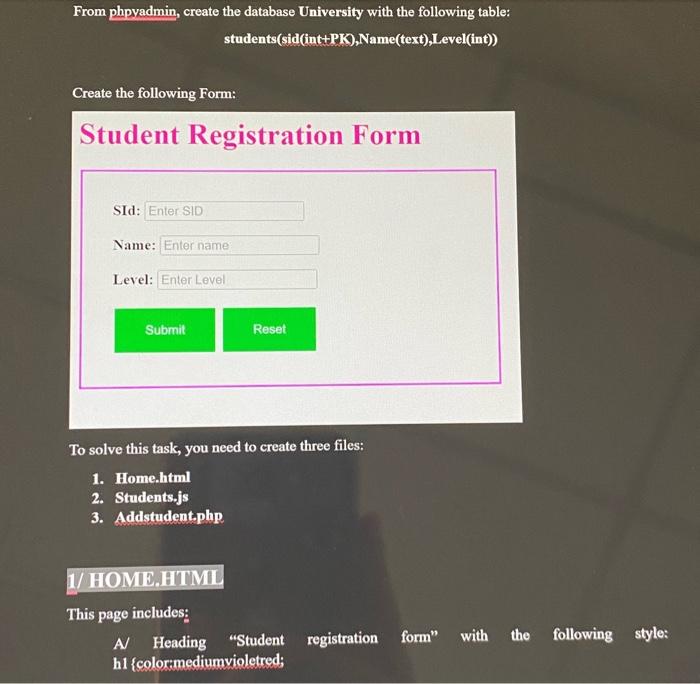
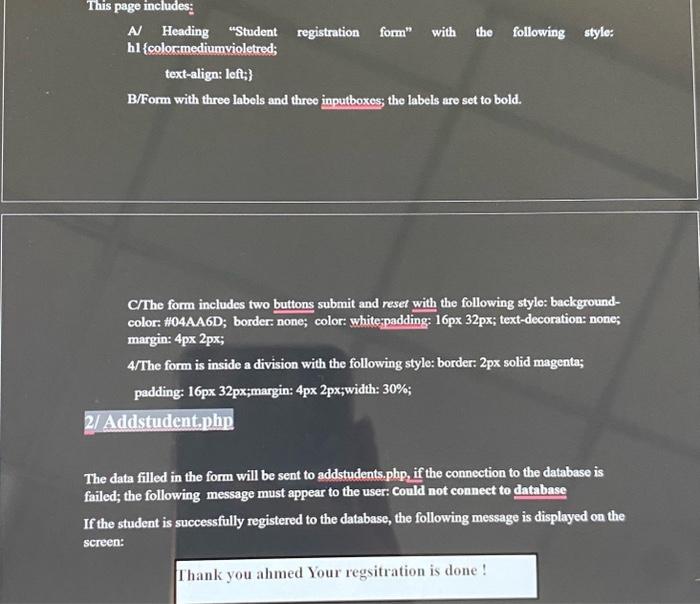
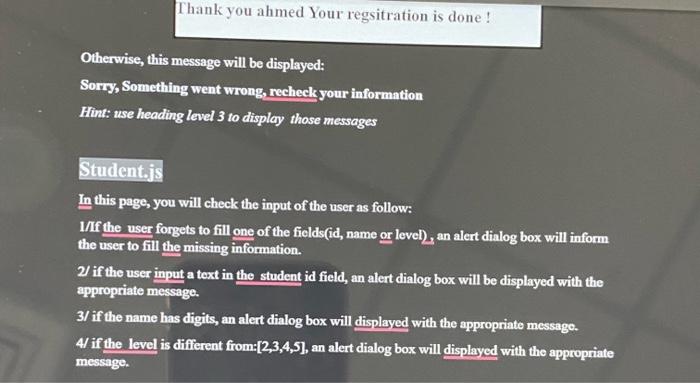
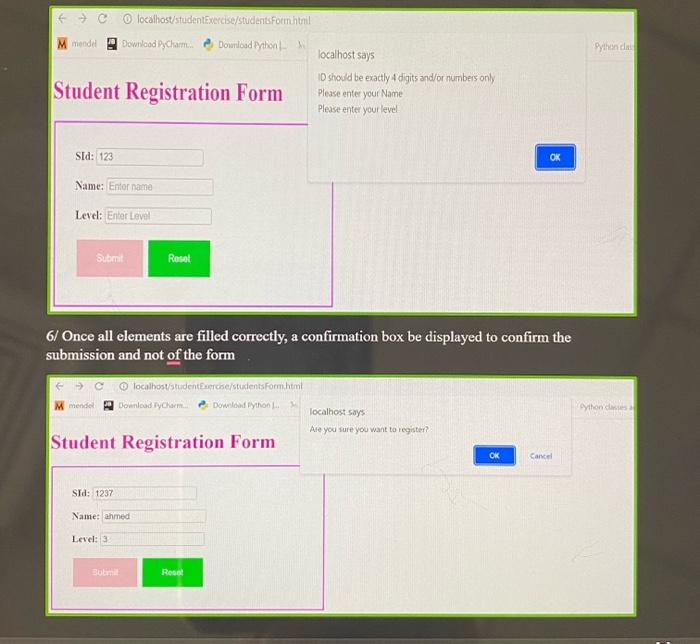
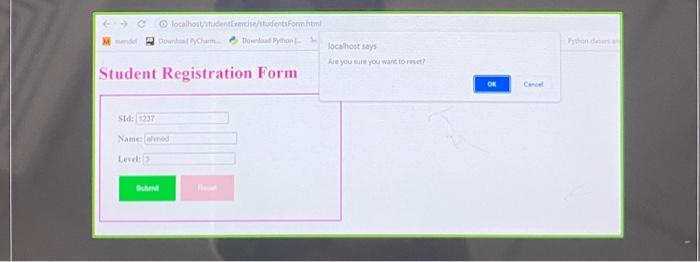
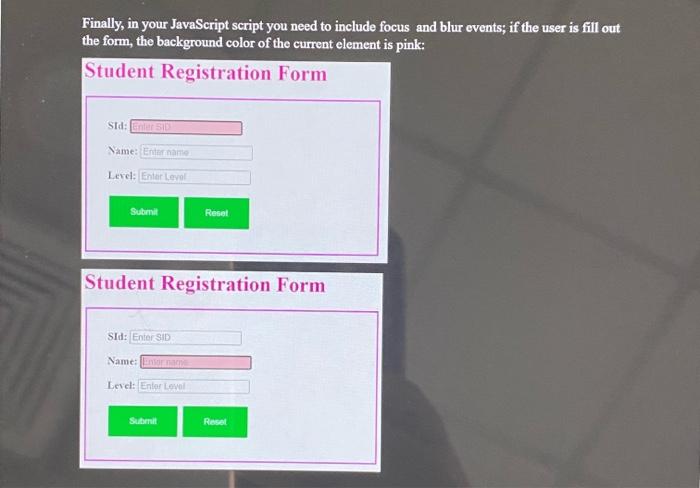
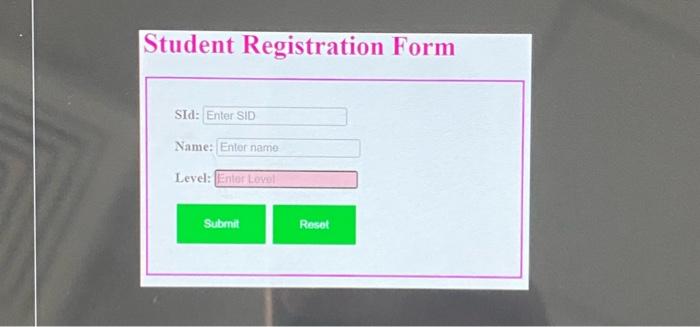
Student Registration Form SId: Name: Level: To solve this task, you need to create three files: 1. Home.html 2. Students.js 3. Addstudent.php This page includes: A Heading "Student registration form" with the following style: h1 \{colormediumvioletred; This page includes: A Heading "Student registration form" with the following style: h1 \{colormediumvioletred; text-align: left; B/Form with three labels and three inputboxes; the labels are set to bold. C/The form includes two buttons submit and reset with the following stylo: backgroundcolor: "104AA6D; border: none; color: whiterpadding: 16px 32px; text-decoration: none; margin: 4px 2px; 4/The form is inside a division with the following style: border: 2px solid magenta; padding: 16px 32px;margin: 4px 2px;width: 30%; The data filled in the form will be sent to addstudents.php, if the connection to the database is failed; the following message must appear to the user: Could not connect to database If the student is successfully registered to the database, the following message is displayed on the screen: Thank you ahmed Your regsitration is done ! Otherwise, this message will be displayed: Sorry, Something went wrong, recheck your information Hint: use heading level 3 to display those messages Student.js In this page, you will check the input of the user as follow: I/f the user forgets to fill one of the fields(id, name or level), an alert dialog box will inform the user to fill the missing information. 2/ if the user input a text in the student id field, an alert dialog box will be displayed with the appropriate message. 3/ if the name has digits, an alert dialog box will displayed with the appropriate message. 4/ if the level is different from: [2,3,4,5], an alert dialog box will displayed with the appropriate message. Student Registration Form ID should be exatty 4 digits and/or numbers only Please enter your Name Please ente your level SId: Name: Level: 5/ Once all elements are filled correctly, a confirmation box be displayed to confirm the zubmission and not of the form Finally, in your JavaScript script you need to include focus and blur events; if the user is fill out the form, the background color of the current element is pink: Student Registration Form Student Registration Form SId: Name: Lercl: Student Registration Form SId: Name: Level
Step by Step Solution
There are 3 Steps involved in it

Get step-by-step solutions from verified subject matter experts
 Study Help