







Question: phyton code. please answer asap instructions Multiple Attempts Not allowed. This test can only be taken once. Force Completion This test can be saved and
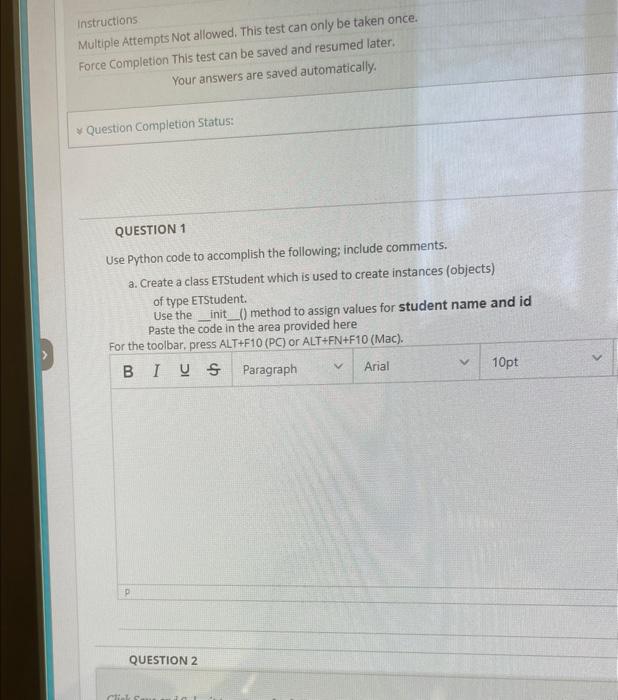
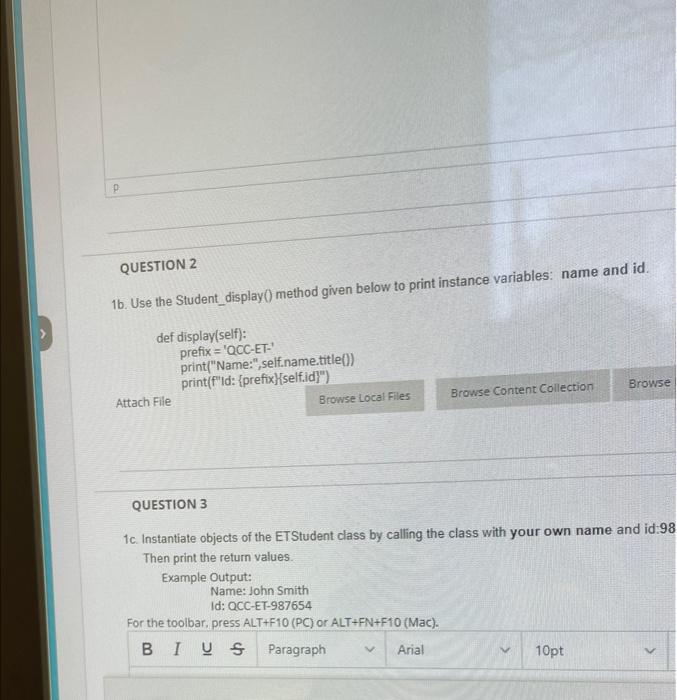
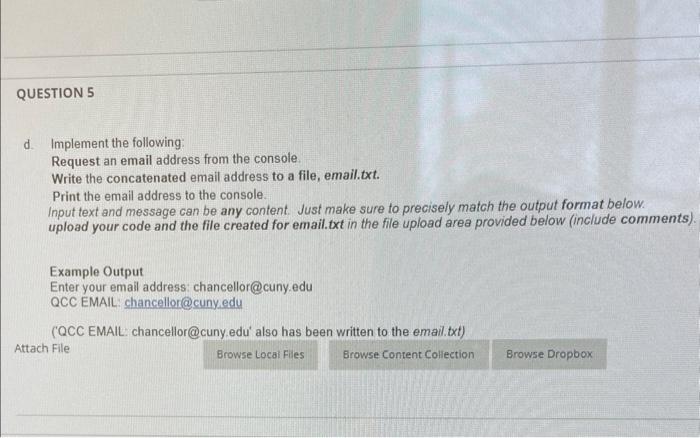
instructions Multiple Attempts Not allowed. This test can only be taken once. Force Completion This test can be saved and resumed later. Your answers are saved automatically. * Question Completion Status: QUESTION 1 Use Python code to accomplish the following; include comments. a. Create a class ETStudent which is used to create instances (objects) of type ETStudent. Use the _ init () method to assign values for student name and id Paste the code in the area provided here For the toolbar. press ALT+F10(PC) or ALT+FN+F10 (Mac). QUESTION 2 1b. Use the Student_display() method given below to print instance variables: name and id. def display(self): prefix = 'QCC-ET-' print("Name:", self.nametitle()) print(f"Id: \{prefix\}\{self.idY") Attach Flle QUESTION 3 1c. Instantiate objects of the ETStudent class by calling the class with your own name and id:98 Then print the return values. Example Output: Name: John Smith Id: QCC-ET-987654 For the toolbar, press ALT+F10 (PC) or ALT +FN+F10 (Mac). d. Implement the following: Request an email address from the console. Write the concatenated email address to a file, email.txt. Print the email address to the console. Input text and message can be any content. Just make sure to precisely match the output format below. upload your code and the file created for email.txt in the file upload area provided below (include comments). Example Output Enter your email address: chancellor@cuny.edu QCC EMAIL: chancellor@cuny, edu (QCCEMAlL: chancellor@cuny.edu' also has been written to the email.txt) Attach File
Step by Step Solution
There are 3 Steps involved in it

Get step-by-step solutions from verified subject matter experts
 Study Help