







Question: Picture class for context import java.awt.*; import java.awt.font.*; import java.awt.geom.*; import java.awt.image.BufferedImage; import java.text.*; import java.util.*; import java.util.List; public class Picture extends SimplePicture { /////////////////////
Picture class for context
import java.awt.*; import java.awt.font.*; import java.awt.geom.*; import java.awt.image.BufferedImage; import java.text.*; import java.util.*; import java.util.List; public class Picture extends SimplePicture { ///////////////////// constructors ////////////////////////////////// private final int LOW_FILTER = 4; private final int HIGH_FILTER = 64; /** * Constructor that takes no arguments */ public Picture () { /* not needed but use it to show students the implicit call to super() * child constructors always call a parent constructor */ super(); } /** * Constructor that takes a file name and creates the picture * @param fileName the name of the file to create the picture from */ public Picture(String fileName) { // let the parent class handle this fileName super(fileName); } /** * Constructor that takes the width and height * @param height the height of the desired picture * @param width the width of the desired picture */ public Picture(int height, int width) { // let the parent class handle this width and height super(width,height); } /** * Constructor that takes a picture and creates a * copy of that picture * @param copyPicture the picture to copy */ public Picture(Picture copyPicture) { // let the parent class do the copy super(copyPicture); } /** * Constructor that takes a buffered image * @param image the buffered image to use */ public Picture(BufferedImage image) { super(image); } ////////////////////// methods /////////////////////////////////////// /** * Method to return a string with information about this picture. * @return a string with information about the picture such as fileName, * height and width. */ public String toString() { String output = "Picture, filename " + getFileName() + " height " + getHeight() + " width " + getWidth(); return output; } /** Method to set the blue to 0 */ public void zeroBlue() { Pixel[][] pixels = this.getPixels2D(); for (Pixel[] rowArray : pixels) { for (Pixel pixelObj : rowArray) { pixelObj.setBlue(0); } } } /** Method that mirrors the picture around a * vertical mirror in the center of the picture * from left to right */ public void mirrorVertical() { Pixel[][] pixels = this.getPixels2D(); Pixel leftPixel = null; Pixel rightPixel = null; int width = pixels[0].length; for (int row = 0; row edgeDist) leftPixel.setColor(Color.BLACK); else leftPixel.setColor(Color.WHITE); } } } /* Main method for testing - each class in Java can have a main * method */ public static void main(String[] args) { Picture beach = new Picture("../images/beach.jpg"); beach.explore(); } }
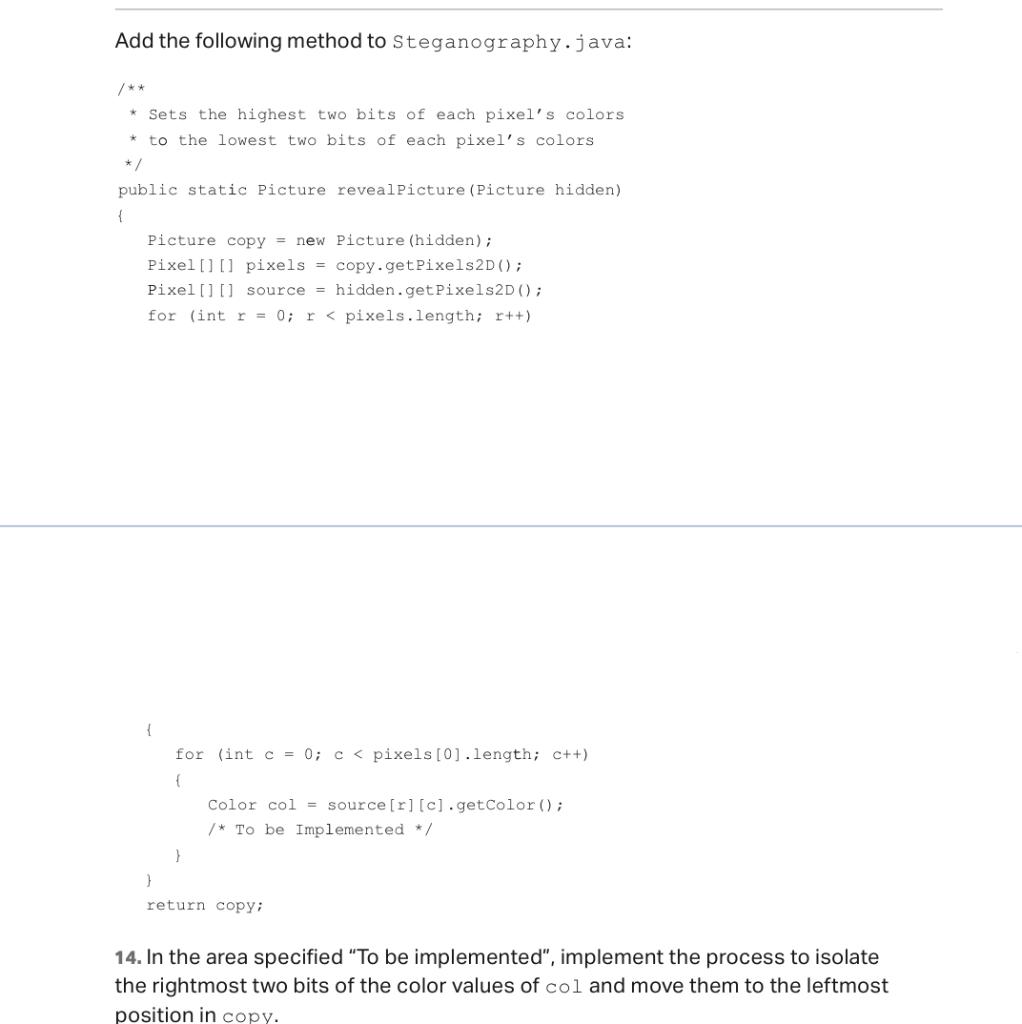
Add the following method to Steganography.java: * Sets the highest two bits of each pixel's colors * to the lowest two bits of each pixel's colors */ public static Picture reveal Picture (Picture hidden) { Picture copy = new Picture (hidden); Pixel[] [pixels = copy.getPixels2D(); Pixel [] [] source hidden.get Pixels2D(); for (int r = 0; r
Step by Step Solution
There are 3 Steps involved in it

Get step-by-step solutions from verified subject matter experts
 Study Help