







Question: Pigeon.hpp: #include class Pigeon{ SDL_Rect srcRect, moverRect; public: // add the fly function here as well. void draw(SDL_Renderer*, SDL_Texture* assets); Pigeon(); // may add other
Pigeon.hpp:
#include
class Pigeon{
SDL_Rect srcRect, moverRect;
public:
// add the fly function here as well.
void draw(SDL_Renderer*, SDL_Texture* assets);
Pigeon(); // may add other overloaded constructors here...
};
Pigeon.cpp:
#include "pigeon.hpp"
// pigeon implementation will go here.
void Pigeon::draw(SDL_Renderer* gRenderer, SDL_Texture* assets){
SDL_RenderCopy(gRenderer, assets, &srcRect, &moverRect);
moverRect.x++; // moves the pigeon one pixel towards right, should it be in fly function??
}
Pigeon::Pigeon(){
// src coorinates from assets.png file, they have been found using spritecow.com
srcRect = {0,0,160,133};
// it will display pigeon on x = 30, y = 40 location, the size of pigeon is 50 width, 60 height
moverRect = {30, 40, 50, 60};
}
HUMania.cpp:
#include "HUMania.hpp"
#include
void HUMania::drawObjects(){
// call draw functions of all the objects here
p1.draw(gRenderer, assets);
}
void HUMania::createObject(int x, int y){
std::cout
}
HUMania::HUMania(SDL_Renderer *renderer, SDL_Texture *asst):gRenderer(renderer), assets(asst){}
I just need the code for the classes, I'll debug and write it myself.
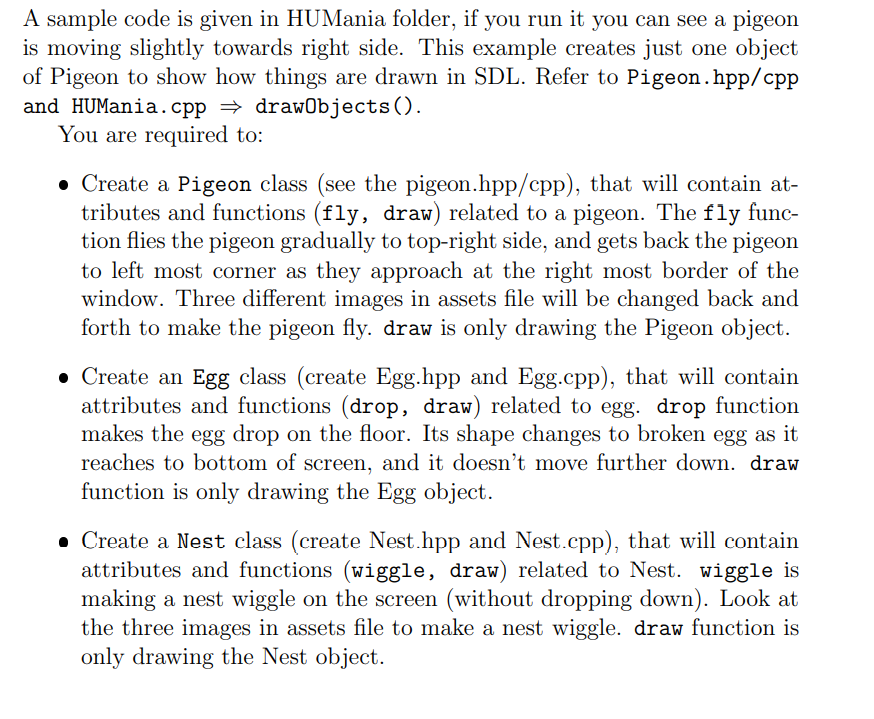
A sample code is given in HUMania folder, if you run it you can see a pigeon is moving slightly towards right side. This example creates just one object of Pigeon to show how things are drawn in SDL. Refer to Pigeon.hpp/cpp and HUMania.cpp = drawObjects(). You are required to: Create a Pigeon class (see the pigeon.hpp/cpp), that will contain at- tributes and functions (fly, draw) related to a pigeon. The fly func- tion flies the pigeon gradually to top-right side, and gets back the pigeon to left most corner as they approach at the right most border of the window. Three different images in assets file will be changed back and forth to make the pigeon fly. draw is only drawing the Pigeon object. Create an Egg class (create Egg.hpp and Egg.cpp), that will contain attributes and functions (drop, draw) related to egg. drop function makes the egg drop on the floor. Its shape changes to broken egg as it reaches to bottom of screen, and it doesn't move further down. draw function is only drawing the Egg object. Create a Nest class (create Nest.hpp and Nest.cpp), that will contain attributes and functions (wiggle, draw) related to Nest. wiggle is making a nest wiggle on the screen (without dropping down). Look at the three images in assets file to make a nest wiggle. draw function is only drawing the Nest object. A sample code is given in HUMania folder, if you run it you can see a pigeon is moving slightly towards right side. This example creates just one object of Pigeon to show how things are drawn in SDL. Refer to Pigeon.hpp/cpp and HUMania.cpp = drawObjects(). You are required to: Create a Pigeon class (see the pigeon.hpp/cpp), that will contain at- tributes and functions (fly, draw) related to a pigeon. The fly func- tion flies the pigeon gradually to top-right side, and gets back the pigeon to left most corner as they approach at the right most border of the window. Three different images in assets file will be changed back and forth to make the pigeon fly. draw is only drawing the Pigeon object. Create an Egg class (create Egg.hpp and Egg.cpp), that will contain attributes and functions (drop, draw) related to egg. drop function makes the egg drop on the floor. Its shape changes to broken egg as it reaches to bottom of screen, and it doesn't move further down. draw function is only drawing the Egg object. Create a Nest class (create Nest.hpp and Nest.cpp), that will contain attributes and functions (wiggle, draw) related to Nest. wiggle is making a nest wiggle on the screen (without dropping down). Look at the three images in assets file to make a nest wiggle. draw function is only drawing the Nest object
Step by Step Solution
There are 3 Steps involved in it

Get step-by-step solutions from verified subject matter experts
 Study Help