







Question: Pl ease follow these steps Review the source codes, compile, and execute the programs. Examine the output texts to understand the behavior of each program
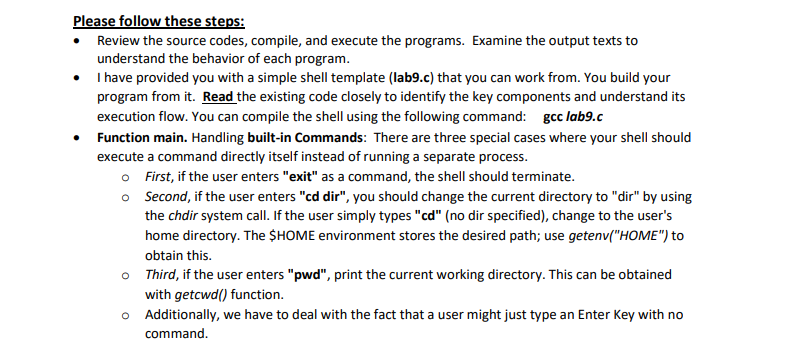
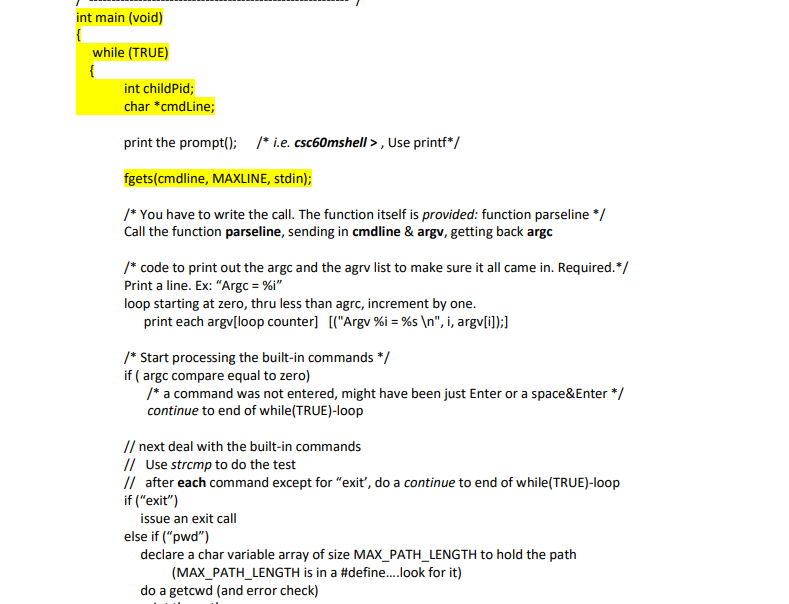
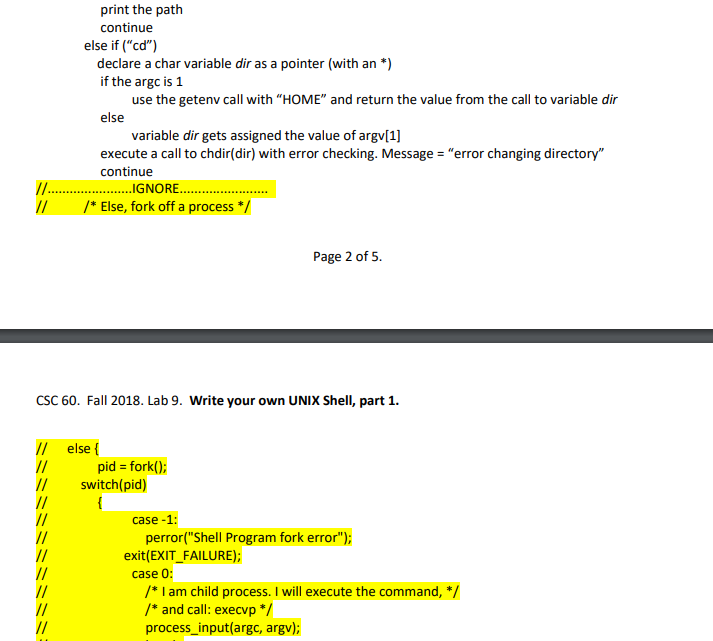
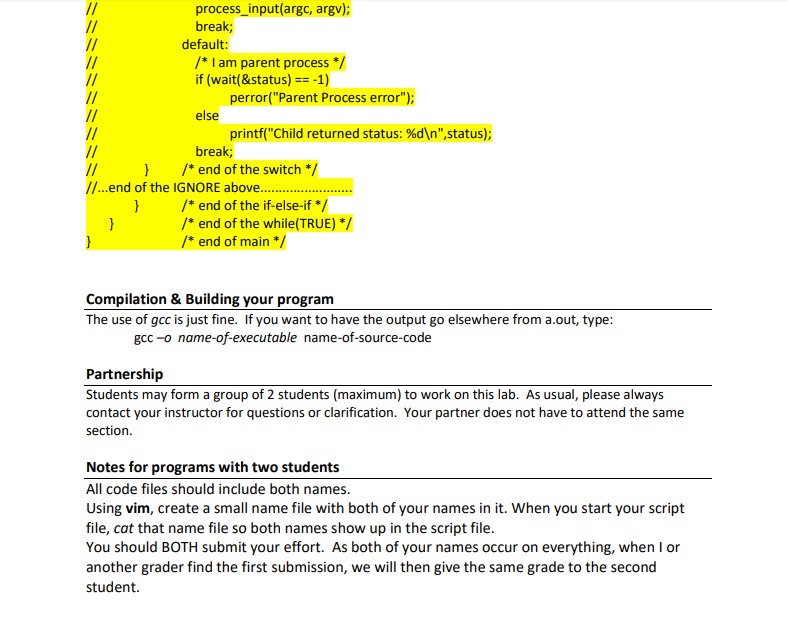
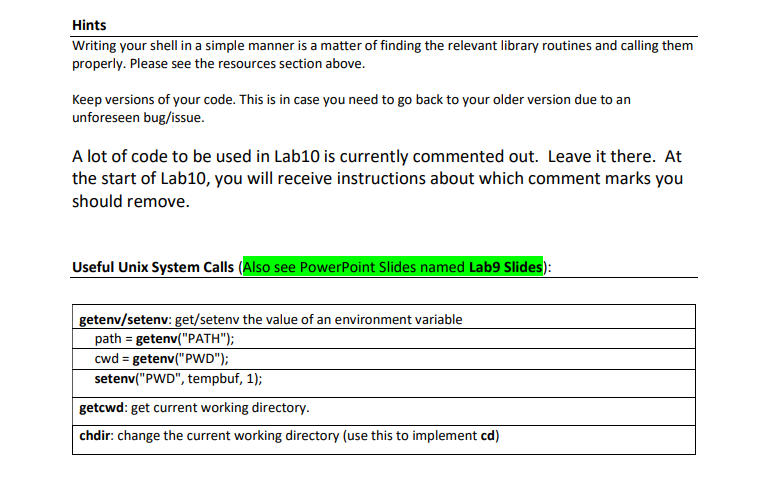
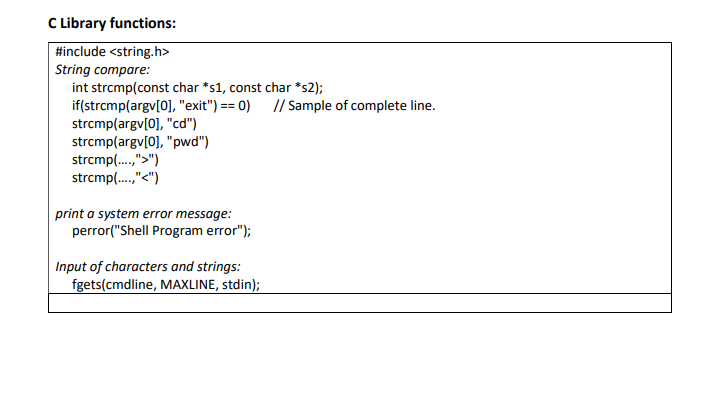
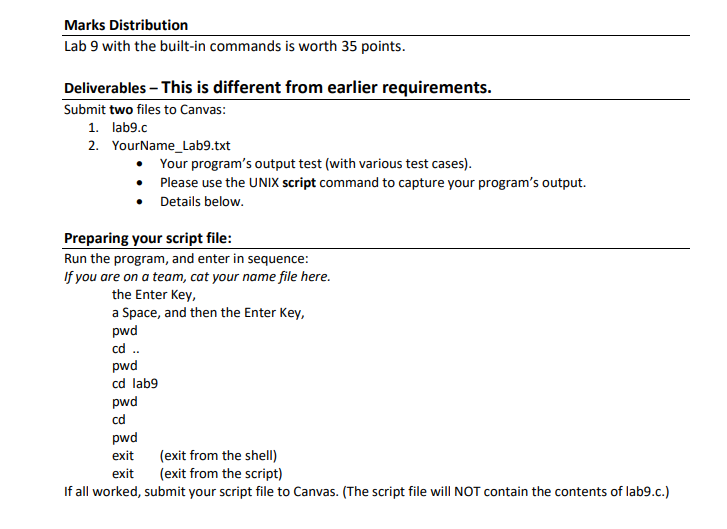
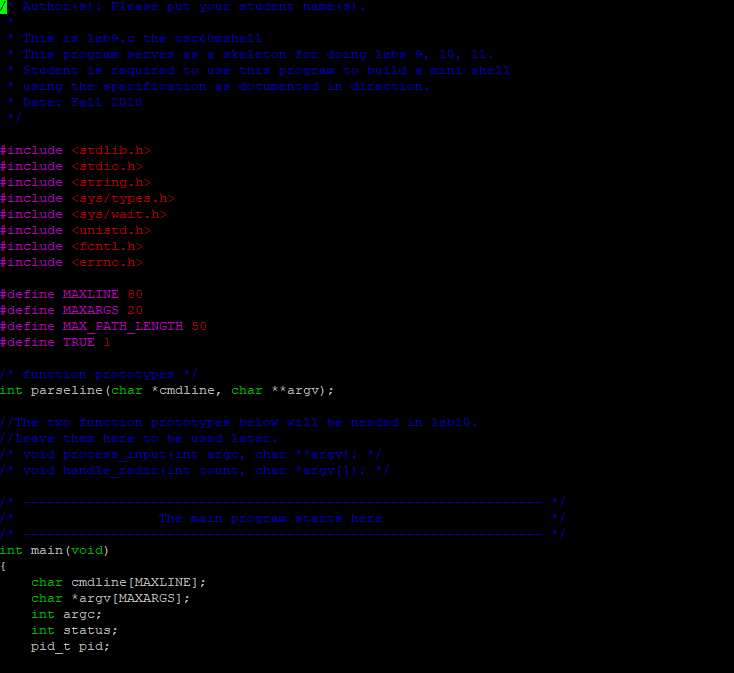
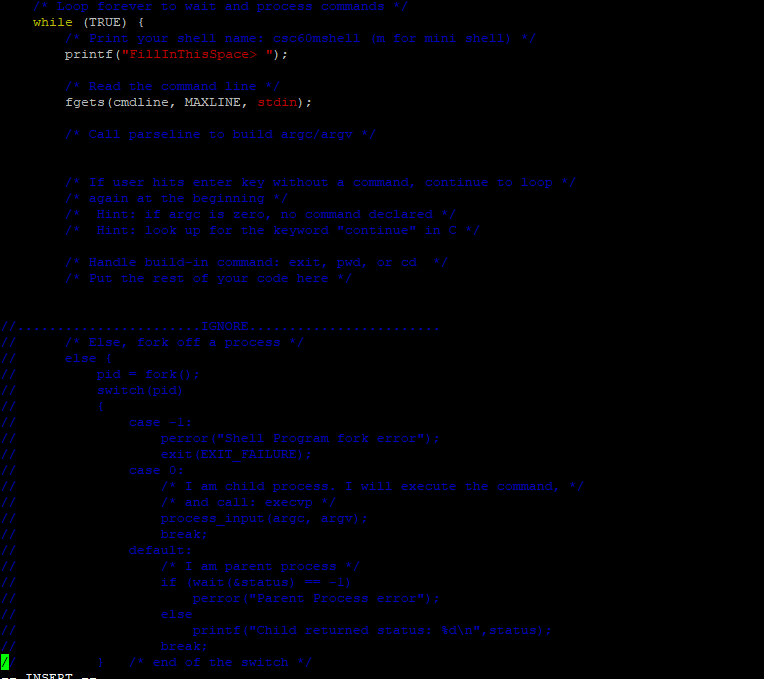
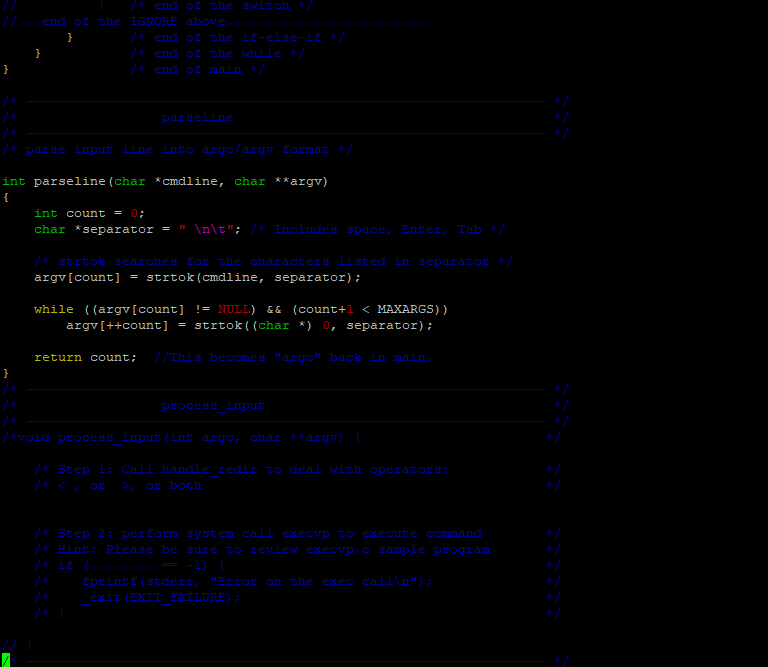
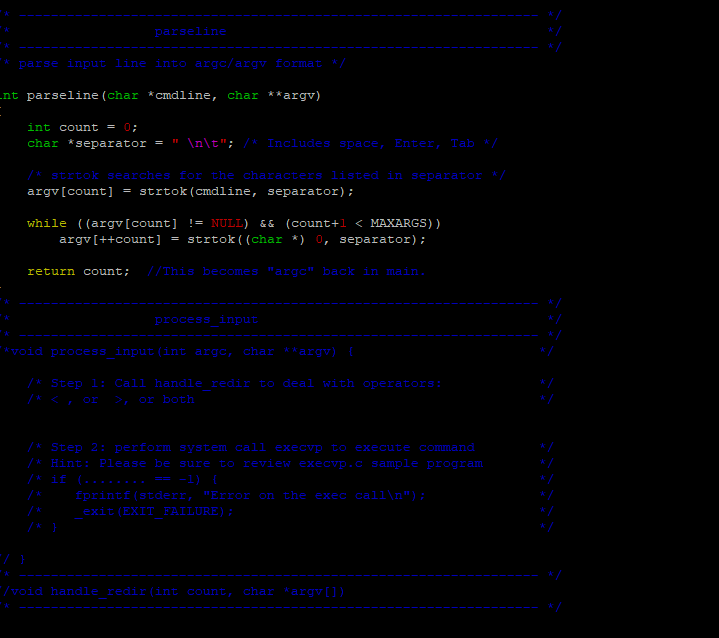
Pl ease follow these steps Review the source codes, compile, and execute the programs. Examine the output texts to understand the behavior of each program I have provided you with a simple shell template (lab9.c) that you can work from. You build your program from it. Read the existing code closely to identify the key components and understand its execution flow. You can compile the shell using the following command: gcc lab9.c Function main. Handling built-in Commands: There are three special cases where your shell should execute a command directly itself instead of running a separate process o First, if the user enters "exit" as a command, the shell should terminate o Second, if the user enters "cd dir", you should change the current directory to "dir" by using the chdir system call. If the user simply types "cd" (no dir specified), change to the user's home directory. The SHOME environment stores the desired path; use getenv("HOME" to obtain this o Third, if the user enters "pwd", print the current working directory. This can be obtained with getcwd() function. o Additionally, we have to deal with the fact that a user might just type an Enter Key with no command Pl ease follow these steps Review the source codes, compile, and execute the programs. Examine the output texts to understand the behavior of each program I have provided you with a simple shell template (lab9.c) that you can work from. You build your program from it. Read the existing code closely to identify the key components and understand its execution flow. You can compile the shell using the following command: gcc lab9.c Function main. Handling built-in Commands: There are three special cases where your shell should execute a command directly itself instead of running a separate process o First, if the user enters "exit" as a command, the shell should terminate o Second, if the user enters "cd dir", you should change the current directory to "dir" by using the chdir system call. If the user simply types "cd" (no dir specified), change to the user's home directory. The SHOME environment stores the desired path; use getenv("HOME" to obtain this o Third, if the user enters "pwd", print the current working directory. This can be obtained with getcwd() function. o Additionally, we have to deal with the fact that a user might just type an Enter Key with no command
Step by Step Solution
There are 3 Steps involved in it

Get step-by-step solutions from verified subject matter experts
 Study Help