







Question: Please answer as soon as possible and document the purpose of methods using javadoc style. Thank you. 1. Create a Java application that implements a
Please answer as soon as possible and document the purpose of methods using javadoc style. Thank you.
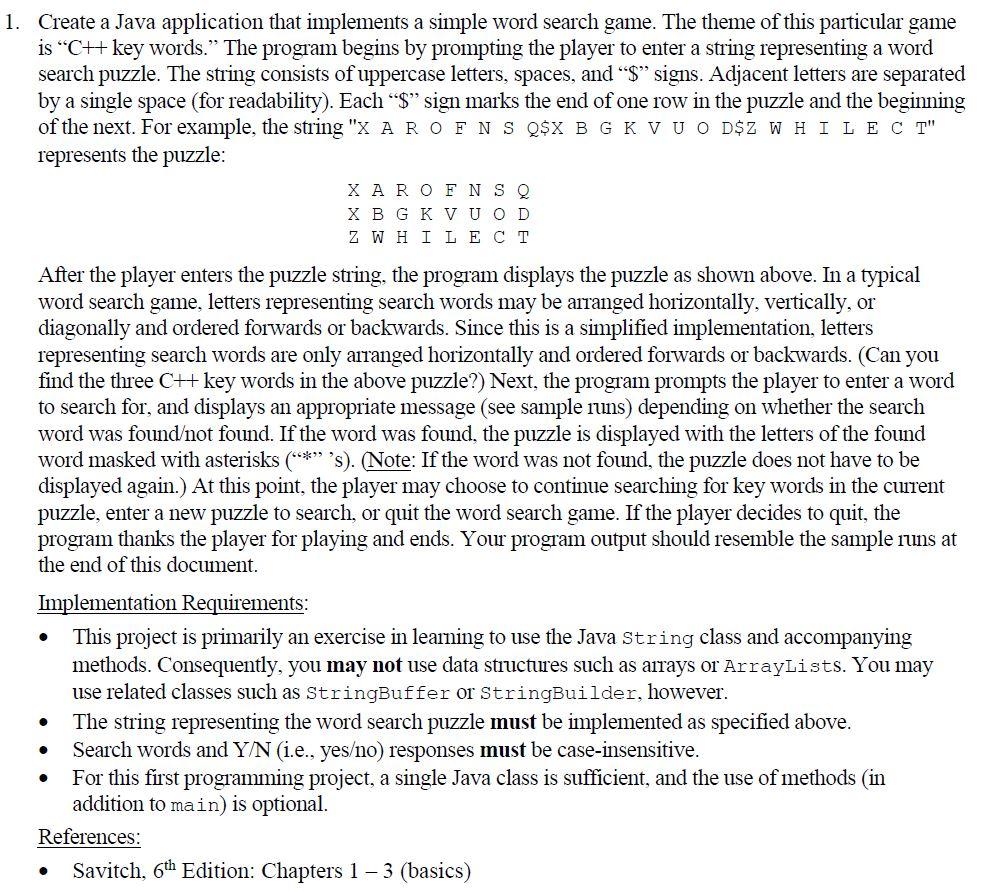
1. Create a Java application that implements a simple word search game. The theme of this particular game is CH key words. The program begins by prompting the player to enter a string representing a word search puzzle. The string consists of uppercase letters, spaces, and "$" signs. Adjacent letters are separated by a single space (for readability). Each $ sign marks the end of one row in the puzzle and the beginning of the next. For example, the string "X AROFNS Q$X B GKVU O D$Z W HIL ECT" represents the puzzle: XAR OF NSO X BGK VUOD ZW H I LECT After the player enters the puzzle string, the program displays the puzzle as shown above. In a typical word search game, letters representing search words may be arranged horizontally, vertically, or diagonally and ordered forwards or backwards. Since this is a simplified implementation, letters representing search words are only arranged horizontally and ordered forwards or backwards. (Can you find the three C++ key words in the above puzzle?) Next, the program prompts the player to enter a word to search for, and displays an appropriate message (see sample runs) depending on whether the search word was foundot found. If the word was found, the puzzle is displayed with the letters of the found word masked with asterisks (** 's). (Note: If the word was not found, the puzzle does not have to be displayed again.) At this point, the player may choose to continue searching for key words in the current puzzle, enter a new puzzle to search, or quit the word search game. If the player decides to quit, the program thanks the player for playing and ends. Your program output should resemble the sample runs at the end of this document. Implementation Requirements: This project is primarily an exercise in learning to use the Java String class and accompanying methods. Consequently, you may not use data structures such as arrays or ArrayLists. You may use related classes such as StringBuffer or StringBuilder, however. The string representing the word search puzzle must be implemented as specified above. Search words and Y/N (i.e., yeso) responses must be case-insensitive. For this first programming project, a single Java class is sufficient, and the use of methods in addition to main) is optional. References: Savitch, 6th Edition: Chapters 1 - 3 (basics) . . 1. Create a Java application that implements a simple word search game. The theme of this particular game is CH key words. The program begins by prompting the player to enter a string representing a word search puzzle. The string consists of uppercase letters, spaces, and "$" signs. Adjacent letters are separated by a single space (for readability). Each $ sign marks the end of one row in the puzzle and the beginning of the next. For example, the string "X AROFNS Q$X B GKVU O D$Z W HIL ECT" represents the puzzle: XAR OF NSO X BGK VUOD ZW H I LECT After the player enters the puzzle string, the program displays the puzzle as shown above. In a typical word search game, letters representing search words may be arranged horizontally, vertically, or diagonally and ordered forwards or backwards. Since this is a simplified implementation, letters representing search words are only arranged horizontally and ordered forwards or backwards. (Can you find the three C++ key words in the above puzzle?) Next, the program prompts the player to enter a word to search for, and displays an appropriate message (see sample runs) depending on whether the search word was foundot found. If the word was found, the puzzle is displayed with the letters of the found word masked with asterisks (** 's). (Note: If the word was not found, the puzzle does not have to be displayed again.) At this point, the player may choose to continue searching for key words in the current puzzle, enter a new puzzle to search, or quit the word search game. If the player decides to quit, the program thanks the player for playing and ends. Your program output should resemble the sample runs at the end of this document. Implementation Requirements: This project is primarily an exercise in learning to use the Java String class and accompanying methods. Consequently, you may not use data structures such as arrays or ArrayLists. You may use related classes such as StringBuffer or StringBuilder, however. The string representing the word search puzzle must be implemented as specified above. Search words and Y/N (i.e., yeso) responses must be case-insensitive. For this first programming project, a single Java class is sufficient, and the use of methods in addition to main) is optional. References: Savitch, 6th Edition: Chapters 1 - 3 (basics)
Step by Step Solution
There are 3 Steps involved in it

Get step-by-step solutions from verified subject matter experts
 Study Help