







Question: Please answer ASAP and please type the answer For a clearer picture Direction : Create and design a new Java Windows application with the following
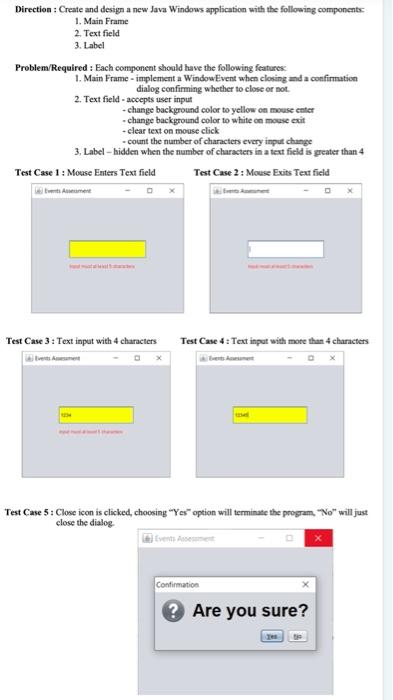
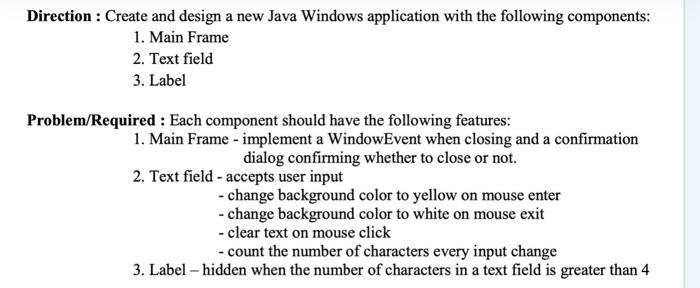
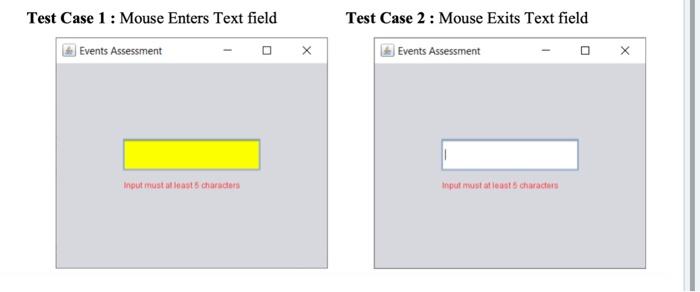
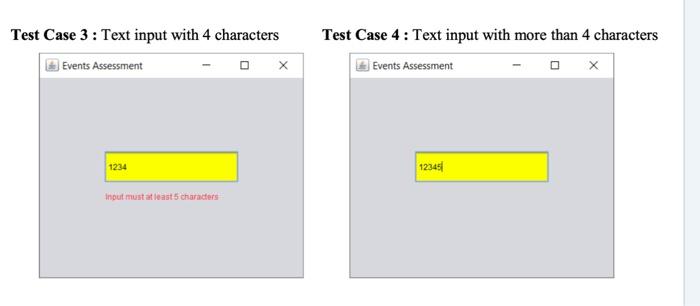
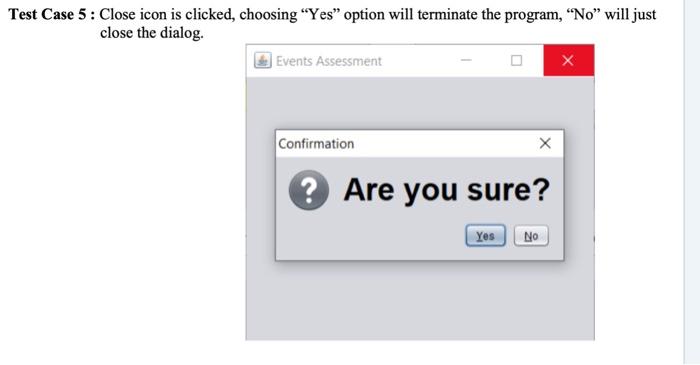
Direction : Create and design a new Java Windows application with the following components 1. Main Frame 2. Text field 3. Label Problem/Required: Each component should have the following features 1. Main Frame - implement a WindowEvent when closing and a confirmation dialog confirming whether to close or not 2. Text field - accepts user input - change background color to yellow on mouse entier -change background color to white on mouse exit - clear text on mouse click - count the number of characters every input change 3. Label-hidden when the number of characters in a text field is greater than 4 Test Case 1 : Mouse Enters Text field Test Case 2 : Mouse Exits Text field Test Case 3: Text input with 4 characters Test Case 4 : Text input with more than 4 characters Test Case 5 : Close icon is clicked, choosing "Yes" option will terminate the program, "No" will just close the dialog Confirmation ? Are you sure? Direction : Create and design a new Java Windows application with the following components: 1. Main Frame 2. Text field 3. Label Problem/Required : Each component should have the following features: 1. Main Frame - implement a WindowEvent when closing and a confirmation dialog confirming whether to close or not. 2. Text field - accepts user input - change background color to yellow on mouse enter - change background color to white on mouse exit - clear text on mouse click - count the number of characters every input change 3. Label hidden when the number of characters in a text field is greater than 4 Test Case 1 : Mouse Enters Text field Test Case 2 : Mouse Exits Text field Events Assessment Events Assessment Input must at least characters Input mustatato characters Test Case 3: Text input with 4 characters Events Assessment X Test Case 4 : Text input with more than 4 characters Events Assessment 1234 12345 input mustat least 5 characters Test Case 5 : Close icon is clicked, choosing Yes option will terminate the program, No will just close the dialog. Events Assessment Confirmation ? Are you sure? Yes NO
Step by Step Solution
There are 3 Steps involved in it

Get step-by-step solutions from verified subject matter experts
 Study Help