







Question: please answer ASAP preferably on excel sheet Excel is a simple yet complex tool that can help with analyzing data, creating charts, and creating calculations.
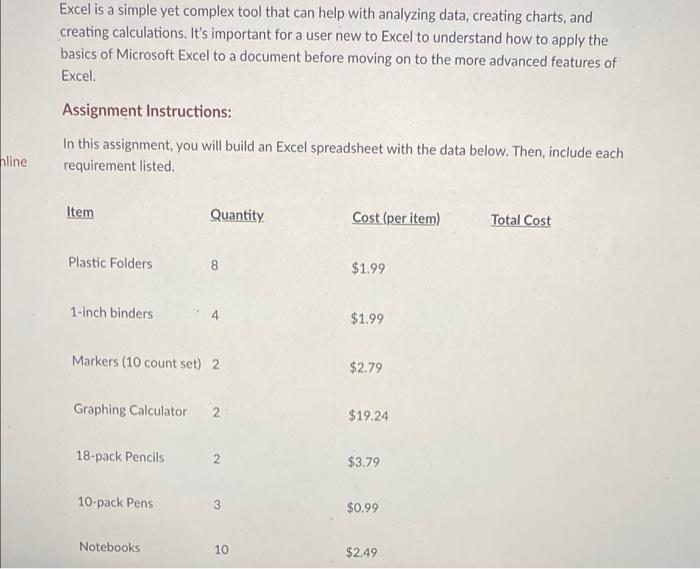
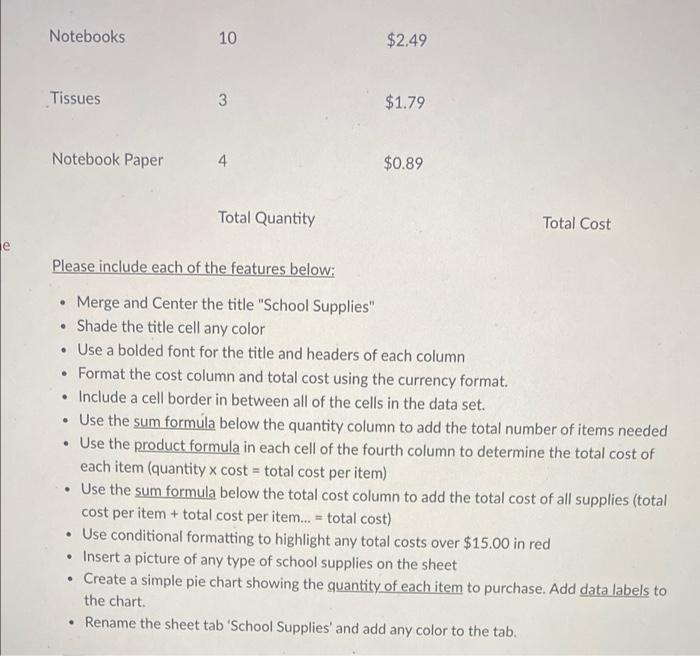
Excel is a simple yet complex tool that can help with analyzing data, creating charts, and creating calculations. It's important for a user new to Excel to understand how to apply the basics of Microsoft Excel to a document before moving on to the more advanced features of Excel Assignment Instructions: In this assignment, you will build an Excel spreadsheet with the data below. Then, include each requirement listed hline Item Quantity Cost (per item) Total Cost Plastic Folders 8 $1.99 1-inch binders $1.99 Markers (10 count set) 2 $2.79 Graphing Calculator 2 $19.24 18-pack Pencils 2 $3.79 10-pack Pens 3 $0.99 Notebooks 10 $2.49 Notebooks 10 $2.49 Tissues 3 $1.79 Notebook Paper 4 $0.89 Total Quantity Total Cost e Please include each of the features below: Merge and Center the title "School Supplies" Shade the title cell any color Use a bolded font for the title and headers of each column Format the cost column and total cost using the currency format. Include a cell border in between all of the cells in the data set. Use the sum formula below the quantity column to add the total number of items needed Use the product formula in each cell of the fourth column to determine the total cost of each item (quantity x cost = total cost per item) Use the sum formula below the total cost column to add the total cost of all supplies (total cost per item + total cost per item... = total cost) Use conditional formatting to highlight any total costs over $15.00 in red Insert a picture of any type of school supplies on the sheet Create a simple pie chart showing the quantity of each item to purchase. Add data labels to the chart. Rename the sheet tab 'School Supplies' and add any color to the tab
Step by Step Solution
There are 3 Steps involved in it

Get step-by-step solutions from verified subject matter experts
 Study Help