







Question: Please answer ASAP, Thank you very much :) INSTRUCTIONS Modify the MouseTest.java program given in the lecture to allow drawing of the following shapes: -
Please answer ASAP, Thank you very much :)
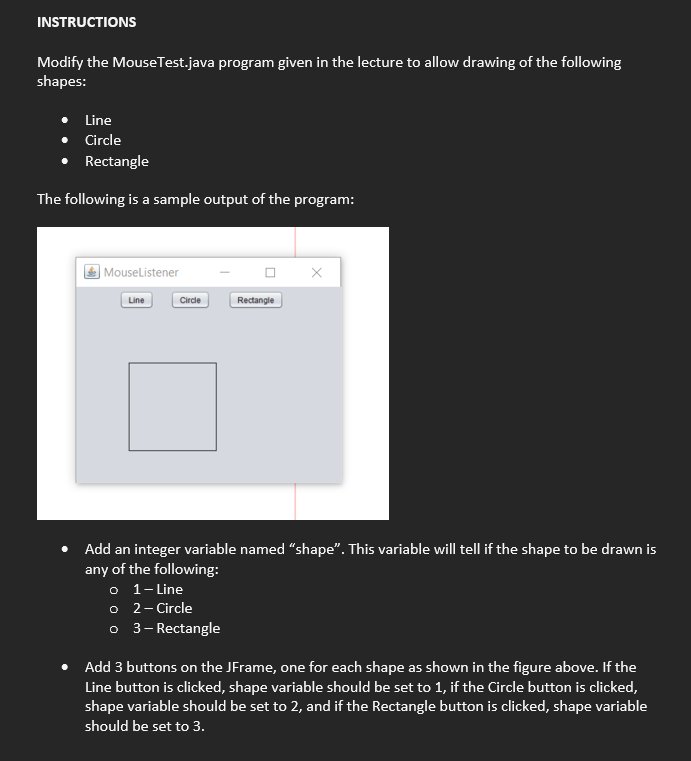
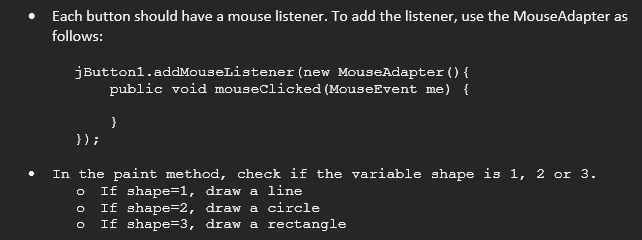
INSTRUCTIONS Modify the MouseTest.java program given in the lecture to allow drawing of the following shapes: - Line - Circle - Rectangle The following is a sample output of the program: - Add an integer variable named "shape". This variable will tell if the shape to be drawn is any of the following: 0 - Line - 2-Circle - 3-Rectangle - Add 3 buttons on the JFrame, one for each shape as shown in the figure above. If the Line button is clicked, shape variable should be set to 1 , if the Circle button is clicked, shape variable should be set to 2 , and if the Rectangle button is clicked, shape variable should be set to 3 . - Each button should have a mouse listener. To add the listener, use the MouseAdapter as follows: jButton1.addMouselistener(new MouseAdapter() publicvoidmouseclicked(MouseEventme){ \})
Step by Step Solution
There are 3 Steps involved in it

Get step-by-step solutions from verified subject matter experts
 Study Help