







Question: please answer ASAP Use the model in Spreadsheet C04 to solve this problem. (see included file) and answer the following questions. Upload your answers in
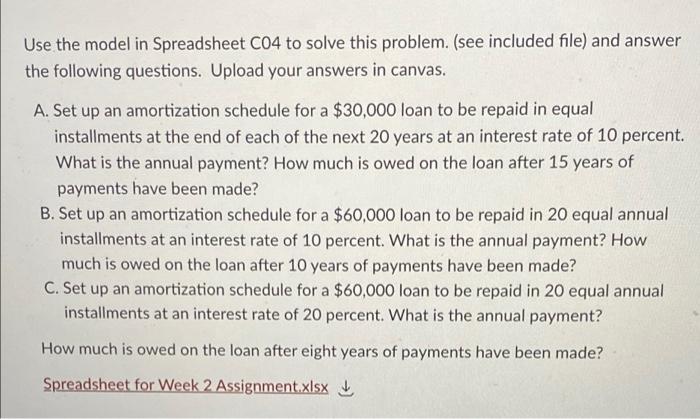
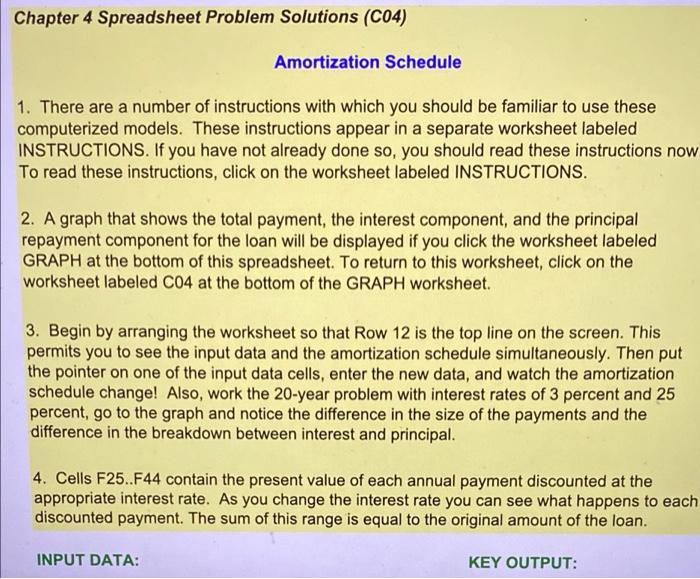
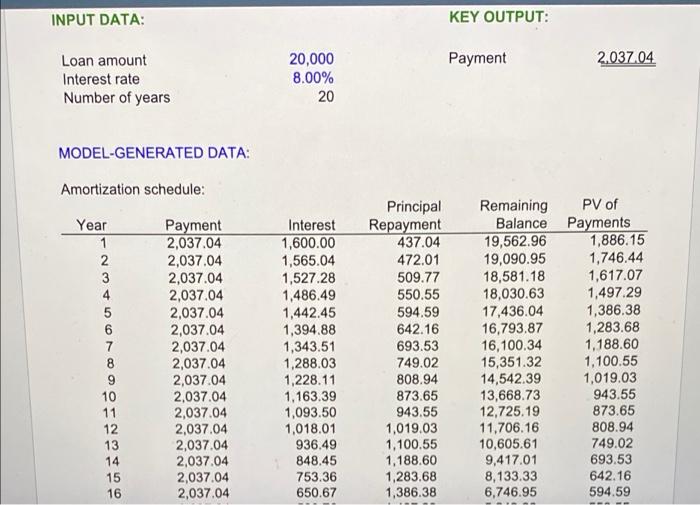
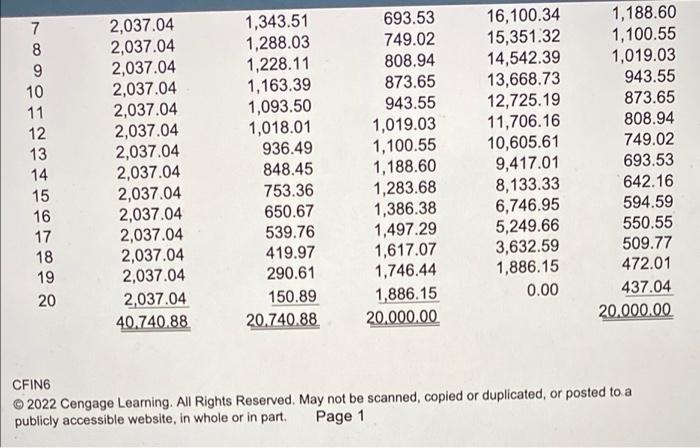
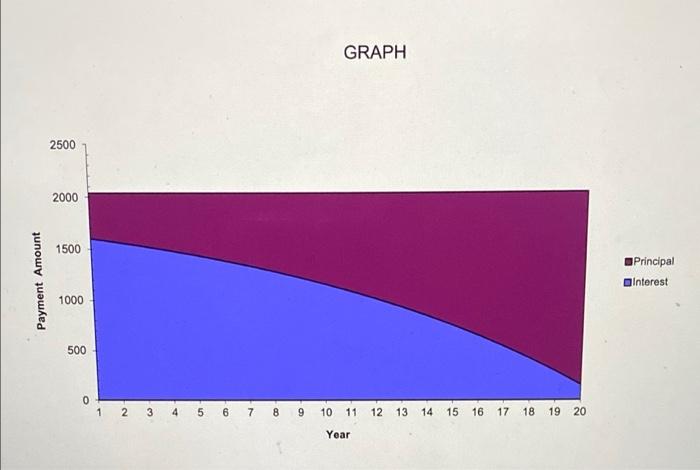
Use the model in Spreadsheet C04 to solve this problem. (see included file) and answer the following questions. Upload your answers in canvas. A. Set up an amortization schedule for a $30,000 loan to be repaid in equal installments at the end of each of the next 20 years at an interest rate of 10 percent. What is the annual payment? How much is owed on the loan after 15 years of payments have been made? B. Set up an amortization schedule for a $60,000 loan to be repaid in 20 equal annual installments at an interest rate of 10 percent. What is the annual payment? How much is owed on the loan after 10 years of payments have been made? C. Set up an amortization schedule for a $60,000 loan to be repaid in 20 equal annual installments at an interest rate of 20 percent. What is the annual payment? How much is owed on the loan after eight years of payments have been made? Spreadsheet for Week 2 Assignment.xlsx Chapter 4 Spreadsheet Problem Solutions (C04) Amortization Schedule 1. There are a number of instructions with which you should be familiar to use these computerized models. These instructions appear in a separate worksheet labeled INSTRUCTIONS. If you have not already done so, you should read these instructions now To read these instructions, click on the worksheet labeled INSTRUCTIONS. 2. A graph that shows the total payment, the interest component, and the principal repayment component for the loan will be displayed if you click the worksheet labeled GRAPH at the bottom of this spreadsheet. To return to this worksheet, click on the worksheet labeled C04 at the bottom of the GRAPH worksheet. 3. Begin by arranging the worksheet so that Row 12 is the top line on the screen. This permits you to see the input data and the amortization schedule simultaneously. Then put the pointer on one of the input data cells, enter the new data, and watch the amortization schedule change! Also, work the 20-year problem with interest rates of 3 percent and 25 percent, go to the graph and notice the difference in the size of the payments and the difference in the breakdown between interest and principal. 4. Cells F25..F44 contain the present value of each annual payment discounted at the appropriate interest rate. As you change the interest rate you can see what happens to each discounted payment. The sum of this range is equal to the original amount of the loan. INPUT DATA: KEY OUTPUT: INPUT DATA: KEY OUTPUT: Payment 2.037.04 Loan amount Interest rate Number of years 20,000 8.00% 20 MODEL-GENERATED DATA: Amortization schedule: Year 1 2 3 4 5 6 7 8 9 10 11 12 13 14 15 16 Payment 2,037.04 2,037.04 2,037.04 2,037.04 2,037.04 2,037.04 2,037.04 2,037.04 2,037.04 2,037.04 2,037.04 2,037.04 2,037.04 2,037.04 2,037.04 2,037.04 Interest 1,600.00 1,565.04 1,527.28 1,486.49 1,442.45 1,394.88 1,343.51 1,288.03 1,228.11 1,163.39 1,093.50 1,018.01 936.49 848.45 753.36 650.67 Principal Repayment 437.04 472.01 509.77 550.55 594.59 642.16 693.53 749.02 808.94 873.65 943.55 1,019.03 1,100.55 1,188.60 1,283.68 1,386.38 Remaining PV of Balance Payments 19,562.96 1,886.15 19,090.95 1,746.44 18.581.18 1,617.07 18,030.63 1,497.29 17,436.04 1,386.38 16.793.87 1,283.68 16,100.34 1.188.60 15,351.32 1,100.55 14,542.39 1,019.03 13,668.73 943.55 12,725.19 873.65 11.706.16 808.94 10,605.61 749.02 9,417.01 693.53 8,133.33 642.16 6,746.95 594.59 7 8 9 10 11 12 13 14 15 16 17 18 19 20 2,037.04 2,037.04 2,037.04 2,037.04 2,037.04 2,037.04 2,037.04 2,037.04 2,037.04 2,037.04 2,037.04 2,037.04 2,037.04 2,037.04 40.740.88 1,343.51 1,288.03 1,228.11 1,163.39 1,093.50 1,018.01 936.49 848.45 753.36 650.67 539.76 419.97 290.61 150.89 20.740.88 693.53 749.02 808.94 873.65 943.55 1,019.03 1,100.55 1,188.60 1,283.68 1,386.38 1,497.29 1,617.07 1,746.44 1,886.15 20,000.00 16,100.34 15,351.32 14,542.39 13,668.73 12,725.19 11,706.16 10,605.61 9,417.01 8,133.33 6,746.95 5,249.66 3,632.59 1,886.15 0.00 1,188.60 1,100.55 1,019.03 943.55 873.65 808.94 749.02 693.53 642.16 594.59 550.55 509.77 472.01 437.04 20.000.00 CFING 2022 Cengage Learning. All Rights Reserved. May not be scanned, copied or duplicated, or posted to a publicly accessible website, in whole or in part. Page 1 GRAPH 2500 2000 1500 Payment Amount Principal Interest 1000 500 0 1 2 3 4 5 6 7 8 9 10 11 12 13 14 15 16 17 18 19 20 Year
Step by Step Solution
There are 3 Steps involved in it

Get step-by-step solutions from verified subject matter experts
 Study Help