







Question: Please answer completely the assignment below.. The Main class should be in the below template, and I also uploaded the picture of assignment. Thank you...
Please answer completely the assignment below..
The Main class should be in the below template, and I also uploaded the picture of assignment.
Thank you...
// template import javafx.application.Application; import javafx.scene.Scene; import javafx.scene.layout.Pane; import javafx.stage.Stage; public class FXGUITemplate extends Application { // TODO: Instance Variables for View Components and Model // TODO: Private Event Handlers and Helper Methods /** * This is where you create your components and the model and add event * handlers. * * @param stage The main stage * @throws Exception */ @Override public void start(Stage stage) throws Exception { Pane root = new Pane(); Scene scene = new Scene(root, 400, 225); // set the size here stage.setTitle("FX GUI Template"); // set the window title here stage.setScene(scene); // TODO: Add your GUI-building code here // 1. Create the model // 2. Create the GUI components // 3. Add components to the root // 4. Configure the components (colors, fonts, size, location) // 5. Add Event Handlers and do final setup // 6. Show the stage stage.show(); } /** * Make no changes here. * * @param args unused */ public static void main(String[] args) { launch(args); } }
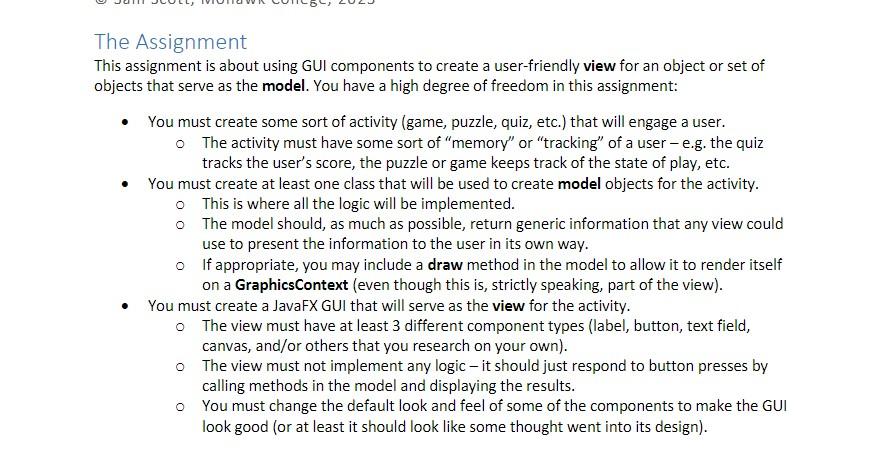
The Assignment This assignment is about using GUI components to create a user-friendly view for an object or set of objects that serve as the model. You have a high degree of freedom in this assignment: - You must create some sort of activity (game, puzzle, quiz, etc.) that will engage a user. - The activity must have some sort of "memory" or "tracking" of a user - e.g. the quiz tracks the user's score, the puzzle or game keeps track of the state of play, etc. - You must create at least one class that will be used to create model objects for the activity. This is where all the logic will be implemented. The model should, as much as possible, return generic information that any view could use to present the information to the user in its own way. If appropriate, you may include a draw method in the model to allow it to render itself on a GraphicsContext (even though this is, strictly speaking, part of the view). - You must create a JavaFX GUI that will serve as the view for the activity. - The view must have at least 3 different component types (label, button, text field, canvas, and/or others that you research on your own). The view must not implement any logic - it should just respond to button presses by calling methods in the model and displaying the results. You must change the default look and feel of some of the components to make the GUI look good (or at least it should look like some thought went into its design)
Step by Step Solution
There are 3 Steps involved in it

Get step-by-step solutions from verified subject matter experts
 Study Help