







Question: PLEASE ANSWER FOR VISUAL CODE FORMAT! WILL GIVE YOU A LIKE THANK YOU. Exercise 1 You will add a style sheet property to the given
PLEASE ANSWER FOR VISUAL CODE FORMAT! WILL GIVE YOU A LIKE THANK YOU.
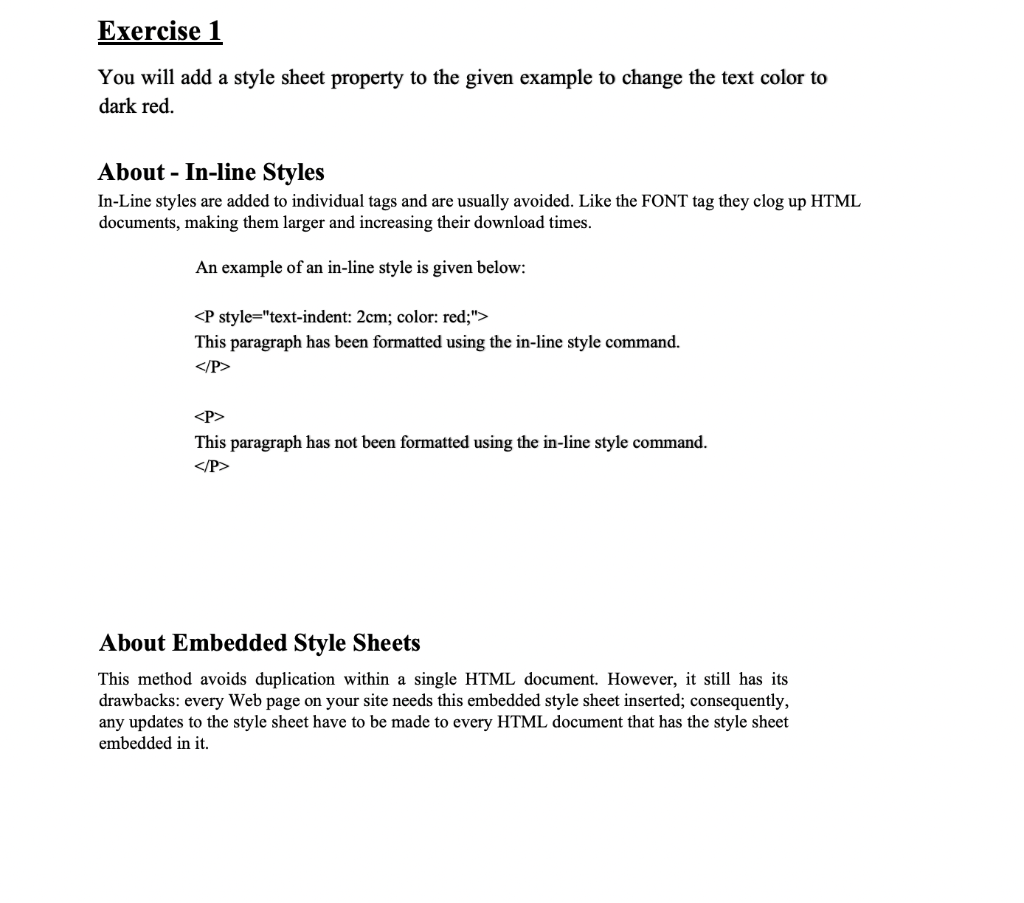
Exercise 1 You will add a style sheet property to the given example to change the text color to dark red. About - In-line Styles In-Line styles are added to individual tags and are usually avoided. Like the FONT tag they clog up HTML documents, making them larger and increasing their download times. An example of an in-line style is given below:
This paragraph has been formatted using the in-line style command.
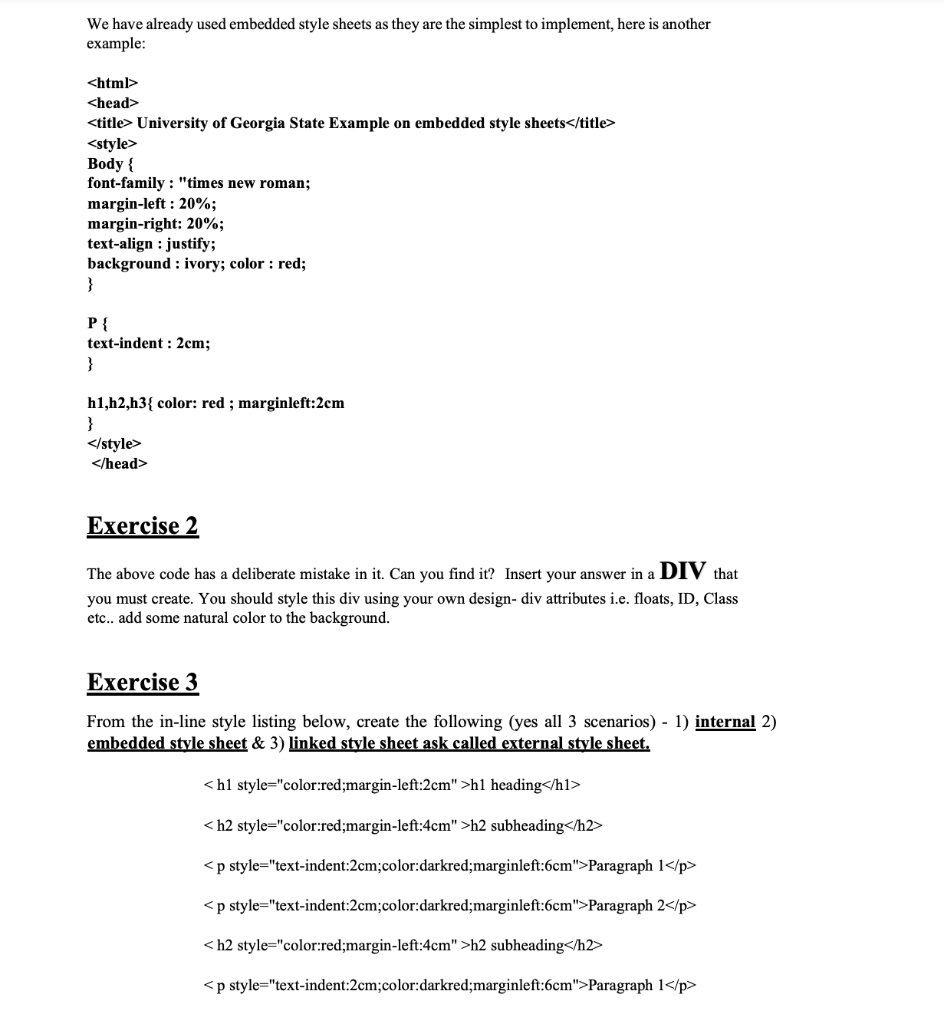
This paragraph has not been formatted using the in-line style command. About Embedded Style Sheets This method avoids duplication within a single HTML document. However, it still has its drawbacks: every Web page on your site needs this embedded style sheet inserted; consequently, any updates to the style sheet have to be made to every HTML document that has the style sheet embedded in it. We have already used embedded style sheets as they are the simplest to implement, here is another example:
Exercise 2 The above code has a deliberate mistake in it. Can you find it? Insert your answer in a DIV that you must create. You should style this div using your own design-div attributes i.e. floats, ID, Class etc.. add some natural color to the background. Exercise 3 From the in-line style listing below, create the following (yes all 3 scenarios) - 1) internal 2) embedded style sheet & 3) linked style sheet ask called external style sheet.
h1 heading
h2 subheading
Paragraph 1
Paragraph 2
h2 subheading
Paragraph 1
Step by Step Solution
There are 3 Steps involved in it

Get step-by-step solutions from verified subject matter experts
 Study Help