







Question: Please answer however excel want I really need help on this one, Thank you. Incorrect Answer Correct formula but wrong value For an answer to
Please answer however excel want I really need help on this one, Thank you.
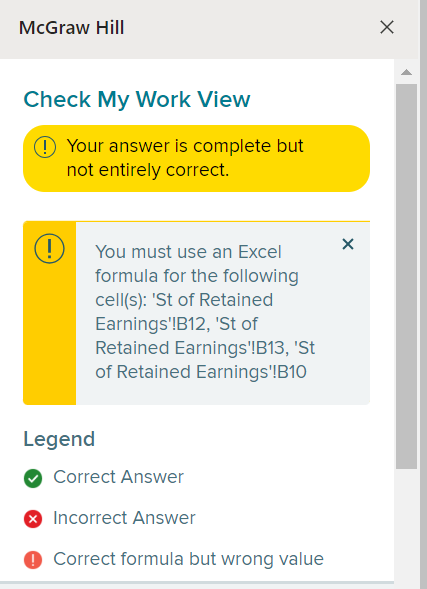
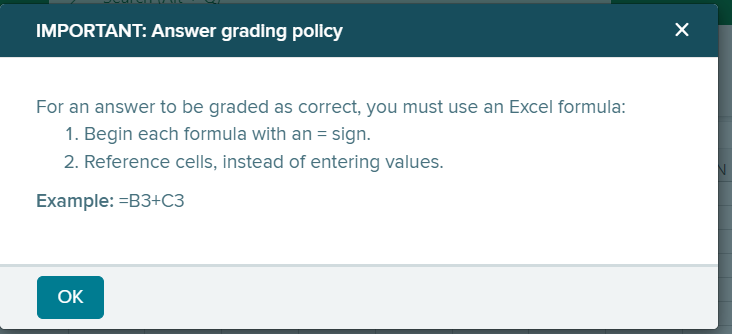
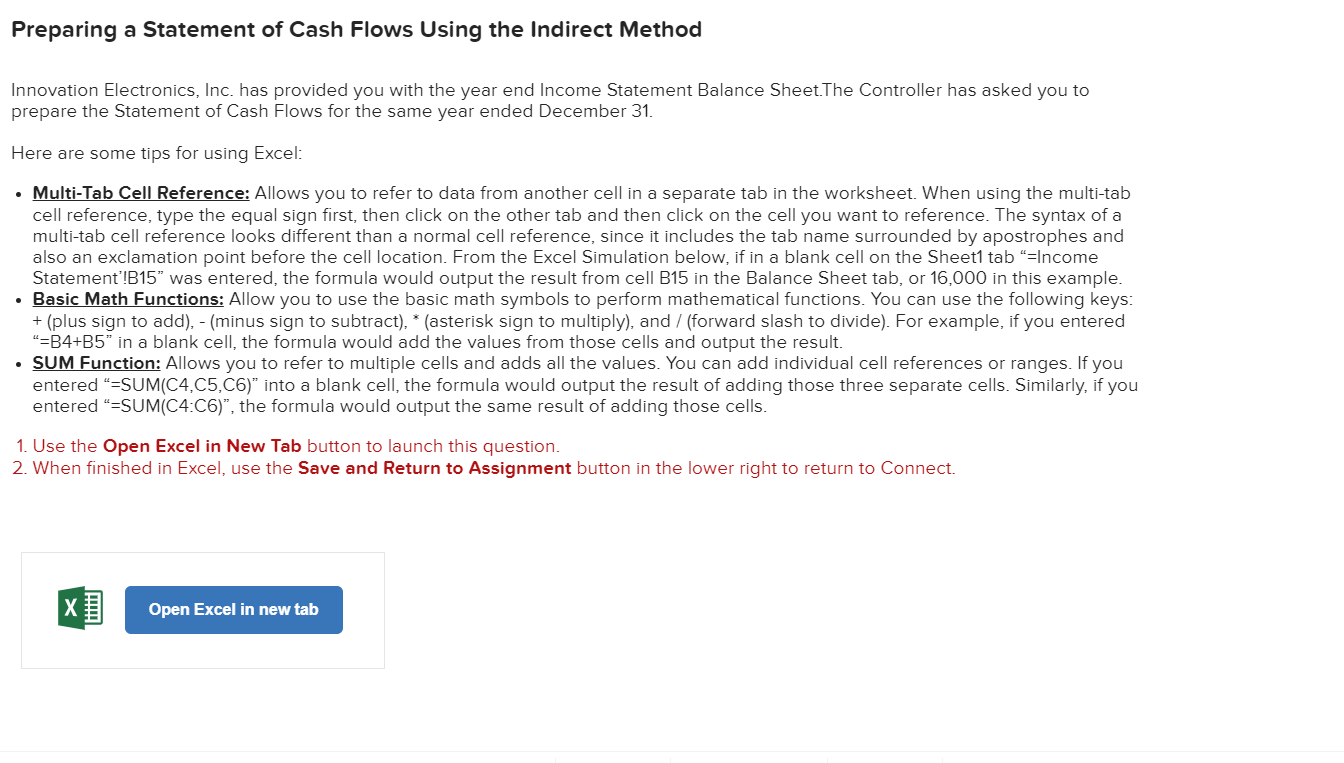
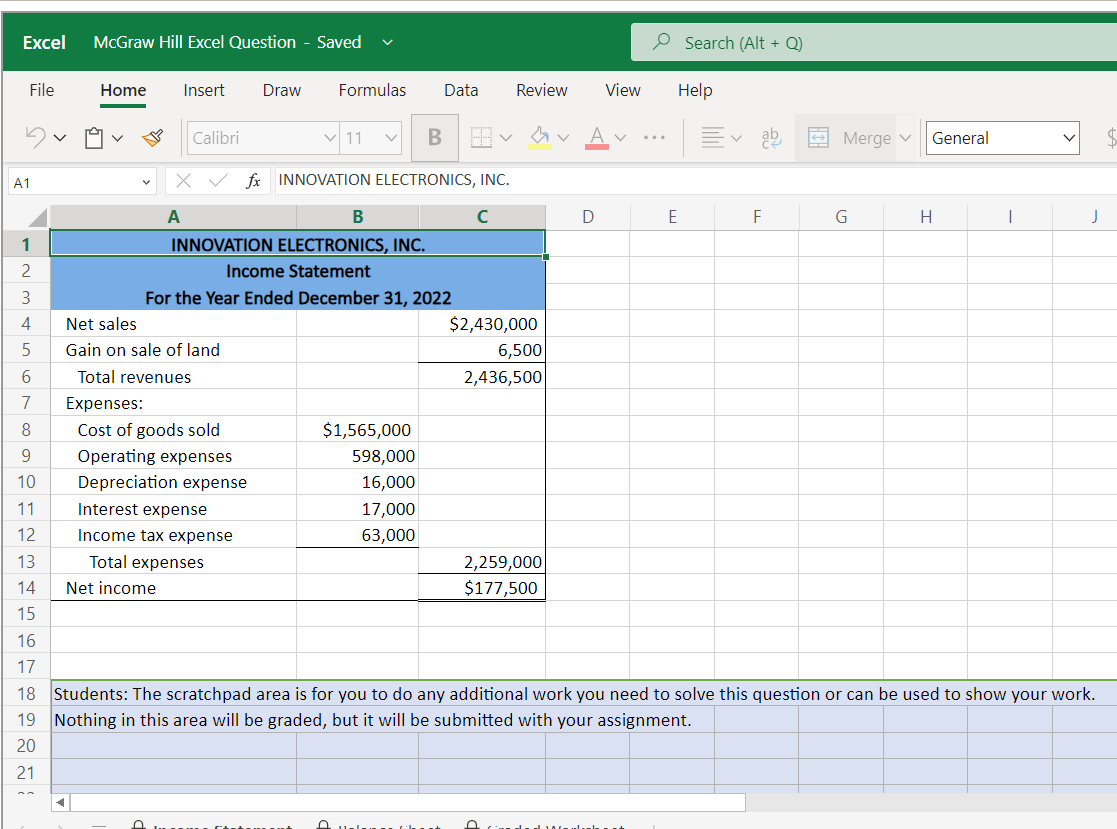
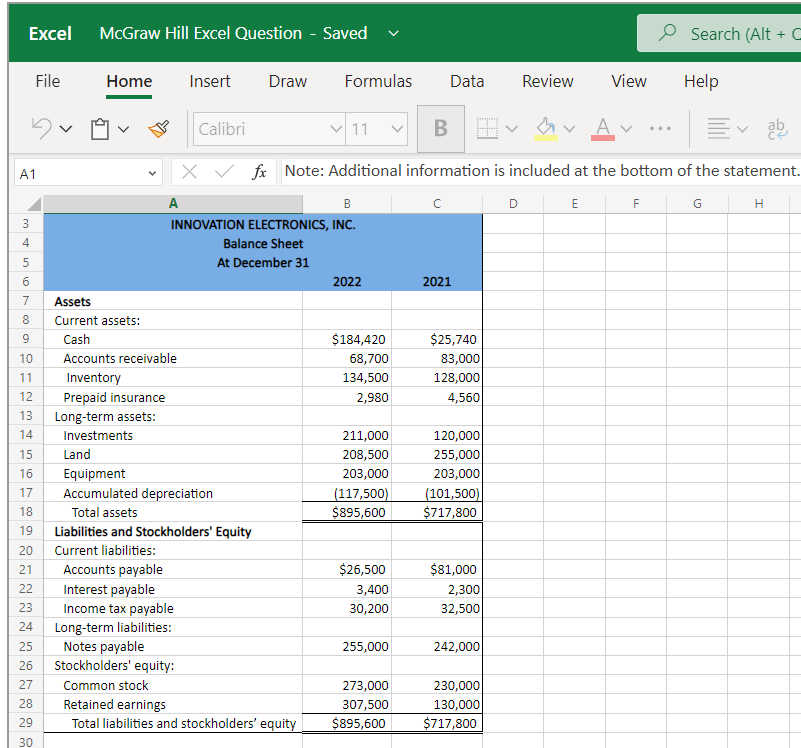
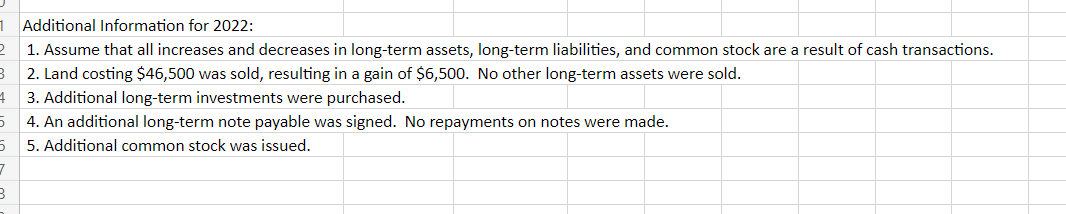
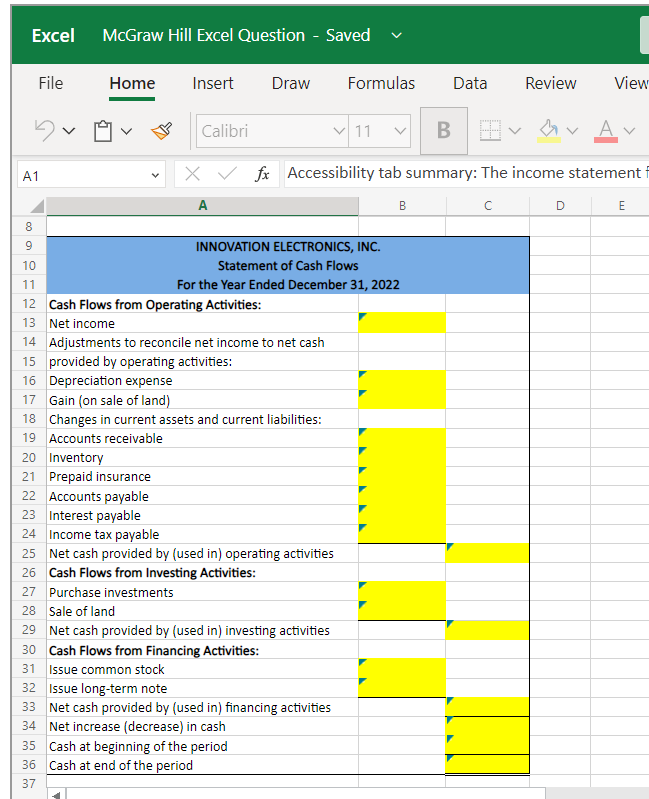
Incorrect Answer Correct formula but wrong value For an answer to be graded as correct, you must use an Excel formula: 1. Begin each formula with an = sign. 2. Reference cells, instead of entering values. Example: =B3+C3 Preparing a Statement of Cash Flows Using the Indirect Method Innovation Electronics, Inc. has provided you with the year end Income Statement Balance Sheet.The Controller has asked you to prepare the Statement of Cash Flows for the same year ended December 31. Here are some tips for using Excel: - Multi-Tab Cell Reference: Allows you to refer to data from another cell in a separate tab in the worksheet. When using the multi-tab cell reference, type the equal sign first, then click on the other tab and then click on the cell you want to reference. The syntax of a multi-tab cell reference looks different than a normal cell reference, since it includes the tab name surrounded by apostrophes and also an exclamation point before the cell location. From the Excel Simulation below, if in a blank cell on the Sheet1 tab "=Income Statement'IB15" was entered, the formula would output the result from cell B15 in the Balance Sheet tab, or 16,000 in this example. - Basic Math Functions: Allow you to use the basic math symbols to perform mathematical functions. You can use the following keys: + (plus sign to add), - (minus sign to subtract), " (asterisk sign to multiply), and / (forward slash to divide). For example, if you entered "=B4+B5" in a blank cell, the formula would add the values from those cells and output the result. - SUM Function: Allows you to refer to multiple cells and adds all the values. You can add individual cell references or ranges. If you entered "=SUM(C4,C5,C6)" into a blank cell, the formula would output the result of adding those three separate cells. Similarly, if you entered "=SUM(C4:C6)", the formula would output the same result of adding those cells. 1. Use the Open Excel in New Tab button to launch this question. 2. When finished in Excel, use the Save and Return to Assignment button in the lower right to return to Connect. Note: Additional information is included at the bottom of the statement Additional Information for 2022 : 1. Assume that all increases and decreases in long-term assets, long-term liabilities, and common stock are a result of cash transactions. 2. Land costing $46,500 was sold, resulting in a gain of $6,500. No other long-term assets were sold. 3. Additional long-term investments were purchased. 4. An additional long-term note payable was signed. No repayments on notes were made. 5. Additional common stock was issued. Accessibility tab summary: The income statement Incorrect Answer Correct formula but wrong value For an answer to be graded as correct, you must use an Excel formula: 1. Begin each formula with an = sign. 2. Reference cells, instead of entering values. Example: =B3+C3 Preparing a Statement of Cash Flows Using the Indirect Method Innovation Electronics, Inc. has provided you with the year end Income Statement Balance Sheet.The Controller has asked you to prepare the Statement of Cash Flows for the same year ended December 31. Here are some tips for using Excel: - Multi-Tab Cell Reference: Allows you to refer to data from another cell in a separate tab in the worksheet. When using the multi-tab cell reference, type the equal sign first, then click on the other tab and then click on the cell you want to reference. The syntax of a multi-tab cell reference looks different than a normal cell reference, since it includes the tab name surrounded by apostrophes and also an exclamation point before the cell location. From the Excel Simulation below, if in a blank cell on the Sheet1 tab "=Income Statement'IB15" was entered, the formula would output the result from cell B15 in the Balance Sheet tab, or 16,000 in this example. - Basic Math Functions: Allow you to use the basic math symbols to perform mathematical functions. You can use the following keys: + (plus sign to add), - (minus sign to subtract), " (asterisk sign to multiply), and / (forward slash to divide). For example, if you entered "=B4+B5" in a blank cell, the formula would add the values from those cells and output the result. - SUM Function: Allows you to refer to multiple cells and adds all the values. You can add individual cell references or ranges. If you entered "=SUM(C4,C5,C6)" into a blank cell, the formula would output the result of adding those three separate cells. Similarly, if you entered "=SUM(C4:C6)", the formula would output the same result of adding those cells. 1. Use the Open Excel in New Tab button to launch this question. 2. When finished in Excel, use the Save and Return to Assignment button in the lower right to return to Connect. Note: Additional information is included at the bottom of the statement Additional Information for 2022 : 1. Assume that all increases and decreases in long-term assets, long-term liabilities, and common stock are a result of cash transactions. 2. Land costing $46,500 was sold, resulting in a gain of $6,500. No other long-term assets were sold. 3. Additional long-term investments were purchased. 4. An additional long-term note payable was signed. No repayments on notes were made. 5. Additional common stock was issued. Accessibility tab summary: The income statement
Step by Step Solution
There are 3 Steps involved in it

Get step-by-step solutions from verified subject matter experts
 Study Help