







Question: Please answer in Java CSE1322L - Lab 7 Concept Summary: 1. Object-Oriented programming concepts 2. Interfaces For this project you will develop a calculator that
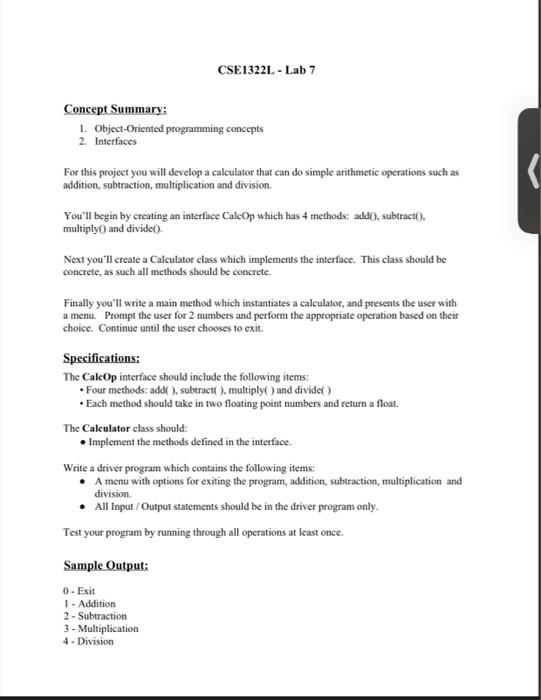
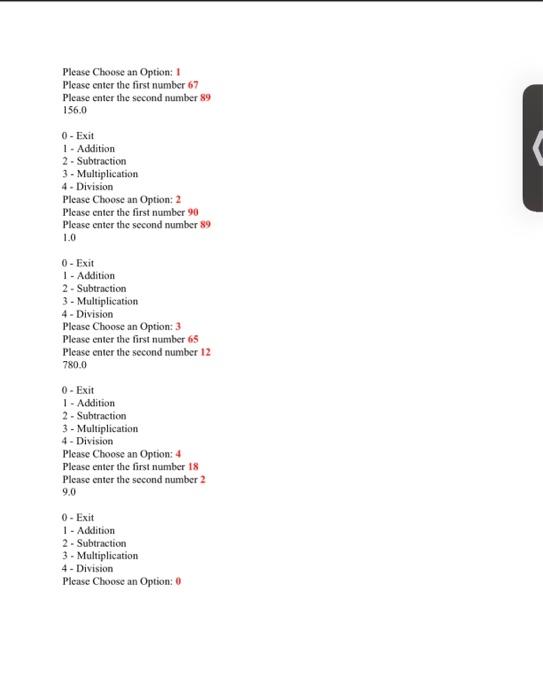
CSE1322L - Lab 7 Concept Summary: 1. Object-Oriented programming concepts 2. Interfaces For this project you will develop a calculator that can do simple arithmetic operations such as addition, subtraction, multiplication and division You'll begin by creating an interface CaleOp which has 4 methods: add(), subtract). multiply and dividel). Next you'll create a Calculator class which implements the interface. This class should be concrete, as such all methods should be concrete. Finally you'll write a main method which instantiates a calculator, and presents the user with a menu. Prompt the user for 2 numbers and perform the appropriate operation based on their choice. Continue until the user chooses to exit. Specifications: The CalcOp interface should include the following items: Four methods: addi). subtract(), multiply() and dividel . Each method should take in two floating point numbers and return a float. The Calculator class should: Implement the methods defined in the interface. Write a driver program which contains the following items: A menu with options for exiting the program, addition, subtraction, multiplication and division All Input/Output statements should be in the driver program only Test your program by running through all operations at least once. Sample Output: 0 - Exit 1 - Addition 2 - Subtraction 3 - Multiplication 4. Division Please Choose an Option: Please enter the first number 67 Please enter the second number 89 156.0 0 - Exit 1 - Addition 2 - Subtraction 3 - Multiplication 4. Division Please Choose an Option: 2 Please enter the first number 90 Please enter the second number 89 1.0 0 - Exit 1 - Addition 2 - Subtraction 3 - Multiplication 4 - Division Please Choose an Option: 3 Please enter the first number 65 Please enter the second number 12 780.0 0 - Exit 1 - Addition 2 - Subtraction 3 - Multiplication 4 - Division Please Choose an Option: 4 Please enter the first number 18 Please enter the second number 2 9.0 0 - Exit 1 - Addition 2 - Subtraction 3 - Multiplication 4 - Division Please Choose an Option
Step by Step Solution
There are 3 Steps involved in it

Get step-by-step solutions from verified subject matter experts
 Study Help