







Question: Please answer in PYTHON Step 1: Download the compressed table DB_091803_v1.txt and test input file: Upload them to your Colab space using the code below.
Please answer in PYTHON
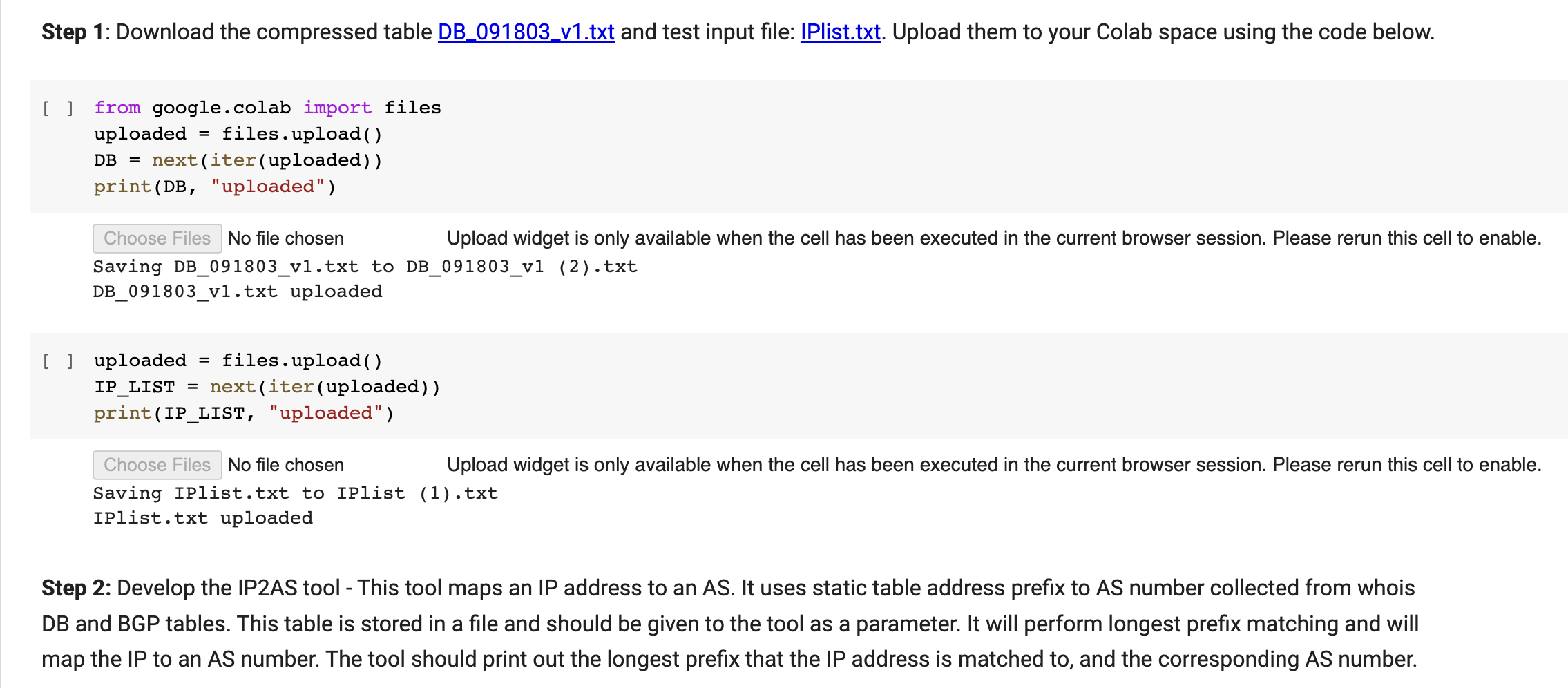
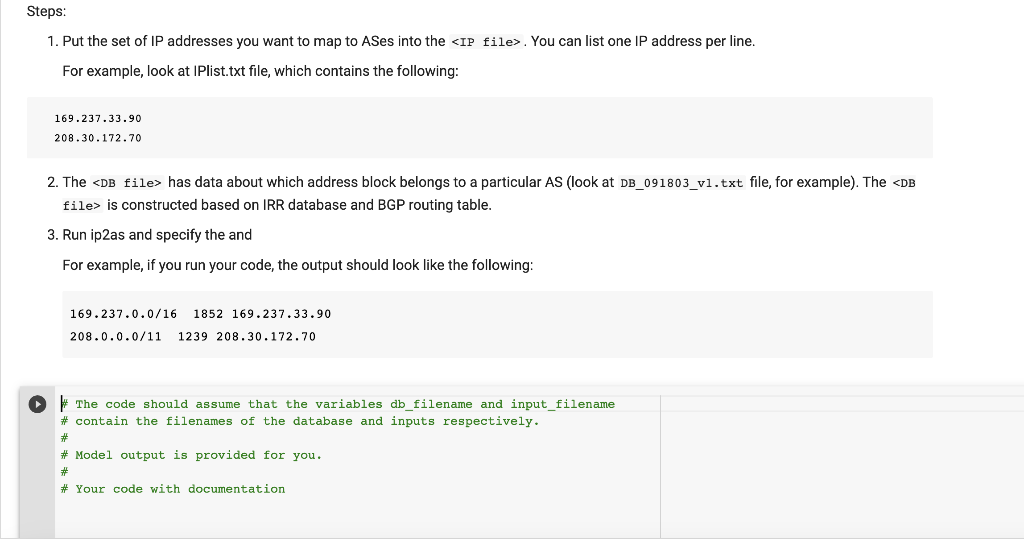
Step 1: Download the compressed table DB_091803_v1.txt and test input file: Upload them to your Colab space using the code below. [] from google.colab import files uploaded = files.upload() DB = next(iter(uploaded)) print(DB, "uploaded") Choose Files No file chosen Upload widget is only available when the cell has been executed in the current browser session. Please rerun this cell to enable. Saving DB_091803_v1.txt to DB_091803_v1 (2).txt DB_091803_v1.txt uploaded [ ] uploaded = files.upload () IP_LIST =next( iter ( uploaded ) ) print(IP_LIST, "uploaded") Choose Files No file chosen Upload widget is only available when the cell has been executed in the current browser session. Please rerun this cell to enable. Saving IPlist.txt to IPlist (1).txt IPlist.txt uploaded Step 2: Develop the IP2AS tool - This tool maps an IP address to an AS. It uses static table address prefix to AS number collected from whois DB and BGP tables. This table is stored in a file and should be given to the tool as a parameter. It will perform longest prefix matching and will map the IP to an AS number. The tool should print out the longest prefix that the IP address is matched to, and the corresponding AS number. 1. Put the set of IP addresses you want to map to ASes into the IP file>. You can list one IP address per line. For example, look at IPlist.txt file, which contains the following: 169.237.33.90208.30.172.70 2. The DB file > has data about which address block belongs to a particular AS (look at DB_091803_v1.txt file, for example). The
Step by Step Solution
There are 3 Steps involved in it

Get step-by-step solutions from verified subject matter experts
 Study Help