







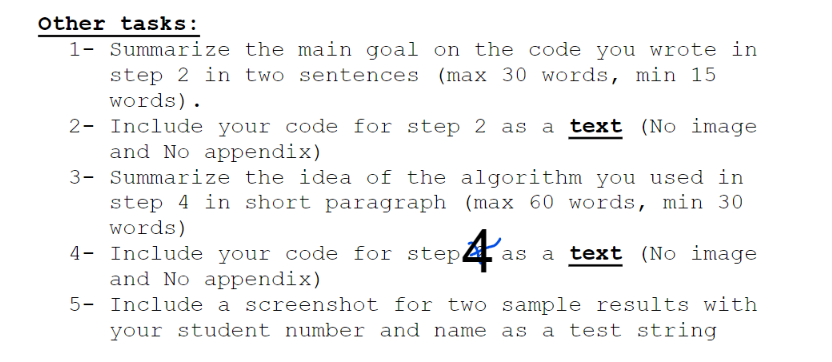
Question: Please Answer Only Question 5 In a Screenshot in Code Blocks in Raspberry Pi Name: Jared Student Number: 101329282 Content Of Lab: Other tasks: 1-2-3-4-5-Summarizethemaingoalonthecodeyouwroteinstep2intwosentences(max30words,min15words).Includeyourcodeforstep2asatext(NoimageandNoappendix)Summarizetheideaofthealgorithmyouusedinstep4inshortparagraph(max60words,min30words)IncludeyourcodeforstepAasatext(NoimageandNoappendix)Includeascreenshotfortwosampleresultswithyourstudentnumberandnameasateststring
Please Answer Only Question 5 In a Screenshot in Code Blocks in Raspberry Pi
Name: Jared
Student Number: 101329282
Content Of Lab:

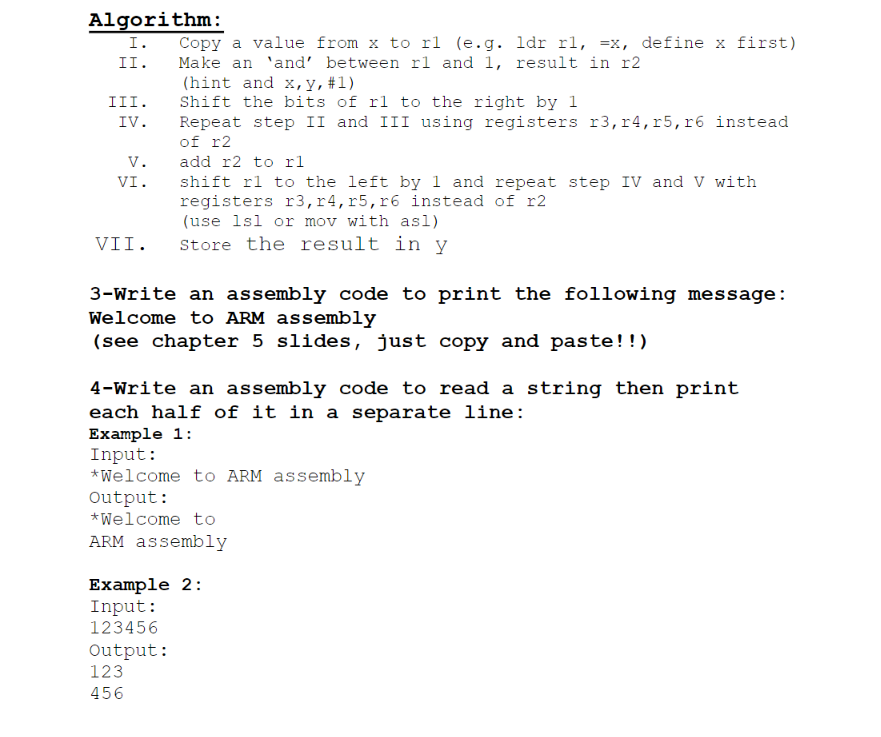
Other tasks: 1-2-3-4-5-Summarizethemaingoalonthecodeyouwroteinstep2intwosentences(max30words,min15words).Includeyourcodeforstep2asatext(NoimageandNoappendix)Summarizetheideaofthealgorithmyouusedinstep4inshortparagraph(max60words,min30words)IncludeyourcodeforstepAasatext(NoimageandNoappendix)Includeascreenshotfortwosampleresultswithyourstudentnumberandnameasateststring Tasks: 1-Connect to your Raspberry Pi and open code blocks 2-Write an assembly code to reverse a binary value consists of exactly five binary digits. Start with the input number in memory location x, store the result at y Algorithm: I. Copy a value from x to r1 (e.g. ldr r1,=x, define x first) II. Make an 'and' between r1 and 1 , result in r2 (hint and x,y,#1 ) III. Shift the bits of r1 to the right by 1 IV. Repeat step II and III using registers r3,r4,r5,r6 instead of r2 V. add r2 to r1 VI. shift r1 to the left by 1 and repeat step IV and V with registers r3,r4,r5,r6 instead of r2 (use lsl or mov with as1) VII. Store the result in y 3-Write an assembly code to print the following message: Welcome to ARM assembly (see chapter 5 slides, just copy and paste!!) 4-Write an assembly code to read a string then print each half of it in a separate line: Example 1: Input: *Welcome to ARM assembly Output: *Welcome to ARM assembly Example 2: Input: 123456 Output: 423
Step by Step Solution
There are 3 Steps involved in it

Get step-by-step solutions from verified subject matter experts
 Study Help