







Question: PLEASE ANSWER PART 1 ONLY using fact set GUIDE TO ASSIGNMENT III: PART 1: (25 Marks) Choose from the list of ETF's provided in Factset
PLEASE ANSWER PART 1 ONLY using fact set
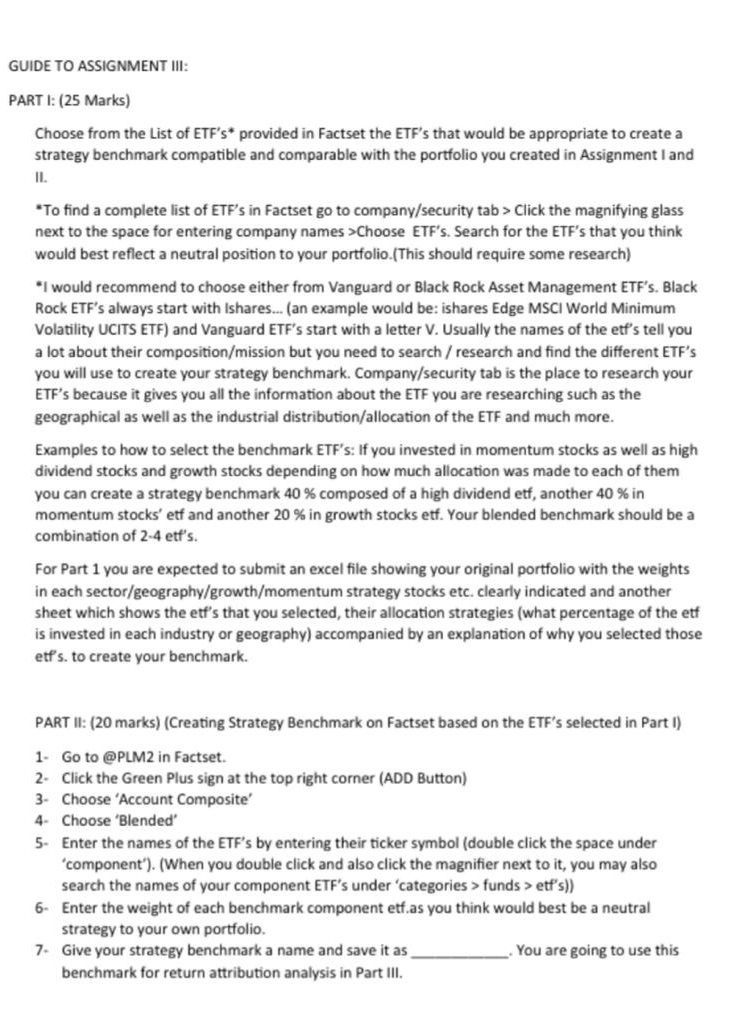
GUIDE TO ASSIGNMENT III: PART 1: (25 Marks) Choose from the list of ETF's provided in Factset the ETF's that would be appropriate to create a strategy benchmark compatible and comparable with the portfolio you created in Assignment I and "To find a complete list of ETF's in Factset go to company/security tab > Click the magnifying glass next to the space for entering company names >Choose ETF's. Search for the ETF's that you think would best reflect a neutral position to your portfolio.(This should require some research) "I would recommend to choose either from Vanguard or Black Rock Asset Management ETF's. Black Rock ETF's always start with Ishares... (an example would be: ishares Edge MSCI World Minimum Volatility UCITS ETF) and Vanguard ETF's start with a letter V. Usually the names of the etf's tell you a lot about their composition/mission but you need to search/research and find the different ETF's you will use to create your strategy benchmark. Company/security tab is the place to research your ETF's because it gives you all the information about the ETF you are researching such as the geographical as well as the industrial distribution/allocation of the ETF and much more. Examples to how to select the benchmark ETF's: If you invested in momentum stocks as well as high dividend stocks and growth stocks depending on how much allocation was made to each of them you can create a strategy benchmark 40 % composed of a high dividend etf, another 40 % in momentum stocks' etf and another 20 % in growth stocks etf. Your blended benchmark should be a combination of 2-4 etf's. For Part 1 you are expected to submit an excel file showing your original portfolio with the weights in each sector/geography/growth/momentum strategy stocks etc. clearly indicated and another sheet which shows the etf's that you selected, their allocation strategies (what percentage of the etf is invested in each industry or geography) accompanied by an explanation of why you selected those etf's. to create your benchmark. PART II: (20 marks) (Creating Strategy Benchmark on Factset based on the ETF's selected in Part I) 1. Go to @PLM2 in Factset. 2. Click the Green Plus sign at the top right corner (ADD Button) 3. Choose 'Account Composite 4. Choose 'Blended' 5. Enter the names of the ETF's by entering their ticker symbol (double click the space under 'component'). (When you double click and also click the magnifier next to it, you may also search the names of your component ETF's under 'categories > funds >etf's)) 6- Enter the weight of each benchmark component etf.as you think would best be a neutral strategy to your own portfolio. 7. Give your strategy benchmark a name and save it as You are going to use this benchmark for return attribution analysis in Part III. GUIDE TO ASSIGNMENT III: PART 1: (25 Marks) Choose from the list of ETF's provided in Factset the ETF's that would be appropriate to create a strategy benchmark compatible and comparable with the portfolio you created in Assignment I and "To find a complete list of ETF's in Factset go to company/security tab > Click the magnifying glass next to the space for entering company names >Choose ETF's. Search for the ETF's that you think would best reflect a neutral position to your portfolio.(This should require some research) "I would recommend to choose either from Vanguard or Black Rock Asset Management ETF's. Black Rock ETF's always start with Ishares... (an example would be: ishares Edge MSCI World Minimum Volatility UCITS ETF) and Vanguard ETF's start with a letter V. Usually the names of the etf's tell you a lot about their composition/mission but you need to search/research and find the different ETF's you will use to create your strategy benchmark. Company/security tab is the place to research your ETF's because it gives you all the information about the ETF you are researching such as the geographical as well as the industrial distribution/allocation of the ETF and much more. Examples to how to select the benchmark ETF's: If you invested in momentum stocks as well as high dividend stocks and growth stocks depending on how much allocation was made to each of them you can create a strategy benchmark 40 % composed of a high dividend etf, another 40 % in momentum stocks' etf and another 20 % in growth stocks etf. Your blended benchmark should be a combination of 2-4 etf's. For Part 1 you are expected to submit an excel file showing your original portfolio with the weights in each sector/geography/growth/momentum strategy stocks etc. clearly indicated and another sheet which shows the etf's that you selected, their allocation strategies (what percentage of the etf is invested in each industry or geography) accompanied by an explanation of why you selected those etf's. to create your benchmark. PART II: (20 marks) (Creating Strategy Benchmark on Factset based on the ETF's selected in Part I) 1. Go to @PLM2 in Factset. 2. Click the Green Plus sign at the top right corner (ADD Button) 3. Choose 'Account Composite 4. Choose 'Blended' 5. Enter the names of the ETF's by entering their ticker symbol (double click the space under 'component'). (When you double click and also click the magnifier next to it, you may also search the names of your component ETF's under 'categories > funds >etf's)) 6- Enter the weight of each benchmark component etf.as you think would best be a neutral strategy to your own portfolio. 7. Give your strategy benchmark a name and save it as You are going to use this benchmark for return attribution analysis in Part
Step by Step Solution
There are 3 Steps involved in it

Get step-by-step solutions from verified subject matter experts
 Study Help