







Question: Please answer the question as soon as possible . Thank you . Please answer the question as soon as possible . Thank you. CREATE TABLE
Please answer the question as soon as possible . Thank you .
Please answer the question as soon as possible . Thank you.
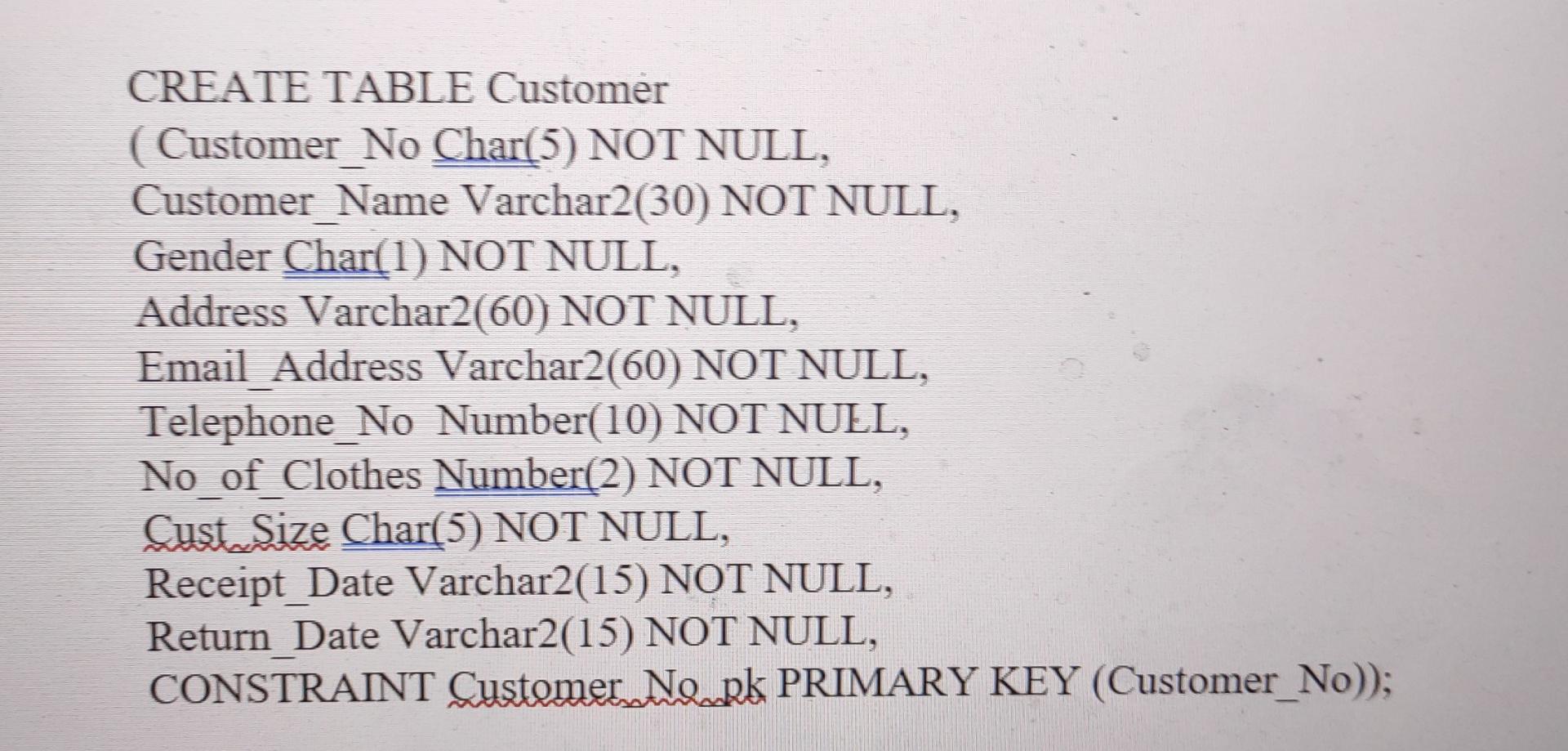
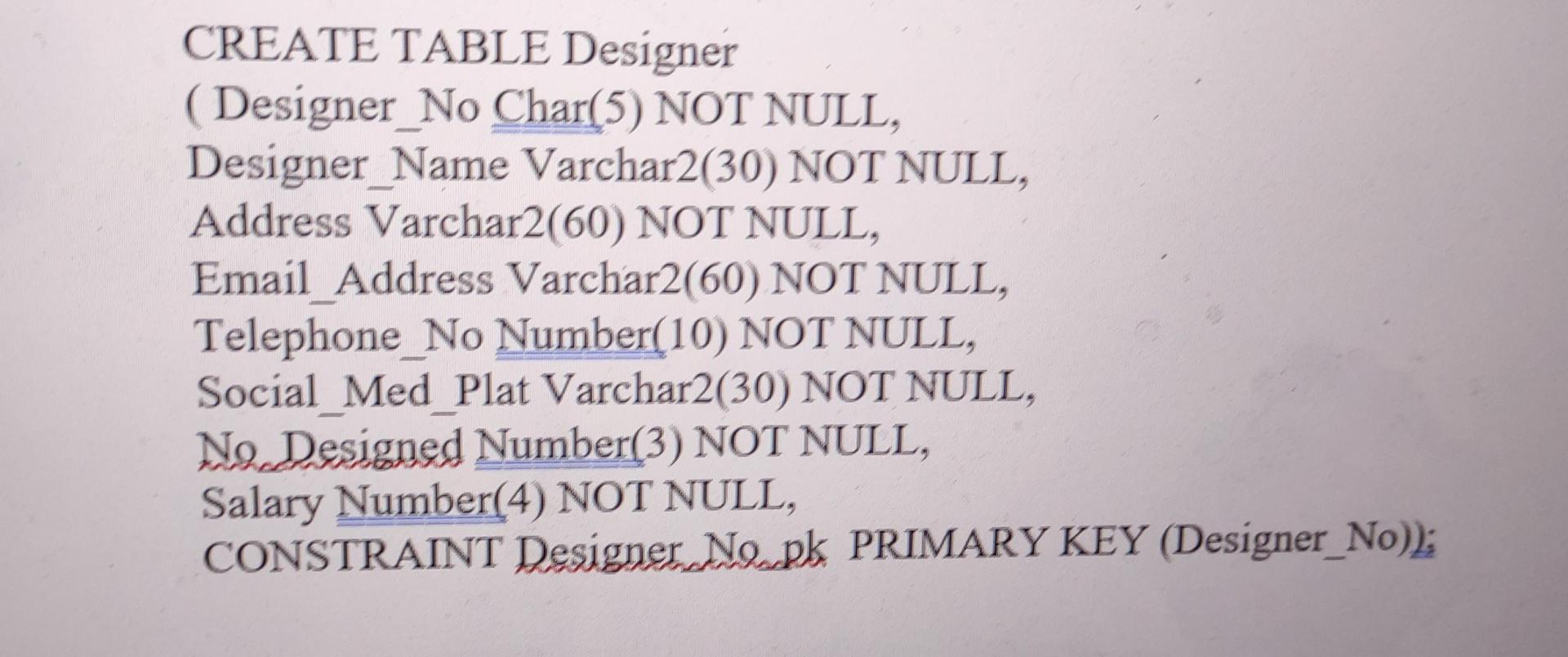
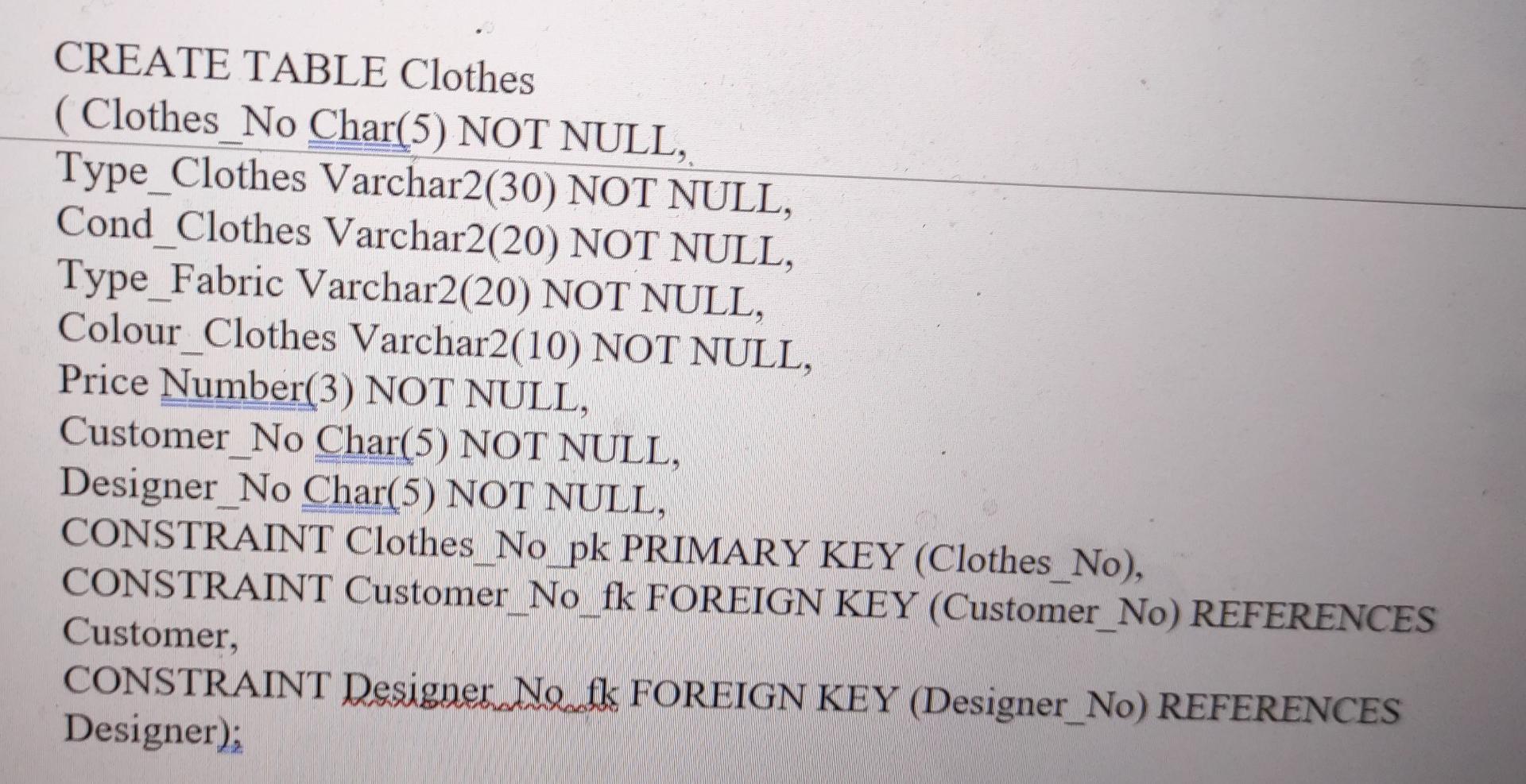
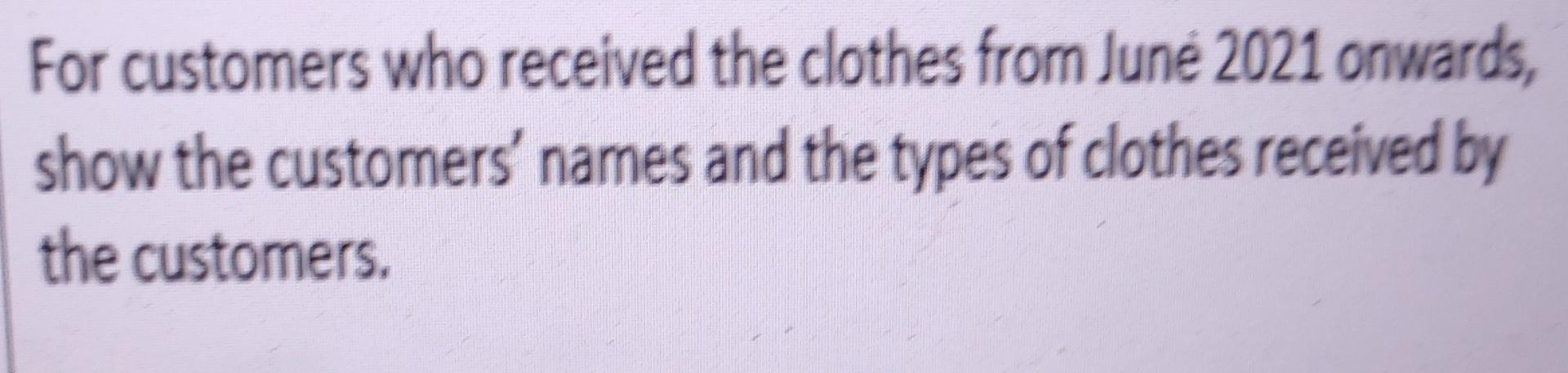
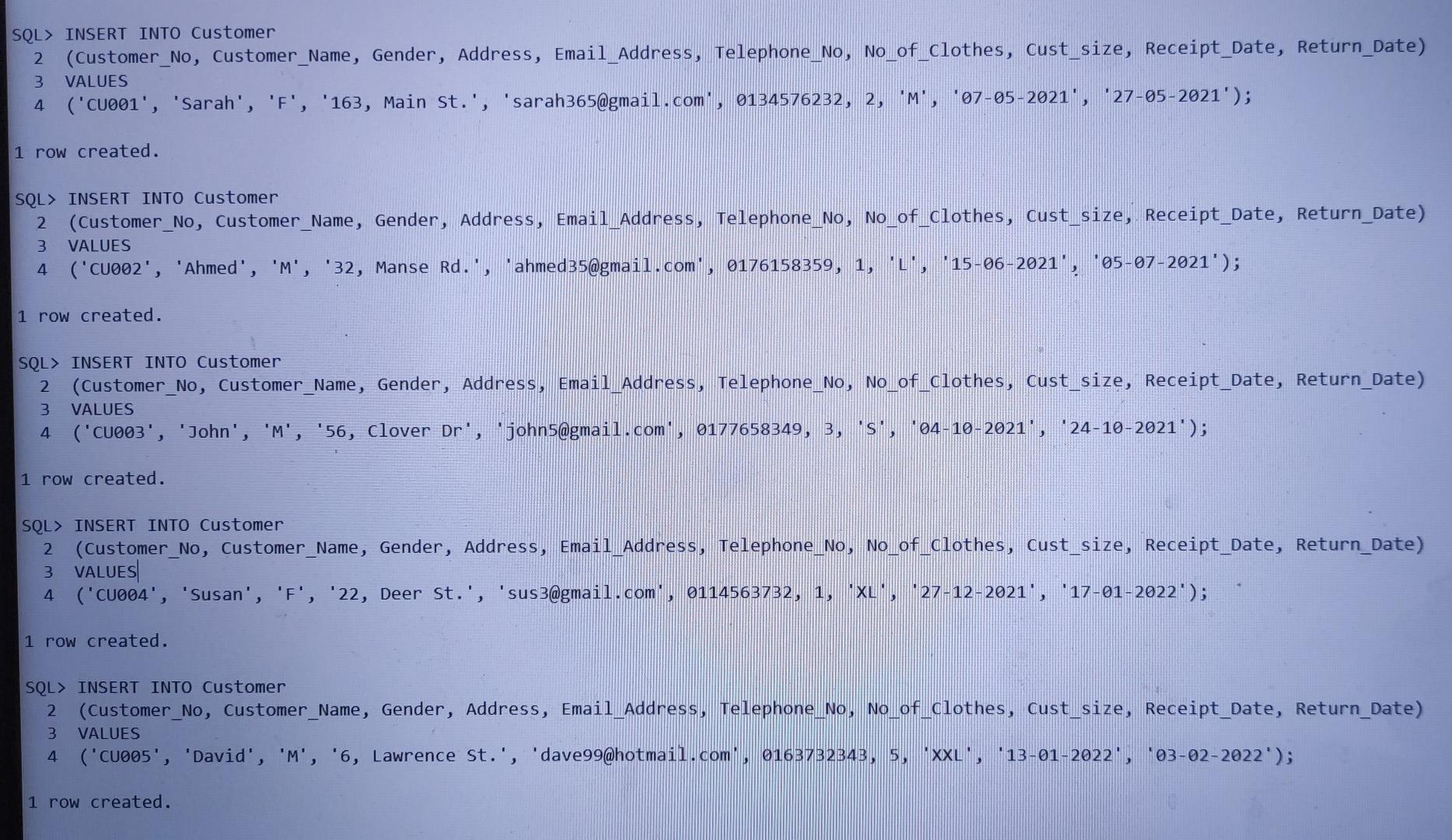
CREATE TABLE Customer (Customer_No Char(5) NOT NULL, Customer_Name Varchar2(30) NOT NULL, Gender Char(1) NOT NULL, Address Varchar2(60) NOT NULL, Email Address Varchar2(60) NOT NULL, Telephone_No Number(10) NOT NULL, No of_Clothes Number(2) NOT NULL, Cust. Size Char(5) NOT NULL, Receipt_Date Varchar2(15) NOT NULL, Return Date Varchar2(15) NOT NULL, CONSTRAINT Customer Newpk PRIMARY KEY (Customer_No)); CREATE TABLE Designer ( Designer_No Char(5) NOT NULL, Designer_Name Varchar2(30) NOT NULL, Address Varchar2(60) NOT NULL, Email Address Varchar2(60) NOT NULL, Telephone No Number(10) NOT NULL, Social Med Plat Varchar2(30) NOT NULL, Na Designed Number(3) NOT NULL, Salary Number(4) NOT NULL, CONSTRAINT Designer Napk PRIMARY KEY (Designer_No)); CREATE TABLE Clothes Clothes_No Char(5) NOT NULL, Type_Clothes Varchar2(30) NOT NULL, Cond_Clothes Varchar2(20) NOT NULL, Type_Fabric Varchar2(20) NOT NULL, Colour_Clothes Varchar2(10) NOT NULL, Price Number(3) NOT NULL, Customer_No Char(5) NOT NULL, Designer_No Char(5) NOT NULL, CONSTRAINT Clothes_No pk PRIMARY KEY (Clothes_No), CONSTRAINT Customer No fk FOREIGN KEY (Customer_No) REFERENCES Customer, CONSTRAINT Designer Ne fk FOREIGN KEY (Designer_No) REFERENCES Designer); For customers who received the clothes from June 2021 onwards, show the customers' names and the types of clothes received by the customers. SQL> INSERT INTO Customer 2 (Customer_No, Customer_Name, Gender, Address, Email_Address, Telephone_No, No_of_clothes, Cust_size, Receipt_Date, Return_Date) 3 VALUES ('CUOoi', 'Sarah', 'F', '163, Main st.', 'sarah365@gmail.com, 0134576232, 2, 'M', '07-05-2021', '27-05-2021'); 4 1 row created. SQL> INSERT INTO Customer 2 (Customer_No, Customer_Name, Gender, Address, Email Address, Telephone_No, No_of_clothes, cust_size, Receipt_Date, Return_Date) VALUES ('CU002', 'Ahmed', 'M', '32, Manse Rd., ahmed 35@gmail.com, 0176158359, 1, L, 15-06-2021', *05-07-2021'); 3 4 1 row created. SQL> INSERT INTO Customer 2 (Customer_No, Customer_Name, Gender, Address, Email Address, Telephone No, No of clothes, cust_size, Receipt_Date, Return_Date) VALUES 4 ('CU003', 'John', 'M', '56, clover Dr', johns@gmail.com, 0177658349, 3, 's', 04-10-2021', '24-10-2021'); 3 1 row created. SQL> INSERT INTO Customer 2 (Customer_No, Customer_Name, Gender, Address, Email Address, telephone_No, No_of_clothes, Cust_size, Receipt_Date, Return_Date) 3 VALUES 4 ("CU004', 'Susan', 'F', '22, Deer st.', 'sus3@gmail.com, 0114563732, 1, XL", -27-12-2021', '17-01-2022'); 1 row created. SQL> INSERT INTO Customer 2 (Customer_No, Customer_Name, Gender, Address, Email Address, Telephone_No, No.of clothes, Cust_size, Receipt_Date, Return_Date) VALUES ('CuO05', 'David', 'M', '6, Lawrence st.', 'dave99@hotmail.com 0163732343, 5, XXL, 13-01-2022', '03-02-2022'); 3 4 1 row created
Step by Step Solution
There are 3 Steps involved in it

Get step-by-step solutions from verified subject matter experts
 Study Help