







Question: Please answer the question for CMD (4 Marks) Detail steps taken to make secondary network interface get reboot persistent static ip 192.168.99.1/24. What issues did
Please answer the question for CMD
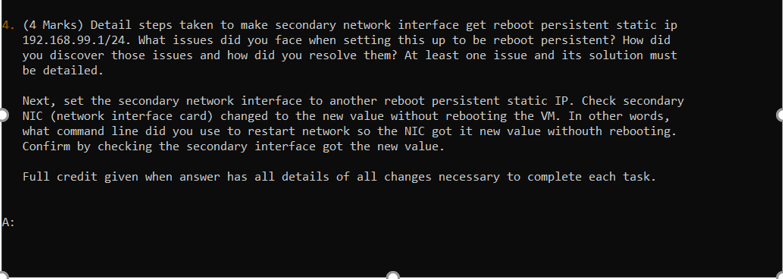
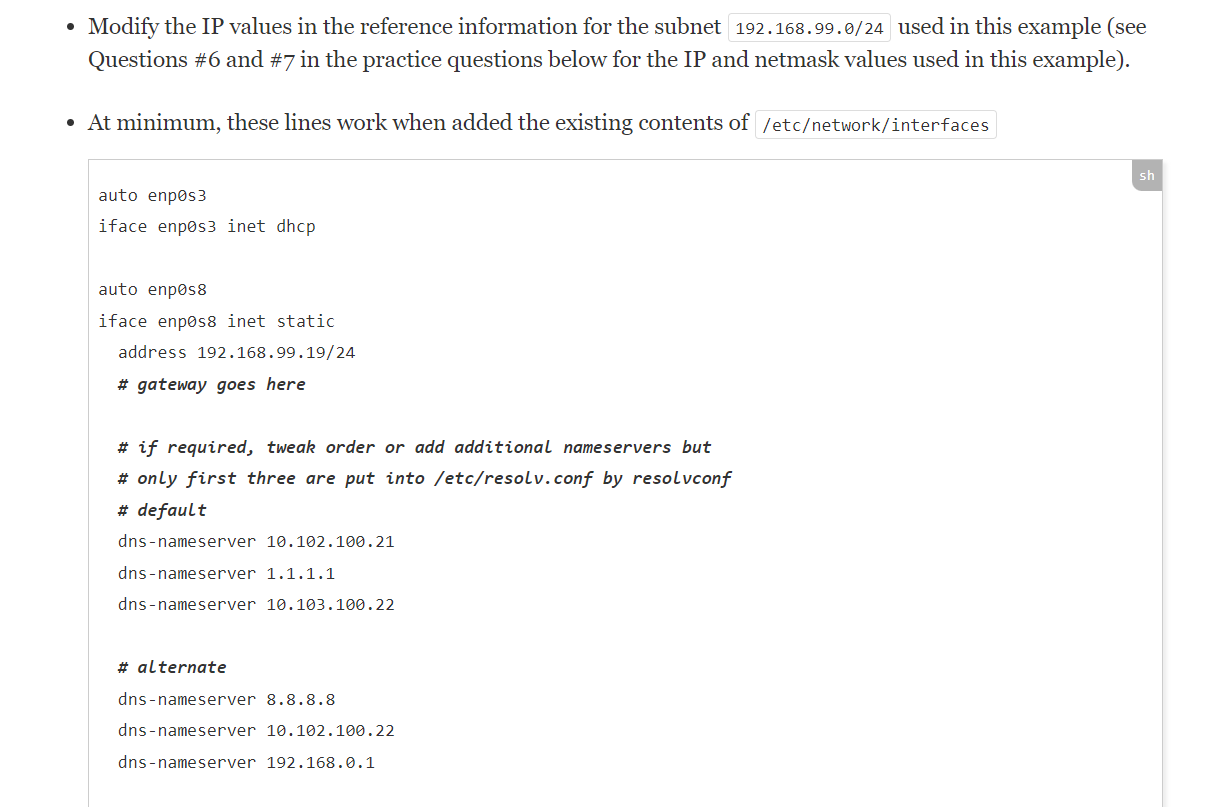
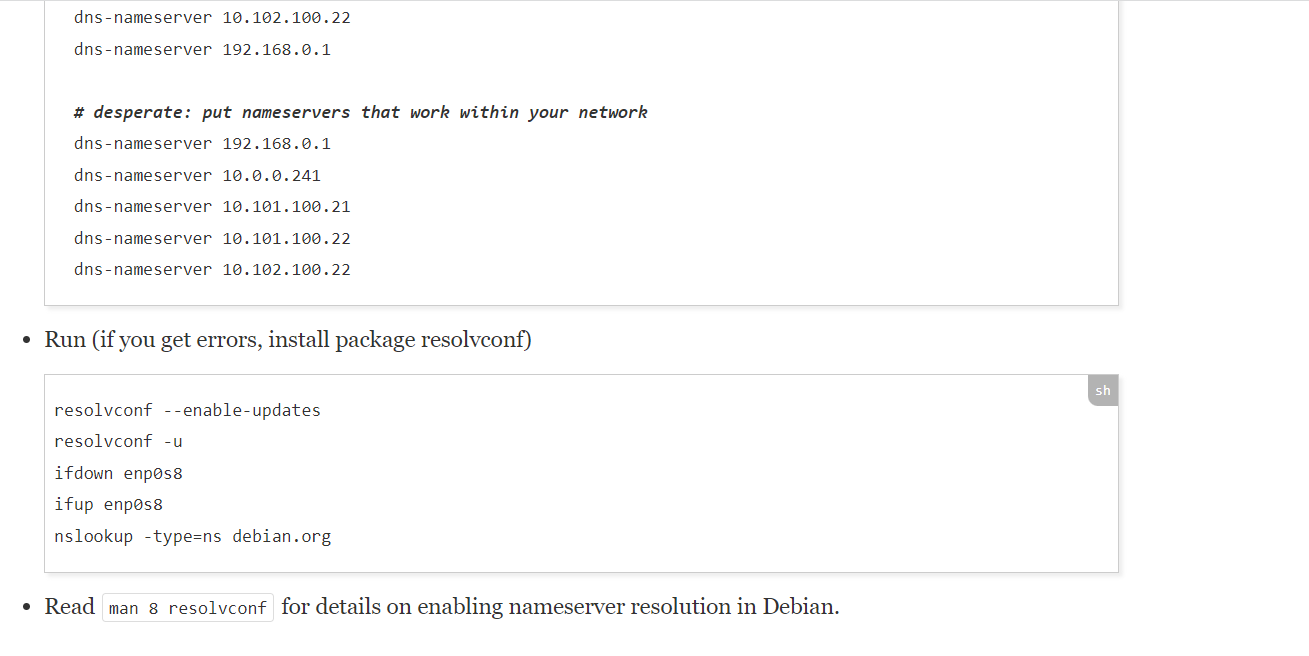
(4 Marks) Detail steps taken to make secondary network interface get reboot persistent static ip 192.168.99.1/24. What issues did you face when setting this up to be reboot persistent? How did you discover those issues and how did you resolve them? At least one issue and its solution must be detailed. Next, set the secondary network interface to another reboot persistent static IP. Check secondary NIC (network interface card) changed to the new value without rebooting the VM. In other words, what command line did you use to restart network so the NIC got it new value withouth rebooting. Confirm by checking the secondary interface got the new value. Full credit given when answer has all details of all changes necessary to complete each task. - Modify the IP values in the reference information for the subnet 192.168.99.0/24 used in this example (see Questions \#6 and \# 7 in the practice questions below for the IP and netmask values used in this example). - At minimum, these lines work when added the existing contents of auto enpos 3 iface enposs inet dhcp auto enpos8 iface enposs inet static address 192.1689919/24 \# gateway goes here * if required, tweak order or add additional nameservers but \# only first three are put into /etc/resolv. conf by resolvconf \# default dns-nameserver 10.102.100.21 dns-nameserver 1.1.1.1 dns-nameserver 10.103.100.22 \# alternate dns-nameserver 8.8.8.8 dns-nameserver 10.102.100.22 dns-nameserver 192.168.0.1 dns-nameserver 10.102.100.22 dns-nameserver 192.168.0.1 \# desperate: put nameservers that work within your network dns-nameserver 192.168.0.1 dns-nameserver 10.0.0.241 dns-nameserver 10.101.100.21 dns-nameserver 10.101.100.22 dns-nameserver 10.102100.22 - Run (if you get errors, install package resolvconf) resolvconf --enable-updates resolvconf u ifdown enposs ifup enpos 8 nslookup -type=ns debian.org - Read for details on enabling nameserver resolution in Debian
Step by Step Solution
There are 3 Steps involved in it

Get step-by-step solutions from verified subject matter experts
 Study Help