







Question: please answer the two-step process question. Multiple choices are shown. thank you Analysis Question 1-2 In QBO, what are the selections to add account numbers
please answer the two-step process question. Multiple choices are shown. thank you
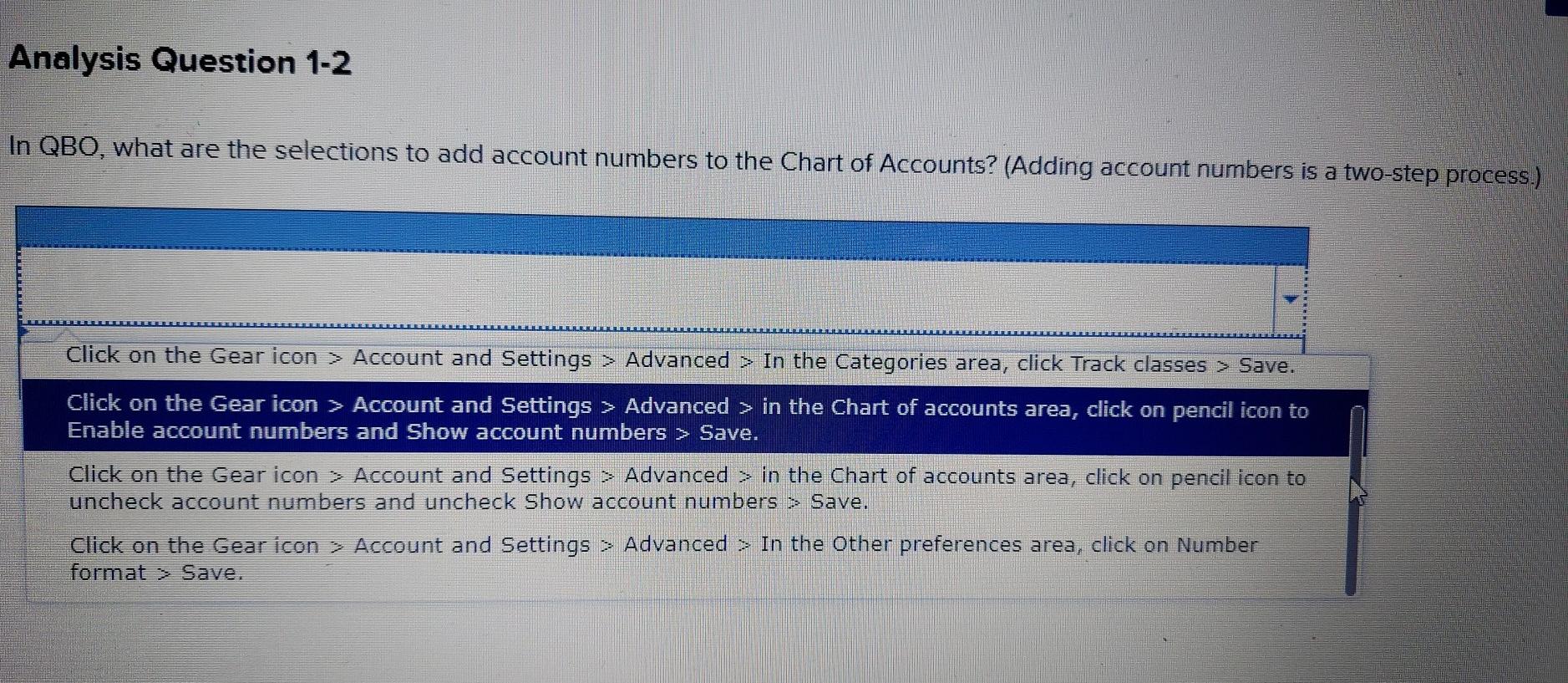
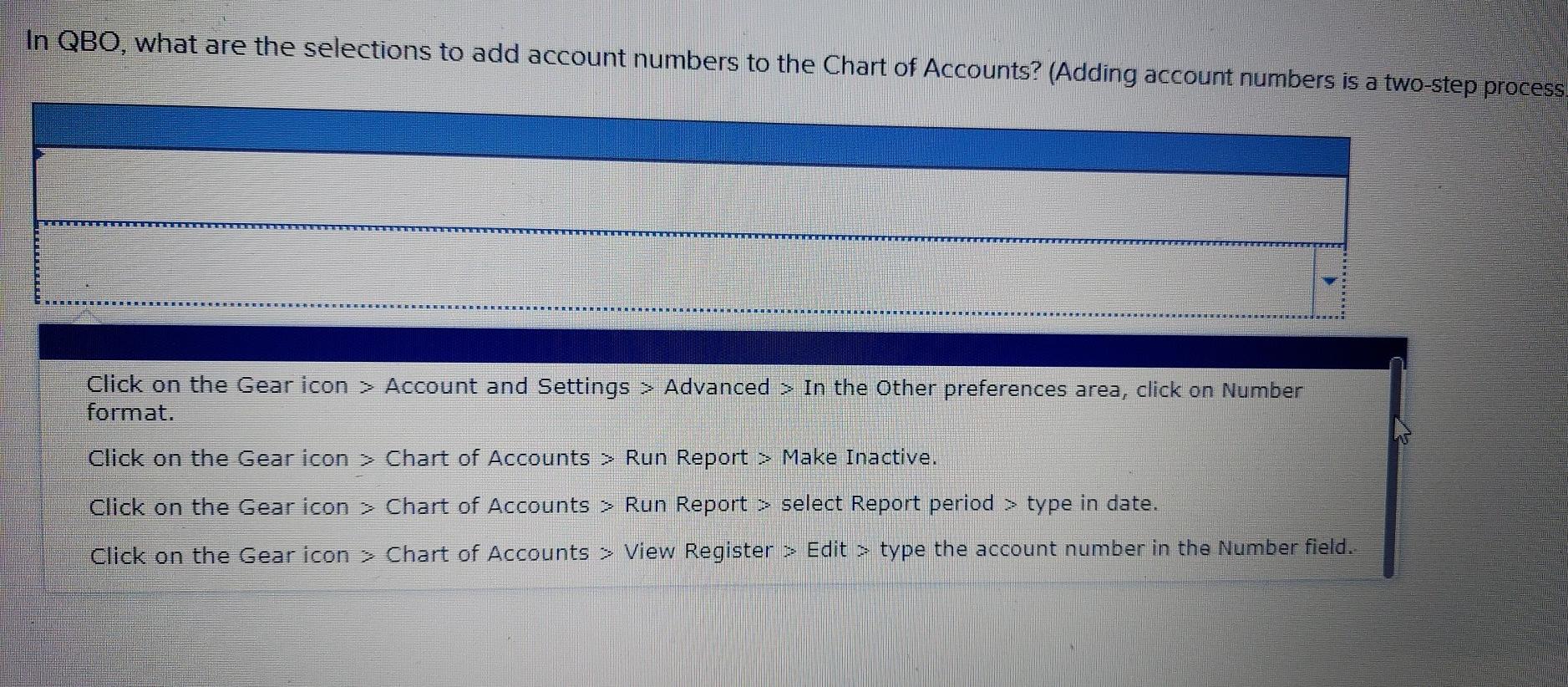
Analysis Question 1-2 In QBO, what are the selections to add account numbers to the Chart of Accounts? (Adding account numbers is a two-step process.) Click on the Gear icon > Account and Settings > Advanced > In the Categories area, click Track classes > Save. Click on the Gear icon > Account and Settings > Advanced > in the Chart of accounts area, click on pencil icon to Enable account numbers and Show account numbers > Save. Click on the Gear icon > Account and Settings > Advanced > in the Chart of accounts area, click on pencil icon to uncheck account numbers and uncheck Show account numbers > Save. Click on the Gear icon > Account and Settings > Advanced > In the Other preferences area, click on Number format > Save. In QBO, what are the selections to add account numbers to the Chart of Accounts? (Adding account numbers is a two-step process Click on the Gear icon > Account and Settings > Advance format. > In the Other preferences area, click on Number Click on the Gear icon > Chart of Accounts > Run Report > Make Inactive. Click on the Gear icon > Chart of Accounts > Run Report > select Report period > type in date. Click on the Gear icon > Chart of Accounts > View Register > Edit > type the account number in the Number field
Step by Step Solution
There are 3 Steps involved in it

Get step-by-step solutions from verified subject matter experts
 Study Help