







Question: Please answer these 6 functions including the Dimension function, I'm not sure if it is correct. // set values in data attribute, based on a
Please answer these 6 functions including the Dimension function, I'm not sure if it is correct.
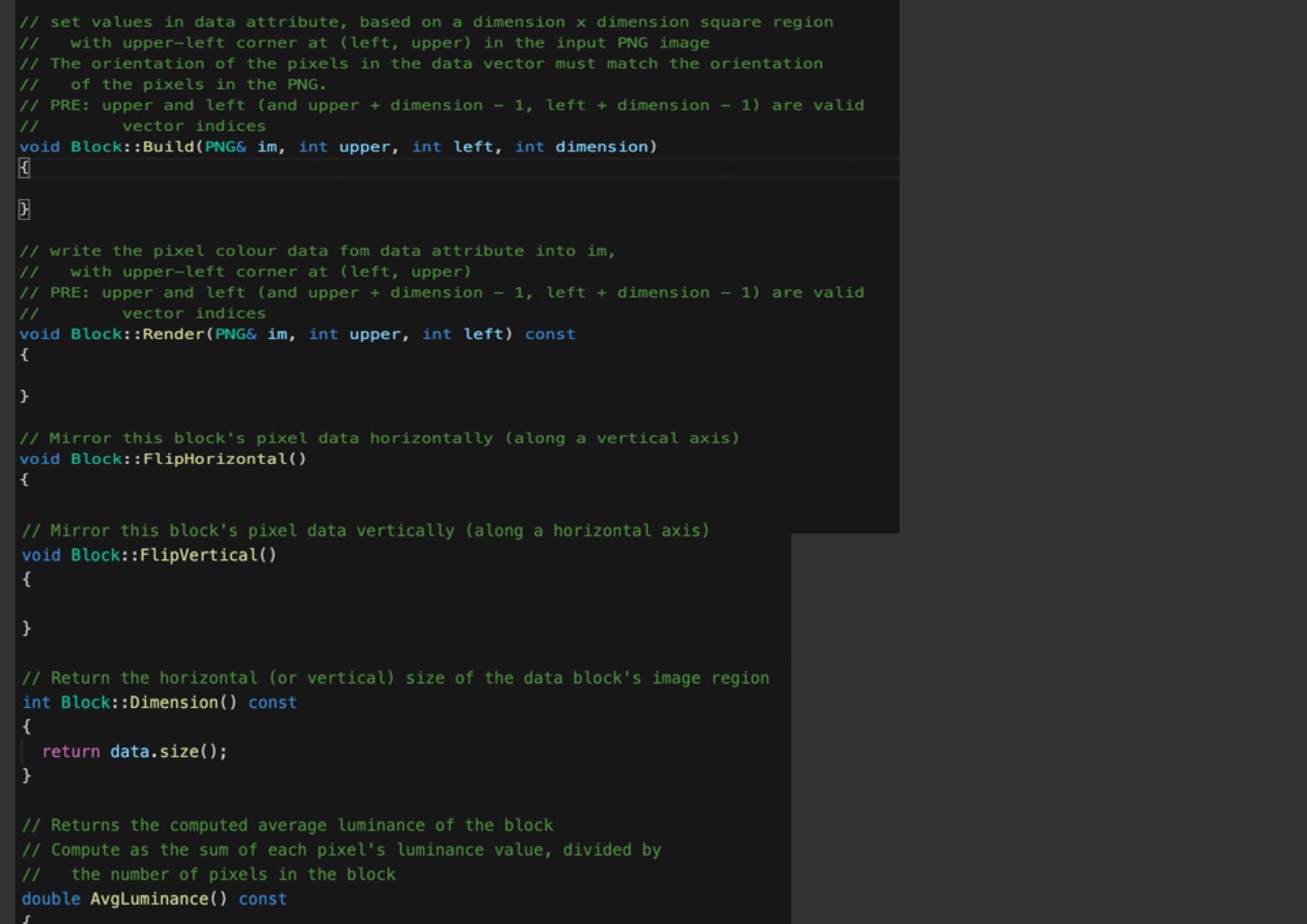
// set values in data attribute, based on a dimension x dimension square region with upper-left corner at (left, upper) in the input PNG image // The orientation of the pixels in the data vector must match the orientation of the pixels in the PNG. // PRE: upper and left (and upper + dimension - 1, left + dimension - 1) are valid 1 1 vector indices void Block: : Build(PNG& im, int upper, int left, int dimension) // write the pixel colour data fom data attribute into im, with upper-left corner at (left, upper) // PRE: upper and left (and upper + dimension - 1, left + dimension - 1) are valid 1 1 vector indices void Block: : Render (PNG& im, int upper, int left) const // Mirror this block's pixel data horizontally (along a vertical axis) void Block: : FlipHorizontal( ) // Mirror this block's pixel data vertically (along a horizontal axis) void Block: : FlipVertical( ) // Return the horizontal (or vertical) size of the data block's image region int Block: : Dimension() const return data. size( ) ; // Returns the computed average luminance of the block // Compute as the sum of each pixel's luminance value, divided by the number of pixels in the block double AvgLuminance( ) const
Step by Step Solution
There are 3 Steps involved in it

Get step-by-step solutions from verified subject matter experts
 Study Help