







Question: Please Answer this question, and show all the steps on how you did it. people answered this question, but it was wrong, so please do
Please Answer this question, and show all the steps on how you did it. people answered this question, but it was wrong, so please do not copy and past the answer from somewhere else. if you do not know how to do it, don't paste the answer from somewhere else. Thank you.
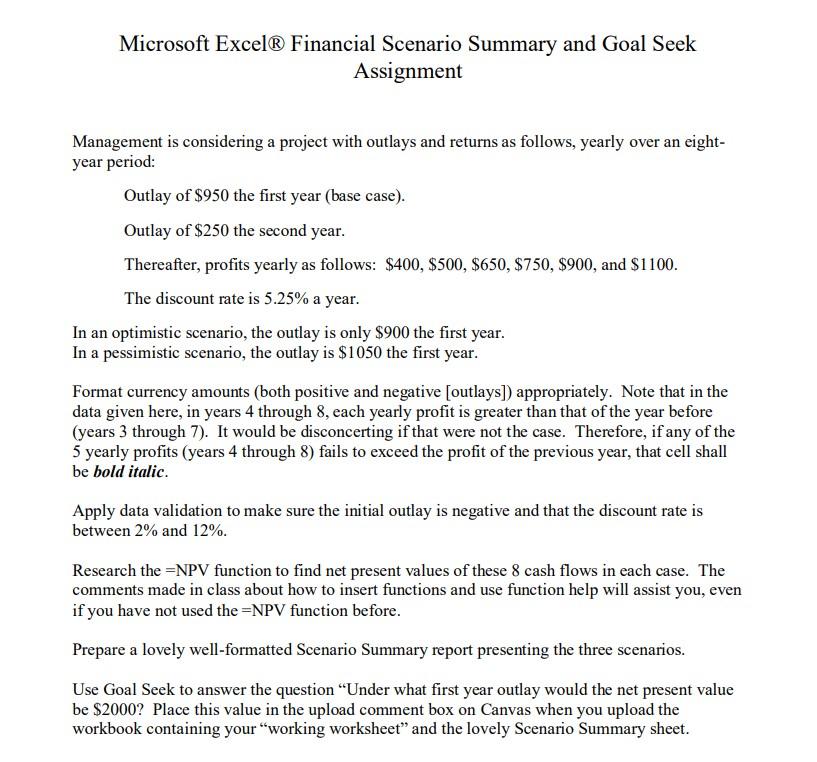
Microsoft Excel Financial Scenario Summary and Goal Seek Assignment Management is considering a project with outlays and returns as follows, yearly over an eightyear period: Outlay of $950 the first year (base case). Outlay of $250 the second year. Thereafter, profits yearly as follows: $400,$500,$650,$750,$900, and $1100. The discount rate is 5.25% a year. In an optimistic scenario, the outlay is only $900 the first year. In a pessimistic scenario, the outlay is $1050 the first year. Format currency amounts (both positive and negative [outlays]) appropriately. Note that in the data given here, in years 4 through 8, each yearly profit is greater than that of the year before (years 3 through 7). It would be disconcerting if that were not the case. Therefore, if any of the 5 yearly profits (years 4 through 8 ) fails to exceed the profit of the previous year, that cell shall be bold italic. Apply data validation to make sure the initial outlay is negative and that the discount rate is between 2% and 12%. Research the =NPV function to find net present values of these 8 cash flows in each case. The comments made in class about how to insert functions and use function help will assist you, even if you have not used the =NPV function before. Prepare a lovely well-formatted Scenario Summary report presenting the three scenarios. Use Goal Seek to answer the question "Under what first year outlay would the net present value be $2000 ? Place this value in the upload comment box on Canvas when you upload the workbook containing your "working worksheet" and the lovely Scenario Summary sheet
Step by Step Solution
There are 3 Steps involved in it

Get step-by-step solutions from verified subject matter experts
 Study Help