







Question: Please code in java Create an application called Lab 15 that is extended from JFrame. In the field create: - Two Font objects. Call them
Please code in java
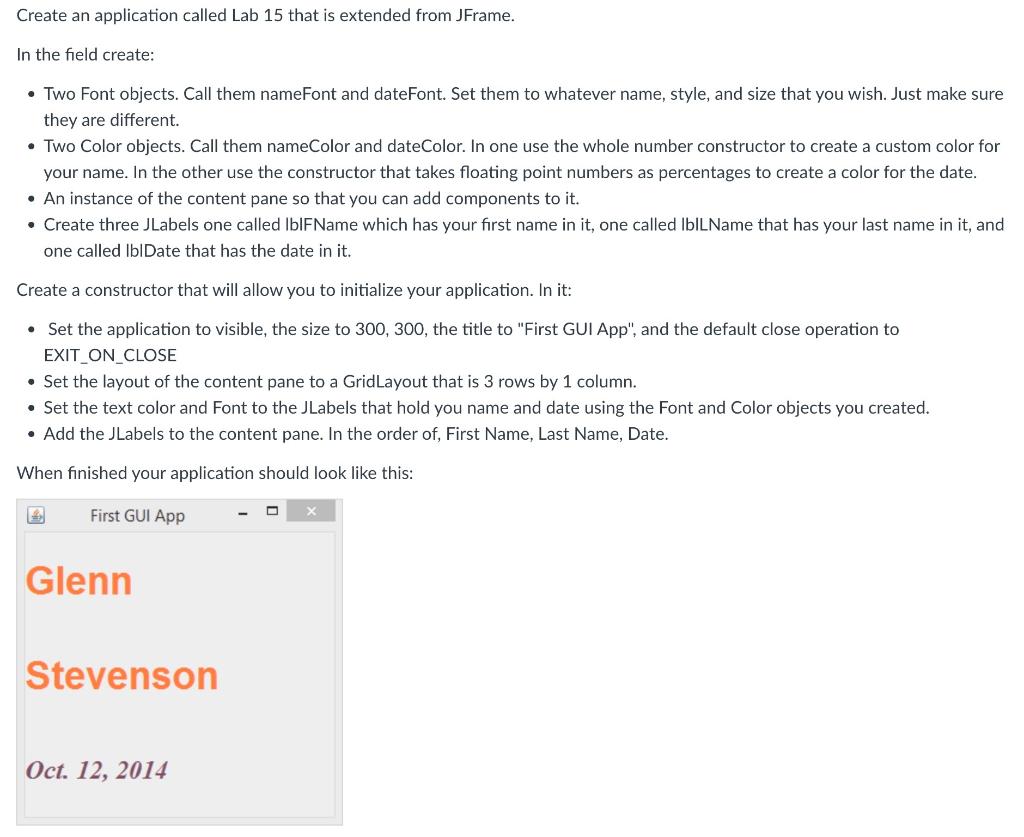
Create an application called Lab 15 that is extended from JFrame. In the field create: - Two Font objects. Call them nameFont and dateFont. Set them to whatever name, style, and size that you wish. Just make sure they are different. - Two Color objects. Call them nameColor and dateColor. In one use the whole number constructor to create a custom color for your name. In the other use the constructor that takes floating point numbers as percentages to create a color for the date. - An instance of the content pane so that you can add components to it. - Create three JLabels one called IbIFName which has your first name in it, one called IbILName that has your last name in it, and one called IbIDate that has the date in it. Create a constructor that will allow you to initialize your application. In it: - Set the application to visible, the size to 300, 300, the title to "First GUI App", and the default close operation to EXIT_ON_CLOSE - Set the layout of the content pane to a GridLayout that is 3 rows by 1 column. - Set the text color and Font to the JLabels that hold you name and date using the Font and Color objects you created. - Add the Jlabels to the content pane. In the order of, First Name, Last Name, Date. When finished your application should look like this
Step by Step Solution
There are 3 Steps involved in it

Get step-by-step solutions from verified subject matter experts
 Study Help