







Question: Please complete all steps using Excell cell references, Thank you. Problem 7-20 Assume Highline Company has just paid an annual dividend of $0.96. Analysts are
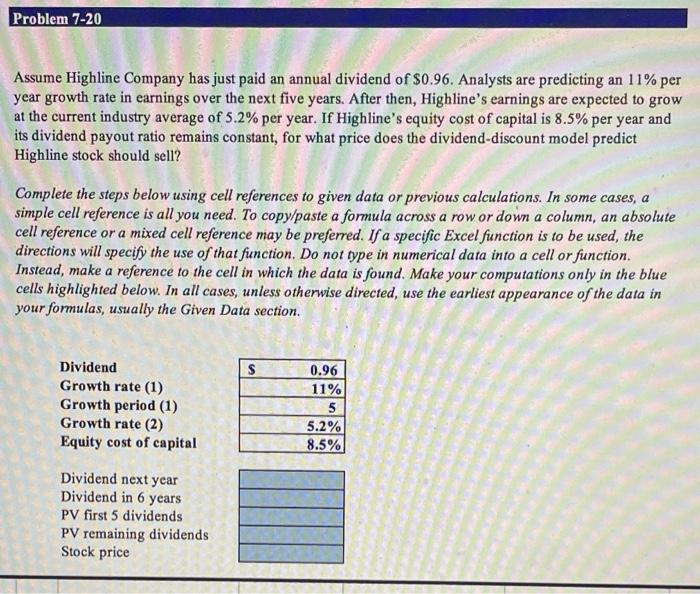
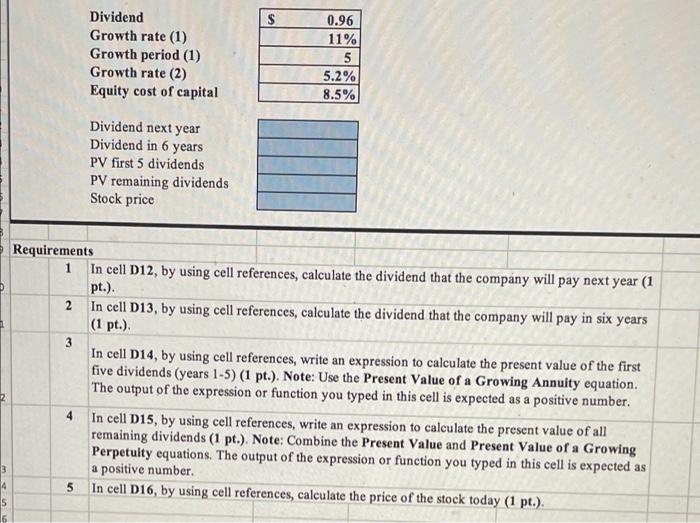
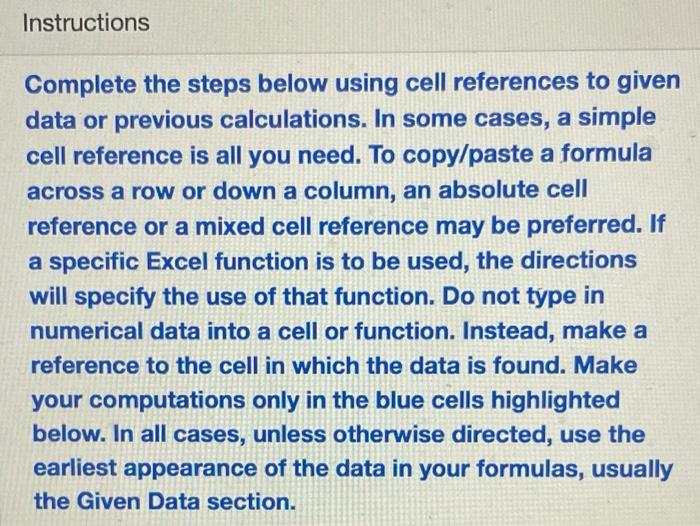
Problem 7-20 Assume Highline Company has just paid an annual dividend of $0.96. Analysts are predicting an 11% per year growth rate in earnings over the next five years. After then, Highline's earnings are expected to grow at the current industry average of 5.2% per year. If Highline's equity cost of capital is 8.5% per year and its dividend payout ratio remains constant, for what price does the dividend-discount model predict Highline stock should sell? Complete the steps below using cell references to given data or previous calculations. In some cases, a simple cell reference is all you need. To copy/paste a formula across a row or down a column, an absolute cell reference or a mixed cell reference may be preferred. If a specific Excel function is to be used, the directions will specify the use of that function. Do not type in numerical data into a cell or function. Instead, make a reference to the cell in which the data is found. Make your computations only in the blue cells highlighted below. In all cases, unless otherwise directed, use the earliest appearance of the data in your formulas, usually the Given Data section. a $ Dividend Growth rate (1) Growth period (1) Growth rate (2) Equity cost of capital 0.96 11% 5 5.2% 8.5% Dividend next year Dividend in 6 years PV first 5 dividends PV remaining dividends Stock price Dividend Growth rate (1) Growth period (1) Growth rate (2) Equity cost of capital 0.96 11% 5 5.2% 8.5% Dividend next year Dividend in 6 years PV first 5 dividends PV remaining dividends Stock price Requirements 1 In cell D12, by using cell references, calculate the dividend that the company will pay next year (1 pt.) 2 In cell D13, by using cell references, calculate the dividend that the company will pay in six years (1 pt.). 3 In cell D14, by using cell references, write an expression to calculate the present value of the first five dividends (years 1-5) (1 pt.). Note: Use the Present Value of a growing Annuity equation. The output of the expression or function you typed in this cell is expected as a positive number. 4 In cell D15, by using cell references, write an expression to calculate the present value of all remaining dividends (1 pt.). Note: Combine the Present Value and Present Value of a Growing Perpetulty equations. The output of the expression or function you typed in this cell is expected as a positive number In cell D16, by using cell references, calculate the price of the stock today (1 pt.). 4 5 5 16 Instructions Complete the steps below using cell references to given data or previous calculations. In some cases, a simple cell reference is all you need. To copy/paste a formula across a row or down a column, an absolute cell reference or a mixed cell reference may be preferred. If a specific Excel function is to be used, the directions will specify the use of that function. Do not type in numerical data into a cell or function. Instead, make a reference to the cell in which the data is found. Make your computations only in the blue cells highlighted below. In all cases, unless otherwise directed, use the earliest appearance of the data in your formulas, usually the Given Data
Step by Step Solution
There are 3 Steps involved in it

Get step-by-step solutions from verified subject matter experts
 Study Help