







Question: Please complete Part 1. The code is also below: #include #include using namespace std; void *PrintHello(void *arg) { int actual_arg = *((int*) arg); cout int
Please complete Part 1. The code is also below: 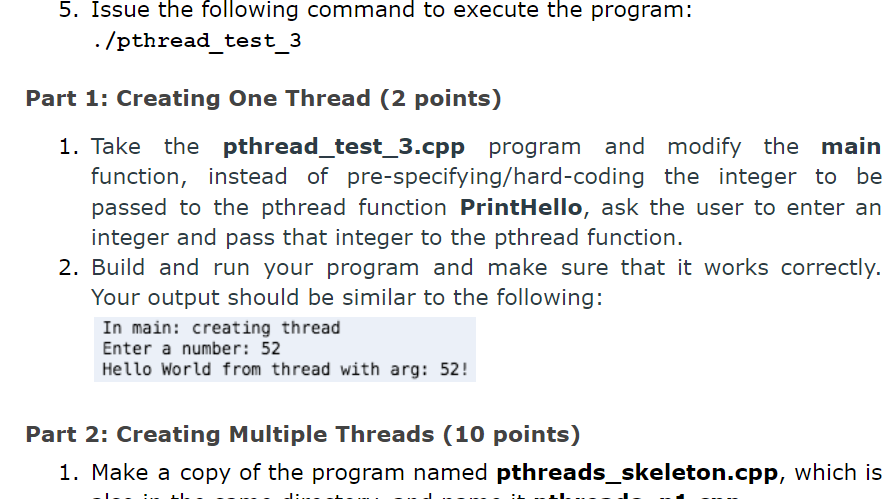
#include
using namespace std;
void *PrintHello(void *arg) { int actual_arg = *((int*) arg); cout
int main() { pthread_t id; int rc; cout
int t = 23; rc = pthread_create(&id, NULL, PrintHello, (void*) &t);
if (rc){ cout
pthread_exit(0); }
5. Issue the following command to execute the program: /pthread test_3 Part 1: Creating One Thread (2 points) 1. Take the pthread_test_3.cpp program and modify the main function, instead of pre-specifying/hard-coding the integer to be passed to the pthread function PrintHello, ask the user to enter an integer and pass that integer to the pthread function. 2. Build and run your program and make sure that it works correctly. Your output should be similar to the following: In main: creating thread Enter a number: 52 Hello World from thread with arg: 52! Part 2: Creating Multiple Threads (10 points) 1. Make a copy of the program named pthreads_skeleton.cpp, which is
Step by Step Solution
There are 3 Steps involved in it

Get step-by-step solutions from verified subject matter experts
 Study Help