







Question: Please Complete Section 2.2 Projects MATLAB solutions to the projects marked with an asterisk () are in the DIP4E Student Support Package (consult the book
Please Complete Section 2.2
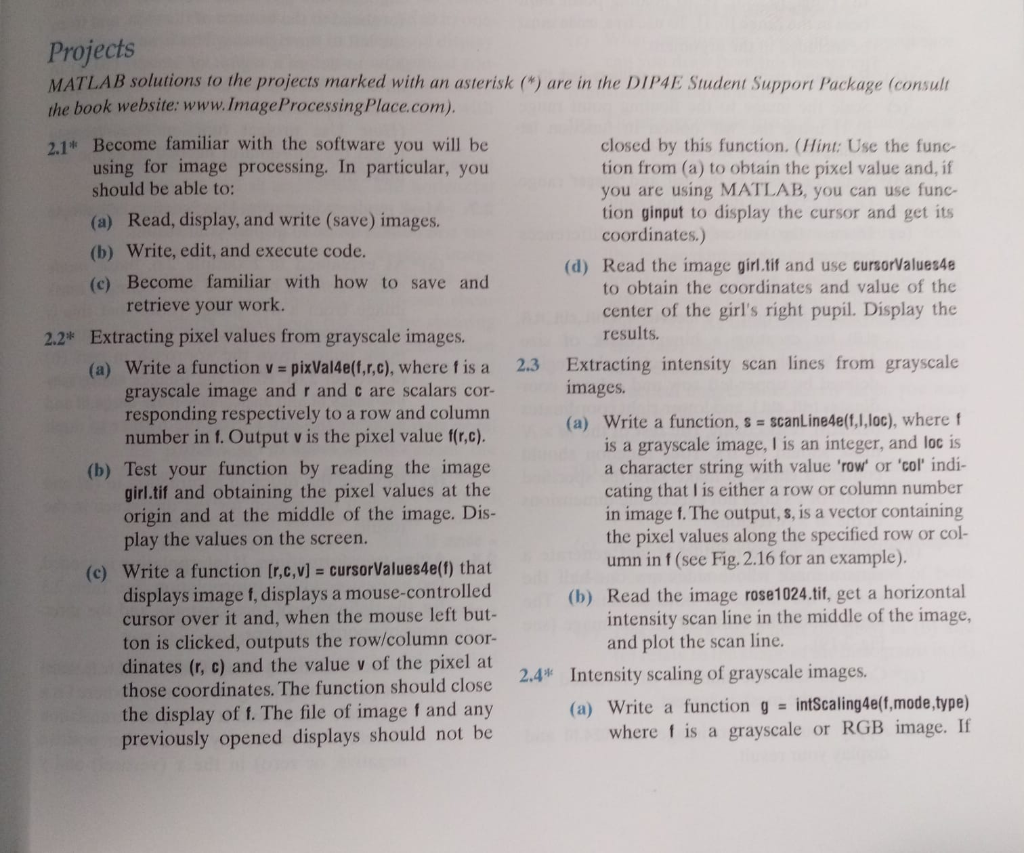
Projects MATLAB solutions to the projects marked with an asterisk (") are in the DIP4E Student Support Package (consult the book website: www.ImageProcessingPlace.com) 2.1 Become familiar with the software you will be closed by this function. (Hint: Use the func- tion from (a) to obtain the pixel value and, if you are using MATLAB, you can use func tion ginput to display the cursor and get i coordinates.) using for image processing. In particular, you should be able to: ) Read, display, and write (save) images. (b) Write, edit, and execute code. (c) Become familiar with how to save and (d) Read the image girl.tif and use cursorValues4e to obtain the coordinates and value of the center of the girl's right pupil. Display the results retrieve your work. 2.2* Extracting pixel values from grayscale images. Extracting intensity scan lines from grayscale images. (a) write a function v=pixVal4e(f,r,c), where fis a grayscale image and r and c are scalars cor responding respectively to a row and column number in 1. Output v is the pixel value f(r,c). (b) Test your function by reading the image girl.tif and obtaining the pixel values at the origin and at the middle of the image. Dis 2.3 (a) Write a function, s scanLine4e(f,I,loc), where f is a grayscale image, I is an integer, and loc is a character string with value 'row or 'col' indi cating that l is either a row or column number in image f. The output, s, is a vector containing the pixel values along the specified row or col umn in f (see Fig. 2.16 for an example) play the values on the screen (c) write a function [r,c,v] = cursorValues4e(f) that displays image f, displays a mouse-controlled cursor over it and, when the mouse left but- ton is clicked, outputs the row/column coor- dinates (r, c) and the value v of the pixel at those coordinates. The function should close the display of f. The file of image f and any previously opened displays should not be (b) Read the image rose1024.tif, get a horizontal intensity scan line in the middle of the image and plot the scan line. 2.4 Intensity scaling of grayscale images (a) Write a function g -intScaling4eft,mode,.type) where 1 is a grayscale or RGB image. If
Step by Step Solution
There are 3 Steps involved in it

Get step-by-step solutions from verified subject matter experts
 Study Help