Question: Please complete the assignment by building the required model in each of the worksheets provided You may add calculation cells or check cells but you
Please complete the assignment by building thePlease complete the assignment by building thePlease complete the assignment by building thePlease complete the assignment by building thePlease complete the assignment by building the
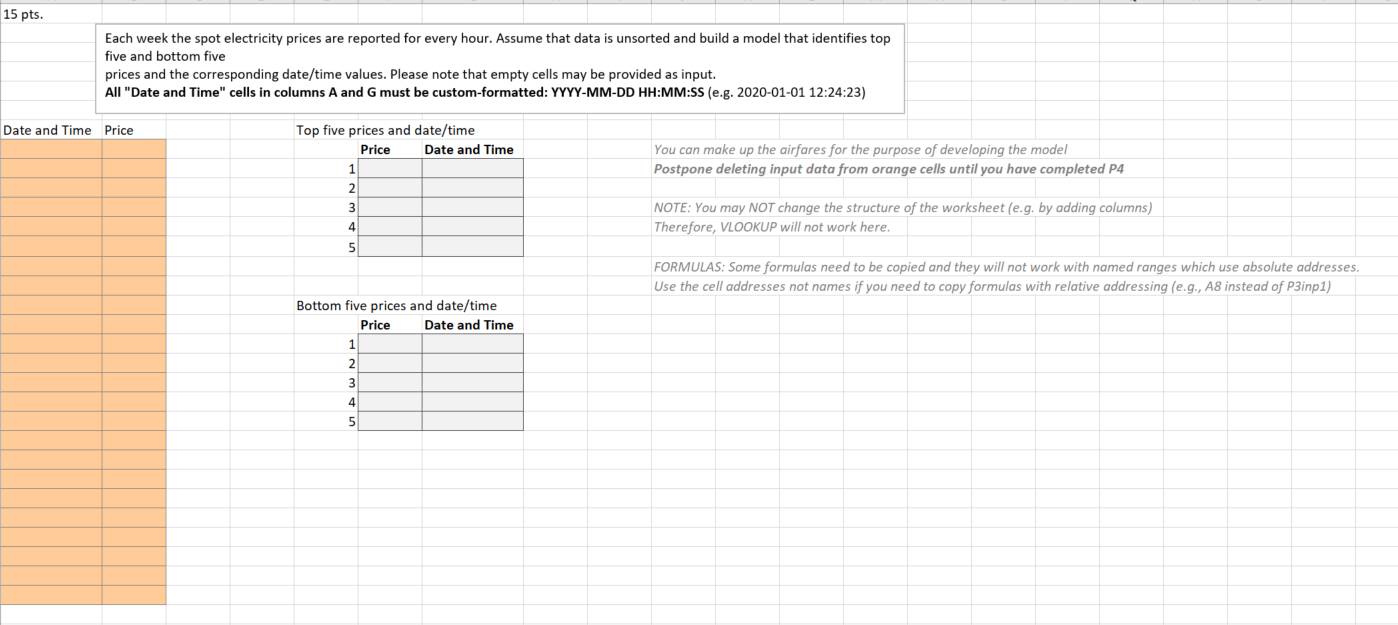
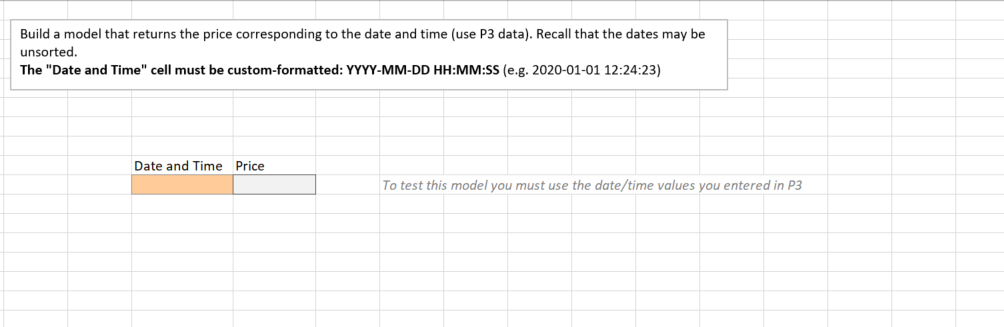
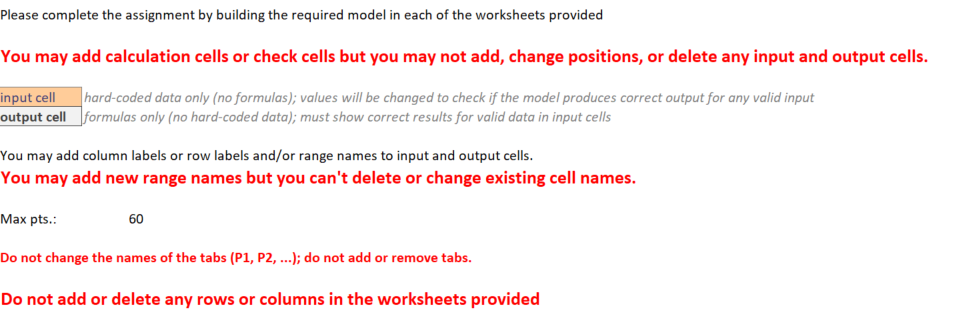
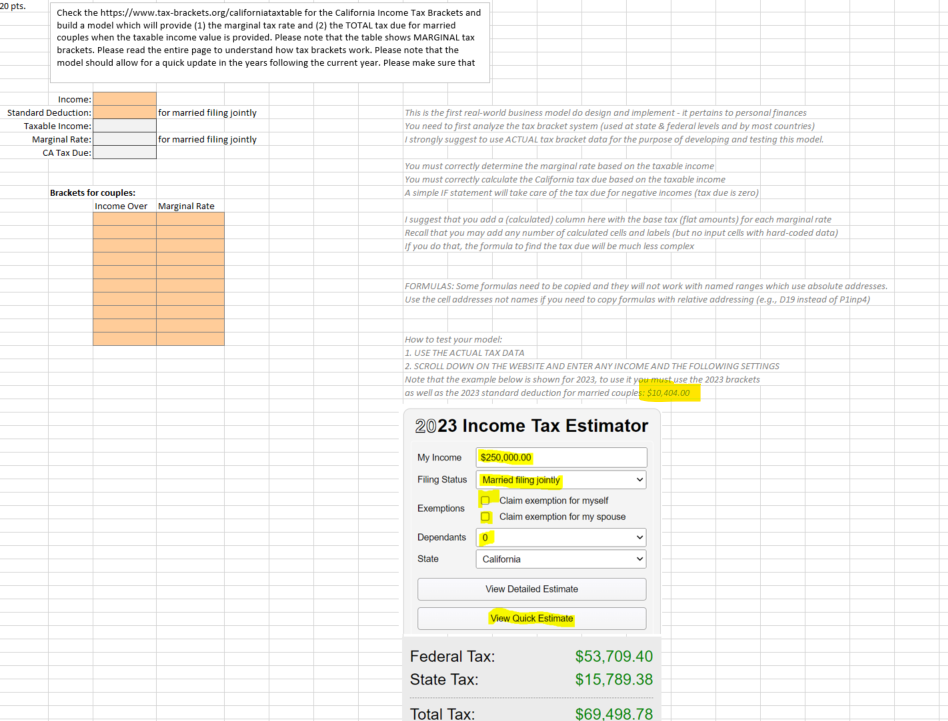
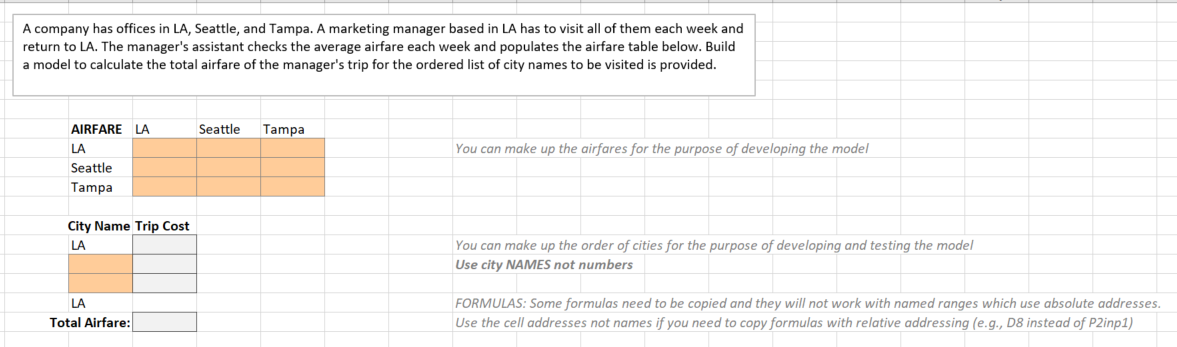
Please complete the assignment by building the required model in each of the worksheets provided You may add calculation cells or check cells but you may not add, change positions, or delete any input and output cells. input cell hard-coded data only (no formulas); values will be changed to check if the model produces correct output for any valid input output cell |formulas only (no hard-coded data); must show correct results for valid data in input cells You may add column labels or row labels and/or range names to input and output cells. You may add new range names but you can't delete or change existing cell names. Max pts.: 60 Do not change the names of the tabs (P1, P2, ...); do not add or remove tabs. Do not add or delete any rows or columns in the worksheets provided 20 pts. Check the https://www.tax-brackets.org/californiataxtable for the California Income Tax Brackets and build a model which will provide (1) the marginal tax rate and (2) the TOTAL tax due for married couples when the taxable income value is provided. Please note that the table shows MARGINAL tax brackets. Please read the entire page to understand how tax brackets work. Please note that the model should allow for a quick update in the years following the current year. Please make sure that Income: Standard Deduction: for married filing jointly This is the first real-world business model do design and implement - it pertains to personal finances Taxable Income: You need to first analyze the tax bracket system (used at state & federal levels and by most countries) Marginal Rate: for married filing jointly I strongly suggest to use ACTUAL tax bracket data for the purpose of developing and testing this model. CA Tax Due: You must correctly determine the marginal rate based on the taxable income You must correctly calculate the California tax due based on the taxable income Brackets for couples: A simple IF statement will take care of the tax due for negative incomes (tax due is zero) Income Over Marginal Rate suggest that you add a (calculated) column here with the base tax (flat amounts) for each marginal rate Recall that you may add any number of calculated cells and labels (but no input cells with hard-coded data) If you do that, the formula to find the tax due will be much less complex FORMULAS: Some formulas need to be copied and they will not work with named ranges which use absolute addresses. Use the cell addresses not names if you need to copy formulas with relative addressing (e.g., D19 instead of Plinp4) How to test your model: 1. USE THE ACTUAL TAX DATA 2. SCROLL DOWN ON THE WEBSITE AND ENTER ANY INCOME AND THE FOLLOWING SETTINGS Note that the example below is shown for 2023, to use it you must use the 2023 brackets as well as the 2023 standard deduction for married couples: $10,404.00 2023 Income Tax Estimator My Income $250,000.00 Filing Status Married filing jointly Claim exemption for myself Exemptions Claim exemption for my spouse Dependants 0 State California View Detailed Estimate View Quick Estimate Federal Tax: $53,709.40 State Tax: $15,789.38 Total Tax: $69.498.78A company has offices in LA, Seattle, and Tampa. A marketing manager based in LA has to visit all of them each week and return to LA. The manager's assistant checks the average airfare each week and populates the airfare table below. Build a model to calculate the total airfare of the manager's trip for the ordered list of city names to be visited is provided. AIRFARE LA Seattle Tampa Seattle Tampa City Name Trip Cost LA Total Airfare: You can make up the airfares for the purpose of developing the model You can make up the order of cities for the purpose of developing and testing the model Use city NAMES not numbers FORMULAS: Some formulas need to be copied and they will not work with named ranges which use absolute addresses. Use the cell addresses not names if you need to copy formulas with relative addressing (e.g., D8 instead of P2inp1) Each week the spot electricity prices are reported for every hour. Assume that data is unsorted and build a model that identifies top five and bottom five prices and the corresponding date/time values. Please note that empty cells may be provided as input. All "Date and Time" cells in columns A and G must be custom-formatted: YYYY-MM-DD HH:MM:5S (e.g. 2020-01-01 12:24:23) Date and Time Price W W R e WoE W e Top five prices and date/time Price Date and Time 'Bottom five prices and date/time Price Date and Time You can make up the airfares for the purpose of developing the model .Poatpom deleting input data from orange cells until you have wmpkt:i P4 NOTE: You may NOT change the structure of the worksheet (e.g. by adding columns) | Therefore, VLOOKUP will not work here. ..FORMULAS: Some formulas need to be cop.'rd nnd' they wj. not work with named ranges whicf: use absolute addresses. Use the cell addresses not names if you need to copy formulas with relative addressing (e.g., A8 instead of P3inp1) Build a model that returns the price corresponding to the date and time (use P3 data). Recall that the dates may be unsorted. The "Date and Time" cell must be custom-formatted: YYYY-MM-DD HH:MM:SS (e.g. 2020-01-01 12:24:23) Date and Time Price To test this model you must use the date/time values you entered in P3
Step by Step Solution

There are 3 Steps involved in it

1 Expert Approved Answer
Step: 1 Unlock blur-text-image

Question Has Been Solved by an Expert!

Get step-by-step solutions from verified subject matter experts

Step: 2 Unlock
Step: 3 Unlock

Students Have Also Explored These Related Accounting Questions!