







Question: Please complete using MATLAB 3. Block out the bright sun in the grayscale images sun01.png and sun02.png by first finding the row and column position
Please complete using MATLAB
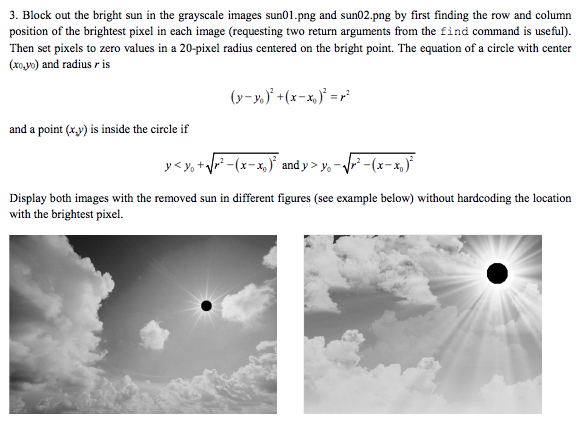
3. Block out the bright sun in the grayscale images sun01.png and sun02.png by first finding the row and column position of the brightest pixel in each image (requesting two return arguments from the find command is useful) Then set pixels to zero values in a 20-pixel radius centered on the bright point. The equation of a circle with center (xo,yo) and radius r is and a point (x) is inside the circle if Display both images with the removed sun in different figures (see example below) wthout hardcoding the location with the brightest pixel. 3. Block out the bright sun in the grayscale images sun01.png and sun02.png by first finding the row and column position of the brightest pixel in each image (requesting two return arguments from the find command is useful) Then set pixels to zero values in a 20-pixel radius centered on the bright point. The equation of a circle with center (xo,yo) and radius r is and a point (x) is inside the circle if Display both images with the removed sun in different figures (see example below) wthout hardcoding the location with the brightest pixel
Step by Step Solution
There are 3 Steps involved in it

Get step-by-step solutions from verified subject matter experts
 Study Help