







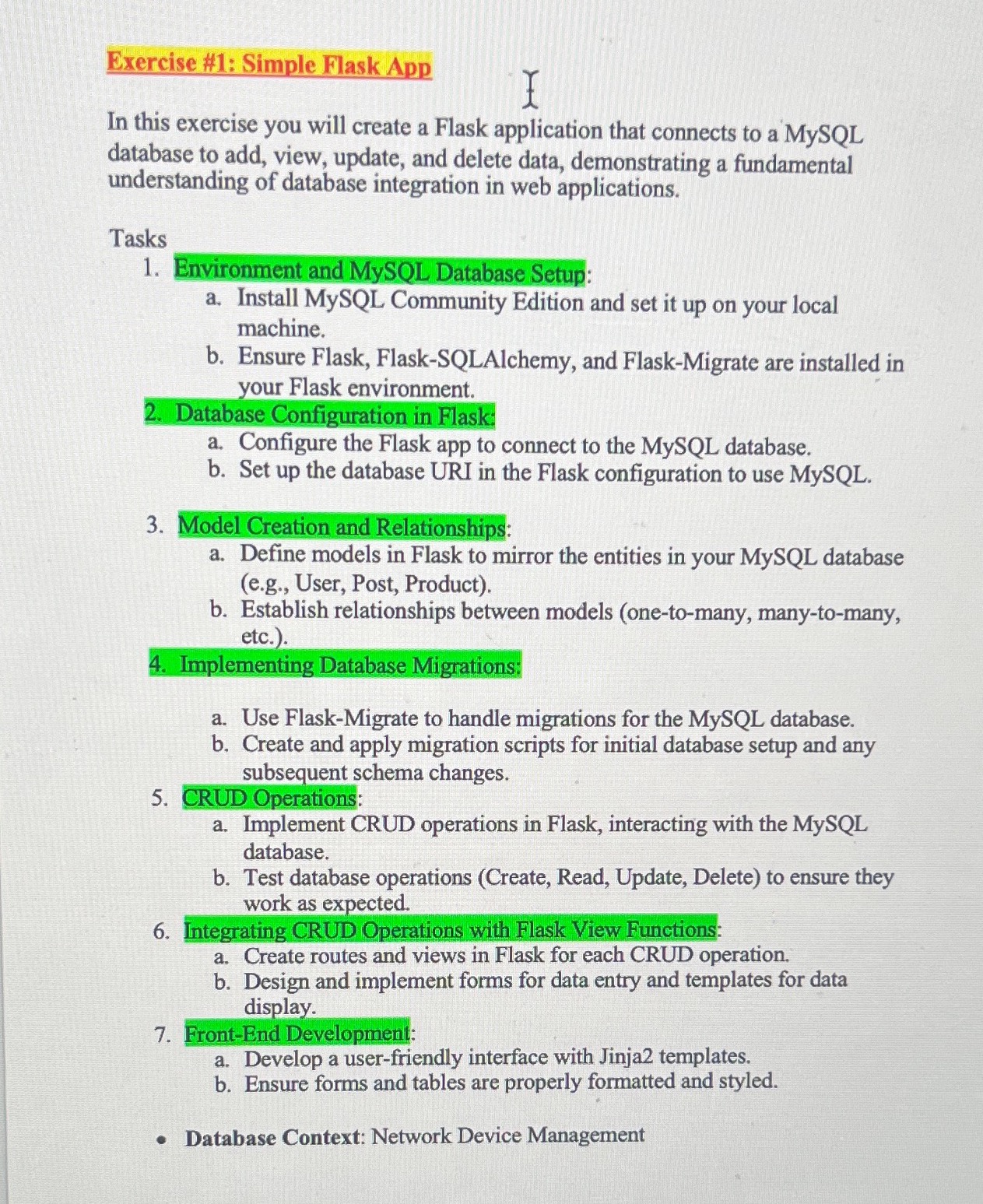
Question: please create a Flask application that connects to a MySQL database to add, view, update, and delete data : ) Database Context: Network Device Managment
please create a Flask application that connects to a MySQL
database to add, view, update, and delete data :
Database Context: Network Device Managment
Database Name: network management db
Tables and Descriptions:
Table: devices
Description: Contains details about network devices managed
by the system.
Fields:
device id Primary Key, Integer, Auto Increment
device name Varchar
ip address Varchar Unique
device type Varchar eg Router, Switch, Firewall
location Varchar
status Varchar eg Active, Inactive, Under
Maintenance
Table: network logs
Description: Stores logs of network events or changes.
Fields:
id Primary Key, Integer, Auto Increment
device id Integer Foreign Key to devices device id
timestamp DateTime
description Text
Table: maintenance records
Description: Records maintenance activities for each device.
Fields:
record id Primary Key, Integer, Auto Increment
device id Integer Foreign Key to devices device id
maintenance date Date
details Text
technician name Varchar
Table: users
Description: Contains user accounts who can access or modify the
network device data.
Fields:
user id Primary Key, Integer, Auto Increment
username Varchar Unique
password hash Varchar
role Varchar eg Admin, Technician, Viewer
email Varchar Unique
Relationships:
devices to networklogs: OnetoMany One device can have
multiple logs
devices to maintenance records: OnetoMany One device can
have multiple maintenance records
CRUD Operations Examples:
Create: Add new network devices, log entries, maintenance records,
or users.
Read: View device details, logs maintenance history, or user profiles.
Update: Modify device information, update maintenance records, or
change user roles.
Delete: Remove devices, logs maintenance records, or user account
Step by Step Solution
There are 3 Steps involved in it
1 Expert Approved Answer
Step: 1 Unlock

Question Has Been Solved by an Expert!
Get step-by-step solutions from verified subject matter experts
Step: 2 Unlock
Step: 3 Unlock
 Study Help